
 starsky555 SamuelB8758 Breaddk qzqq damianx66 l3ggend_69 sebasxd2747 bradleyu WallyXD231 Stick_1324 martin914 ZELX217 l0pii arita292 iTzLouJou bastien22022 NEP_Bolteon TheDogPremium lucaspeart KoukiQ_Q Azzeox1472 phanzi721 Jompa92 Autistenson theeraphat30 valencici Hans981 Sonsiad123 NotzKay WhiteFromAmong Haxks Duchowice__ EkoSquarePants Wamee14 Physcif TostitosCrunch2x Arish50kills_117 FloWTF LarittaPloPlayer grellbunt_Kobold kostas1xd Tomeq3 AndreiGameOn Alicexxrn RobinLeVrai Dorec TheSnowyZorua TronBeckett nilver7 erkanalgan ToFuDesu_ super_k147 invincible232323 23rw anddls05 nawrinhoooo_ SeungWOO0919 Cosmic_Winter_YT Thomgeek m4t3u8z3k
Minecraft skin of zShadForever. Rotate the 3D model with your mouse or finger to view the skin from every angle, then download it as a PNG file and use it in Minecraft: Bedrock Edition or Java Edition for free. Rate the skin with stars to help other players find the best skins in our collection.
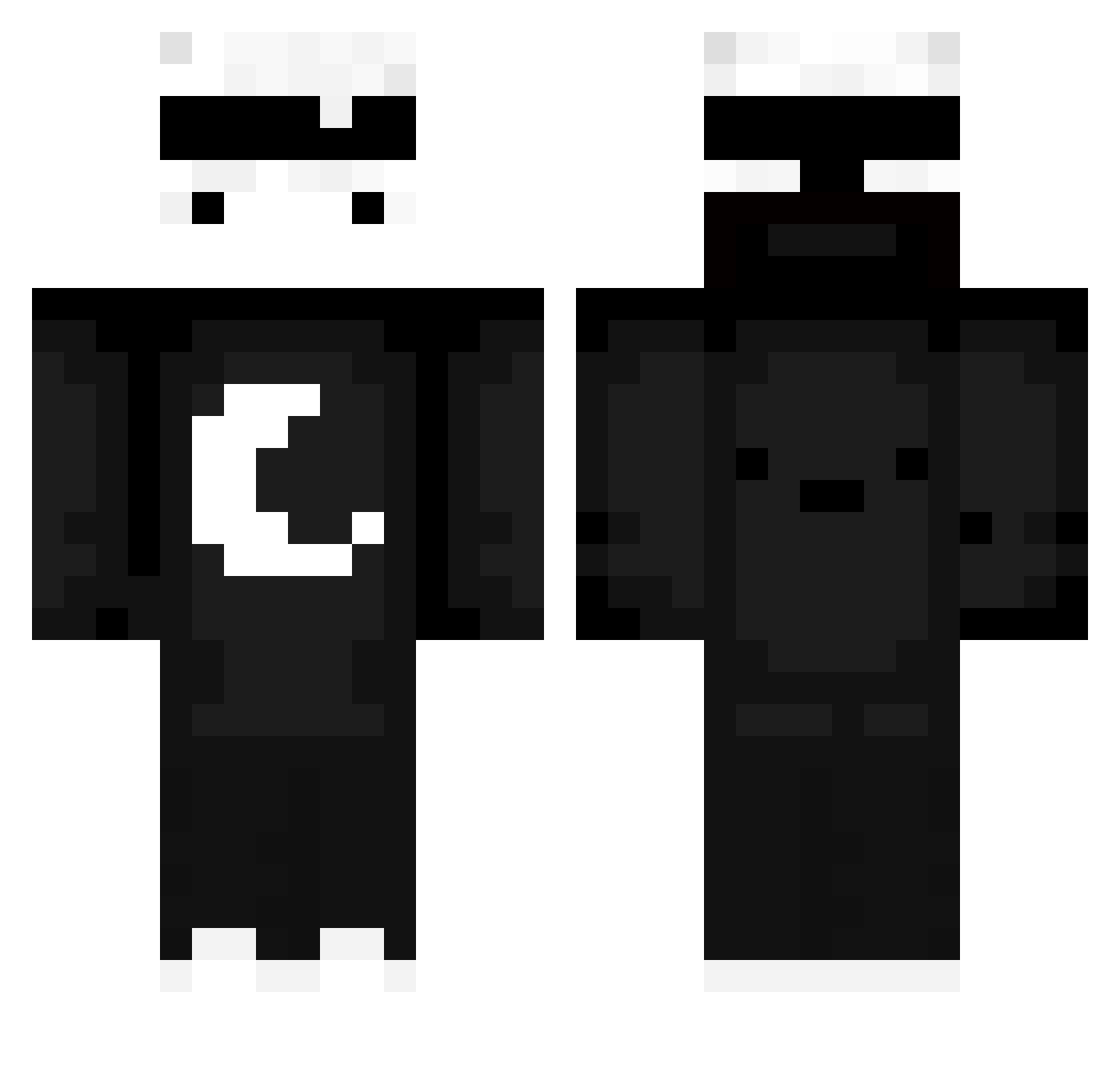
How to install the zShadForever skin
- Press the Download button above to save the skin as a PNG file.
- Minecraft: Bedrock Edition (PE): open the Dressing Room from the main menu (or tap your character → Edit Character), go to Classic Skins → Owned, press the + (new skin) button, choose the downloaded PNG and pick the Classic (Steve) model. Works on PC and mobile; consoles cannot import custom skins.
- Minecraft: Java Edition: open the Minecraft Launcher, go to the Skins tab, click New Skin, load the PNG, pick the Classic (Steve) model and press Save & Use. You can also upload it at minecraft.net → Profile → Change Skin.
The skin does not show up after import - what should I do?
Restart Minecraft and open the Dressing Room again - imported skins sometimes appear only after a restart. Also make sure you selected the imported skin and picked the Classic (Steve) model.
Which model should I choose, Classic or Slim?
This skin is designed for the Classic (Steve) model. If you pick the wrong model, the arms of the skin will look stretched or squeezed.
Is this skin free to use?
Yes. Press Download, save the PNG file and use it in Minecraft: Bedrock Edition or Java Edition - no payment or registration needed. The skin also works on multiplayer servers and Realms.
More Moon Minecraft skins
More skins
Looking for more? Go back to all Minecraft skins and check the top skins of the week, month and all time, or find any player's skin by nickname.