
 SirRagdoll CuriousSiamang2 Rowzen_ PigMan56 mosejin moims23 ZacL625 leeyul2010 vegeta213 Mihouku Luigoss _TravyPatty_ xdrauz kylds_ wusooo Termosman craft969 Xxlol9854 Megadrumz FrenchNoob MrPotatohead123 JisusX Anothercoolguyy B1GZ3PHUS PUNISHERxOP mmzp vicio982 LEGEND_GOON XLmohammed Santsei Illumi32 ilovebree Nonoana10 DIOANDREW aLEgeNE DelayBirb MareCigan AniFramer shmeeent_ Bxow Katalyzer Eidan31 blaccgorillanuts Ismael___ D9SRl Shavkaaat Frashh shin5778 Camoleck Jojo_Beyzoz ExoyzLXL ThunderJax21 KloteKat Medsssss Gutek007 CarryVaqe Grrrdada LeeSoLocos cebolacomkiwi joseph_Bukli
Minecraft skin of RTbooker. Rotate the 3D model with your mouse or finger to view the skin from every angle, then download it as a PNG file and use it in Minecraft: Bedrock Edition or Java Edition for free. Rate the skin with stars to help other players find the best skins in our collection.
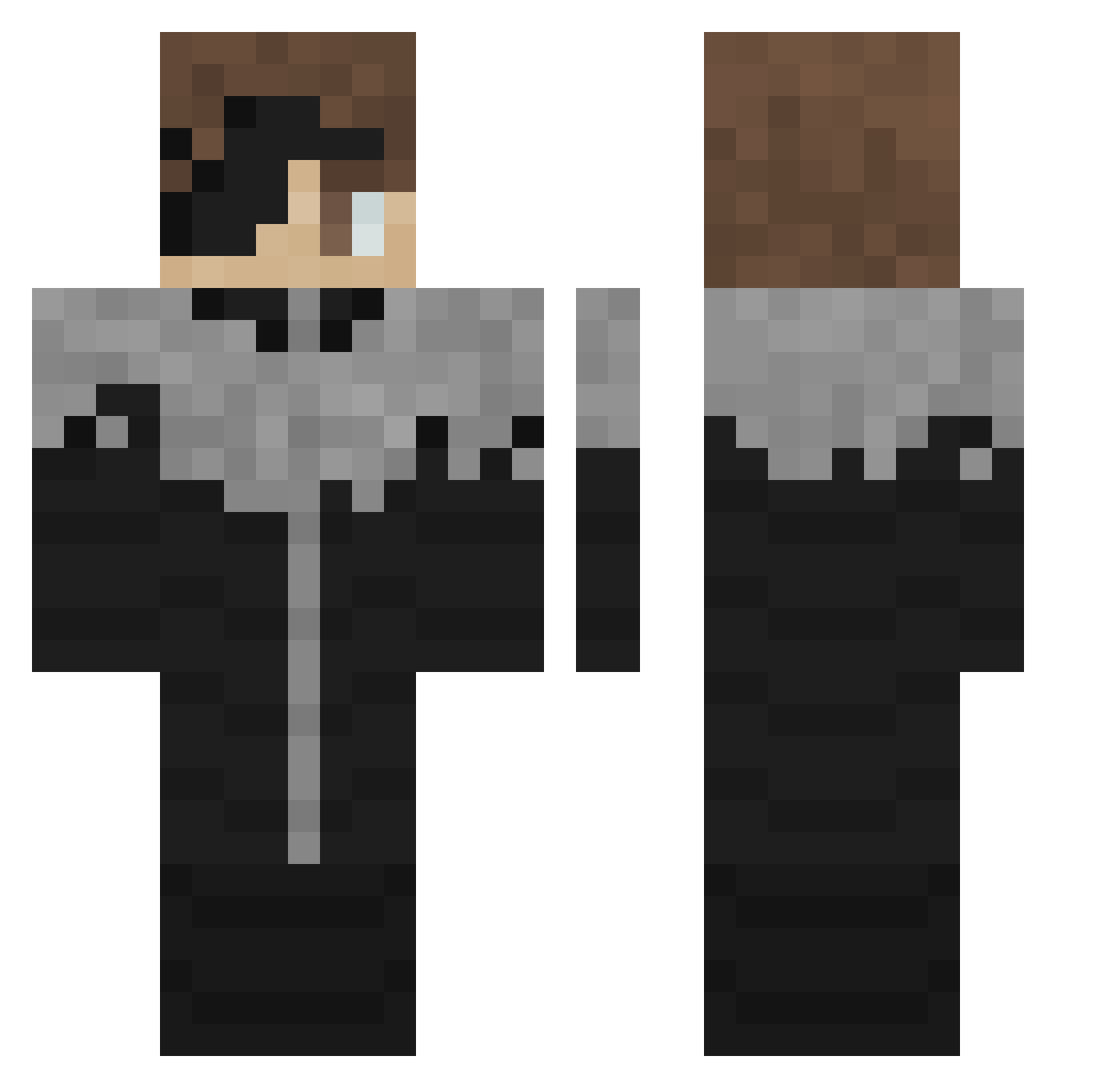
How to install the RTbooker skin
- Press the Download button above to save the skin as a PNG file.
- Minecraft: Bedrock Edition (PE): open the Dressing Room from the main menu (or tap your character → Edit Character), go to Classic Skins → Owned, press the + (new skin) button, choose the downloaded PNG and pick the Classic (Steve) model. Works on PC and mobile; consoles cannot import custom skins.
- Minecraft: Java Edition: open the Minecraft Launcher, go to the Skins tab, click New Skin, load the PNG, pick the Classic (Steve) model and press Save & Use. You can also upload it at minecraft.net → Profile → Change Skin.
The skin does not show up after import - what should I do?
Restart Minecraft and open the Dressing Room again - imported skins sometimes appear only after a restart. Also make sure you selected the imported skin and picked the Classic (Steve) model.
Which model should I choose, Classic or Slim?
This skin is designed for the Classic (Steve) model. If you pick the wrong model, the arms of the skin will look stretched or squeezed.
Is this skin free to use?
Yes. Press Download, save the PNG file and use it in Minecraft: Bedrock Edition or Java Edition - no payment or registration needed. The skin also works on multiplayer servers and Realms.
More Kaneki Ken Minecraft skins
More skins
Looking for more? Go back to all Minecraft skins and check the top skins of the week, month and all time, or find any player's skin by nickname.