
 UntitledUntold Hunta126 XxSavagePizza2xX Alikzxd Mu_Hx WixaE Daniel4bc ChaseBlud Leuu2 daviwithoutd PupPeeter_ juliuswhat Darshthe2n IAMmuin StraightTalker NhatClimbStairs NotFefe Omega_Joel Alg4e_ Nina0425 Caliburnn_ Apulian Thommy_0987 ElDRK KitsuIXI Wizzus bed_misiek superodzilla Flufix_ TeddyYellow Kazam_Playz NEET_MC R3X78 Gaty8440 Unknowyita kkwasti Jamy135 Rinn_n lecat_butousky Kashdevi Conman635 JONES5222 LazyBones889 mine_dude21 Vequiwz RubySaber MakuMRC RobGarsMignon lolo1ol Kalpoturtle SShadoWW007 Thegrategirrafe Poltecc anXestor AxoloteIUTUOF sbif thekitkater CrysHeat Helka_Hotelka guanmave
Minecraft skin of pandamiaw300_. Rotate the 3D model with your mouse or finger to view the skin from every angle, then download it as a PNG file and use it in Minecraft: Bedrock Edition or Java Edition for free. Rate the skin with stars to help other players find the best skins in our collection.
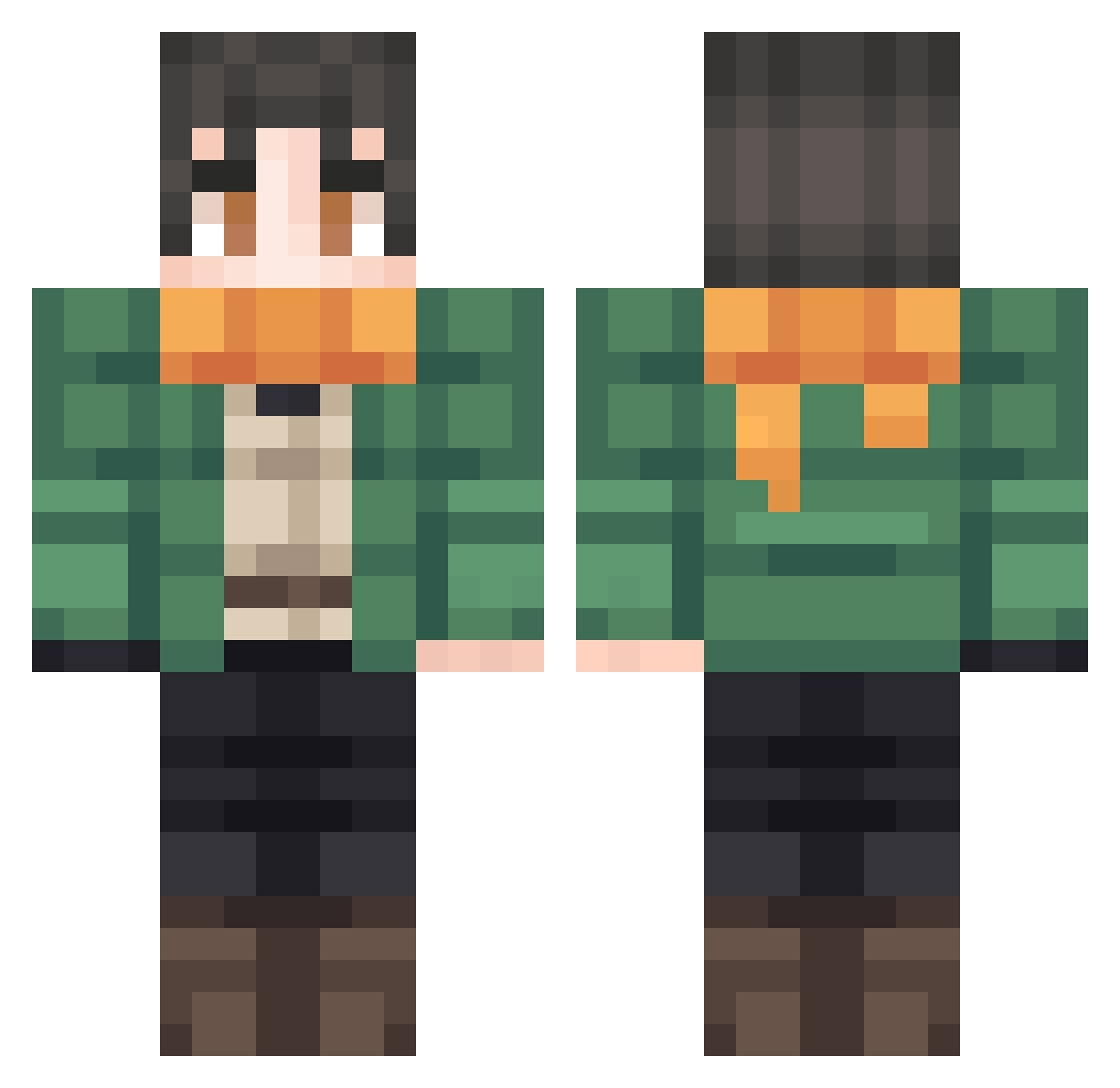
How to install the pandamiaw300_ skin
- Press the Download button above to save the skin as a PNG file.
- Minecraft: Bedrock Edition (PE): open the Dressing Room from the main menu (or tap your character → Edit Character), go to Classic Skins → Owned, press the + (new skin) button, choose the downloaded PNG and pick the Classic (Steve) model. Works on PC and mobile; consoles cannot import custom skins.
- Minecraft: Java Edition: open the Minecraft Launcher, go to the Skins tab, click New Skin, load the PNG, pick the Classic (Steve) model and press Save & Use. You can also upload it at minecraft.net → Profile → Change Skin.
The skin does not show up after import - what should I do?
Restart Minecraft and open the Dressing Room again - imported skins sometimes appear only after a restart. Also make sure you selected the imported skin and picked the Classic (Steve) model.
Which model should I choose, Classic or Slim?
This skin is designed for the Classic (Steve) model. If you pick the wrong model, the arms of the skin will look stretched or squeezed.
Is this skin free to use?
Yes. Press Download, save the PNG file and use it in Minecraft: Bedrock Edition or Java Edition - no payment or registration needed. The skin also works on multiplayer servers and Realms.
More skins
Looking for more? Go back to all Minecraft skins and check the top skins of the week, month and all time, or find any player's skin by nickname.