
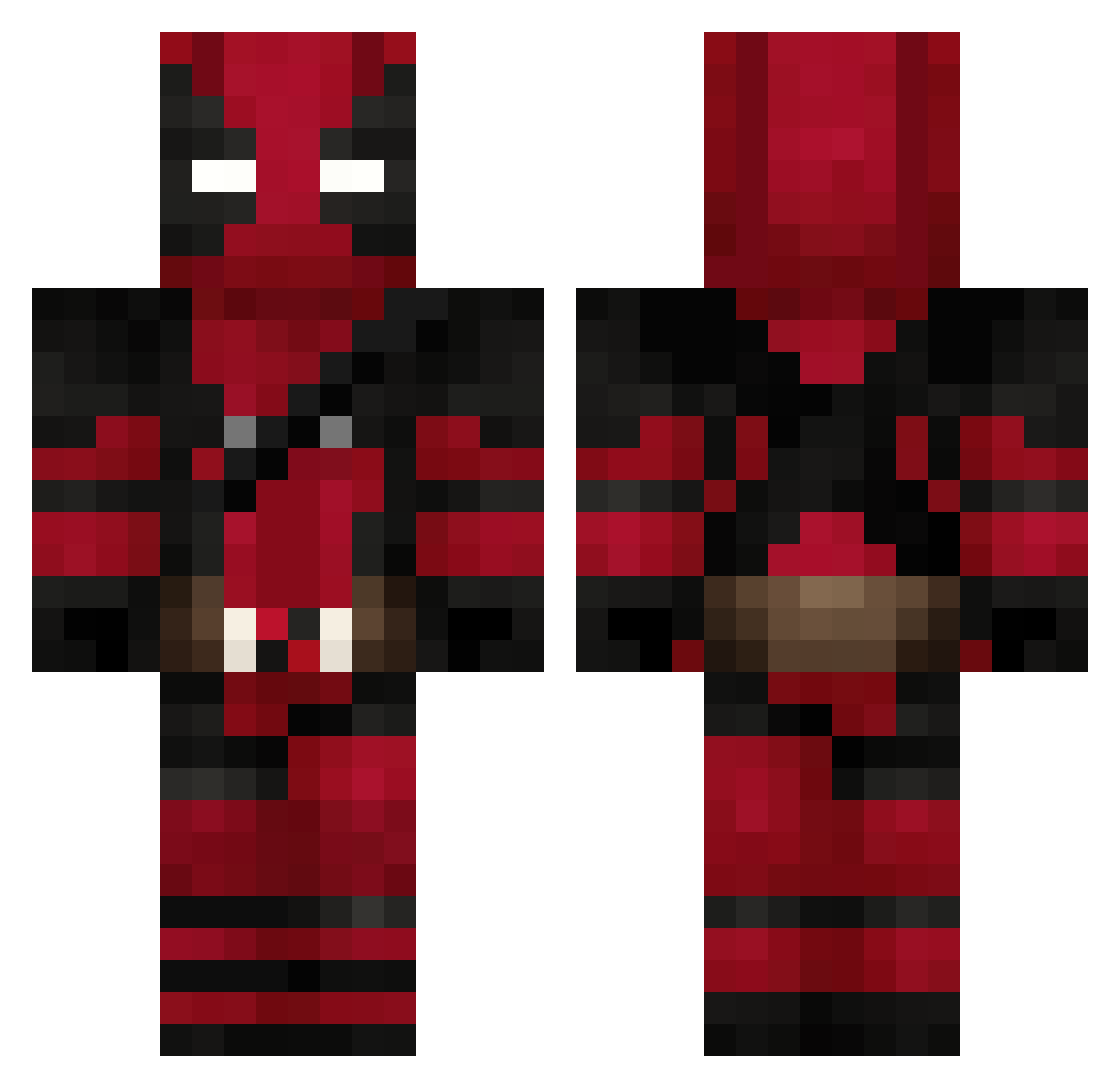
Current Minecraft skin of the player zyania_123, loaded from the official Mojang API. Rotate the 3D model with your mouse or finger, then download the skin as a PNG file and use it in Minecraft: Bedrock Edition or Java Edition for free. When zyania_123 changes their skin, this page updates automatically and the old skin stays in the history below.
Other players with this skin (493)
zyania_123 was the 485th player we have seen with this skin, first spotted on 03.10.2026. The same skin was seen on these players. Open a nickname to see their current skin and skin history.
 Deadpool764 yamomz _aies_ Lexie_Hart Kinectic30 Lerinn__ Eterno_Gente_boa OfficerMentality caiio9 JuPa2020 NunaCatPlayZ liquidknife GuiSch9 BlueGamerPT HeeHooHar IronBryne RobyRoberto392 WR9XY _SavageX_ snyderman29 K4llit xX_M4Y3E_Xx Manueru DiamondDalek66 EcuAndres Radockk golden_river TRYBZON Douglinhas29 nahoming Summercamp29 NeLi2305 Skarvel Melkwanda _Siilver Politus45 DerAdi97 Aitory94 ExtravagantHippo CondeRem Bekoay GerTheFox StarSunYT Vanhundred CaaaaaaaaT__ Dunham13 edmonn Chriswoongg Maqrubs BretzelCrazy Scar_07 Rhi442 GreatOldOne77 Napping_Turtle05 NinjaTardo Bigbigs6z BigMowgli Deawgames salutbebe Kimchiman159
More Deadpool Minecraft skins
How to install the zyania_123 skin
- Press the Download button above to save the skin as a PNG file.
- Minecraft: Bedrock Edition (PE): open the Dressing Room from the main menu (or tap your character → Edit Character), go to Classic Skins → Owned, press the + (new skin) button, choose the downloaded PNG and pick the Classic (Steve) model. Works on PC and mobile; consoles cannot import custom skins.
- Minecraft: Java Edition: open the Minecraft Launcher, go to the Skins tab, click New Skin, load the PNG, pick the Classic (Steve) model and press Save & Use. You can also upload it at minecraft.net → Profile → Change Skin.
The skin does not show up after import - what should I do?
Restart Minecraft and open the Dressing Room again - imported skins sometimes appear only after a restart. Also make sure you selected the imported skin and picked the Classic (Steve) model.
Which model should I choose, Classic or Slim?
This skin is designed for the Classic (Steve) model. If you pick the wrong model, the arms of the skin will look stretched or squeezed.
Is the skin of zyania_123 free to download?
Yes. Press Download, save the PNG file and use it in Minecraft: Bedrock Edition or Java Edition - no payment or registration needed. The skin also works on multiplayer servers and Realms.
More skins
Looking for more? Go back to all Minecraft skins and check the top skins of the week, month and all time, or find any player's skin by nickname.