
zxcVizer - Minecraft Skins & Skin History
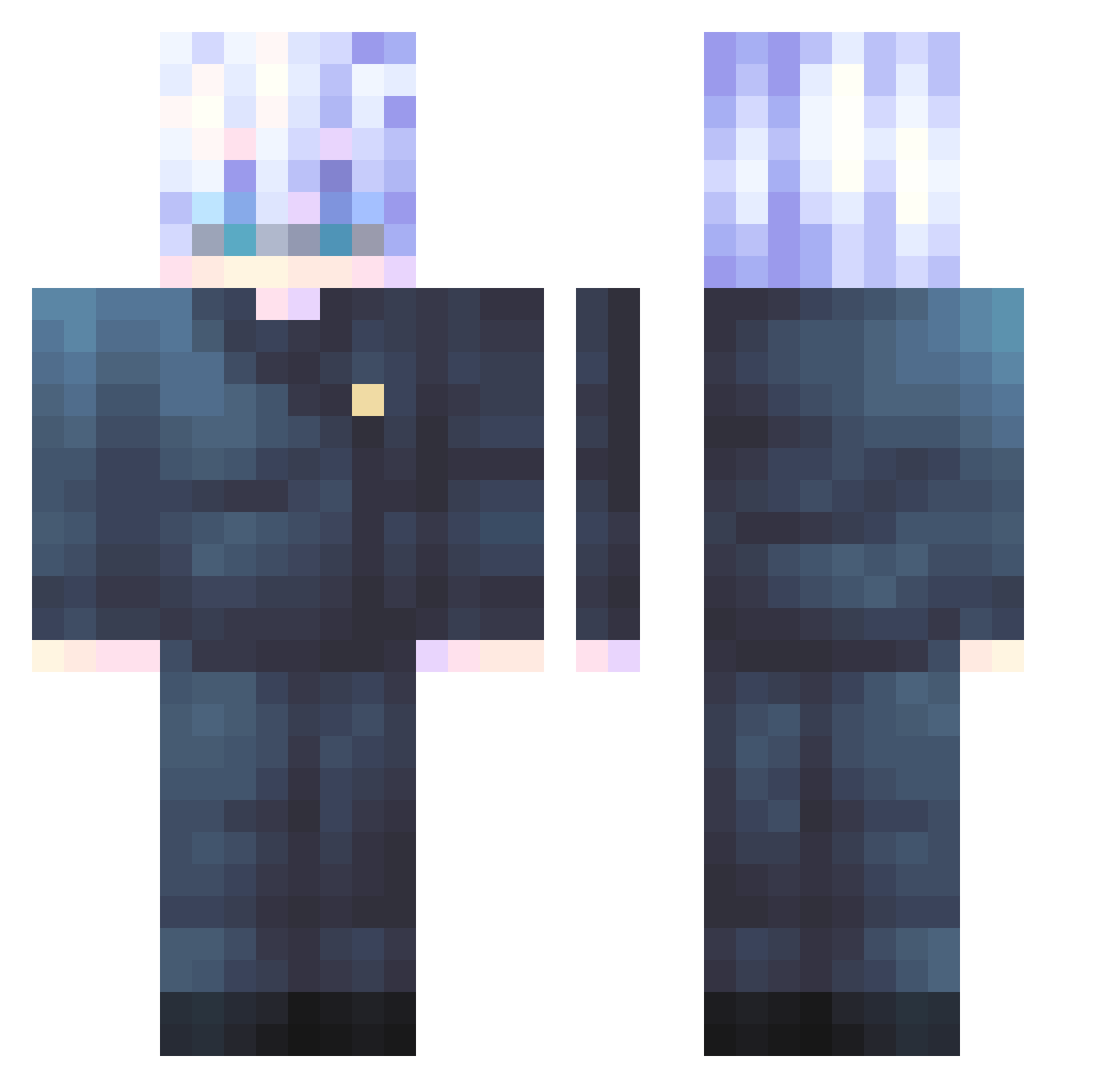
Current Minecraft skin of the player zxcVizer, loaded from the official Mojang API. Rotate the 3D model with your mouse or finger, then download the skin as a PNG file and use it in Minecraft: Bedrock Edition or Java Edition for free. When zxcVizer changes their skin, this page updates automatically and the old skin stays in the history below.
Other players with this skin (445)
zxcVizer was the 33rd player we have seen with this skin, first spotted on 31.07.2026. The same skin was seen on these players. Open a nickname to see their current skin and skin history.
 pelpeldada oOhinOo FanfVanny2153 dlwooqr zOveer JustTitan Natsu477 linexa28 binz512 RMatriX apollolynx11 Pohaku_808 Zenivia vopsity Lunacy06
 Vadimslav mrxzshadow Nassys falconrock LEGEND_ZAID Sato12121 1iKkI maksmill123 motherlina SISTEM77 champion0505 Renoldo6 GimCuu GojoSatoru129 Acediiaa hubi07 rock_0718 Cereal_hehe zNThN THEKID230920 awsedrftgyhujiko TheOatConsumer Godzilla_0_4 NecroxPlays starlit326 LeiBoa Bored7_7 maycu_ yunuswastaken KaikiDoni cuperer bohyogi COIN1776 _kuroa_ YulianGB Tyrese2Funny Dofy MatuhTW Elderwoods89 Yejoon127 fire_1ex KaisenReaper s3bbbb RainFallingDown iExxoz
More Satoru Gojo Minecraft skins
See all 1179 Satoru Gojo skins
How to install the zxcVizer skin
- Press the Download button above to save the skin as a PNG file.
- Minecraft: Bedrock Edition (PE): open the Dressing Room from the main menu (or tap your character → Edit Character), go to Classic Skins → Owned, press the + (new skin) button, choose the downloaded PNG and pick the Classic (Steve) model. Works on PC and mobile; consoles cannot import custom skins.
- Minecraft: Java Edition: open the Minecraft Launcher, go to the Skins tab, click New Skin, load the PNG, pick the Classic (Steve) model and press Save & Use. You can also upload it at minecraft.net → Profile → Change Skin.
The skin does not show up after import - what should I do?
Restart Minecraft and open the Dressing Room again - imported skins sometimes appear only after a restart. Also make sure you selected the imported skin and picked the Classic (Steve) model.
Which model should I choose, Classic or Slim?
This skin is designed for the Classic (Steve) model. If you pick the wrong model, the arms of the skin will look stretched or squeezed.
Is the skin of zxcVizer free to download?
Yes. Press Download, save the PNG file and use it in Minecraft: Bedrock Edition or Java Edition - no payment or registration needed. The skin also works on multiplayer servers and Realms.
More skins
Looking for more? Go back to all Minecraft skins and check the top skins of the week, month and all time, or find any player's skin by nickname.