
ztxtinity - Minecraft Skins & Skin History
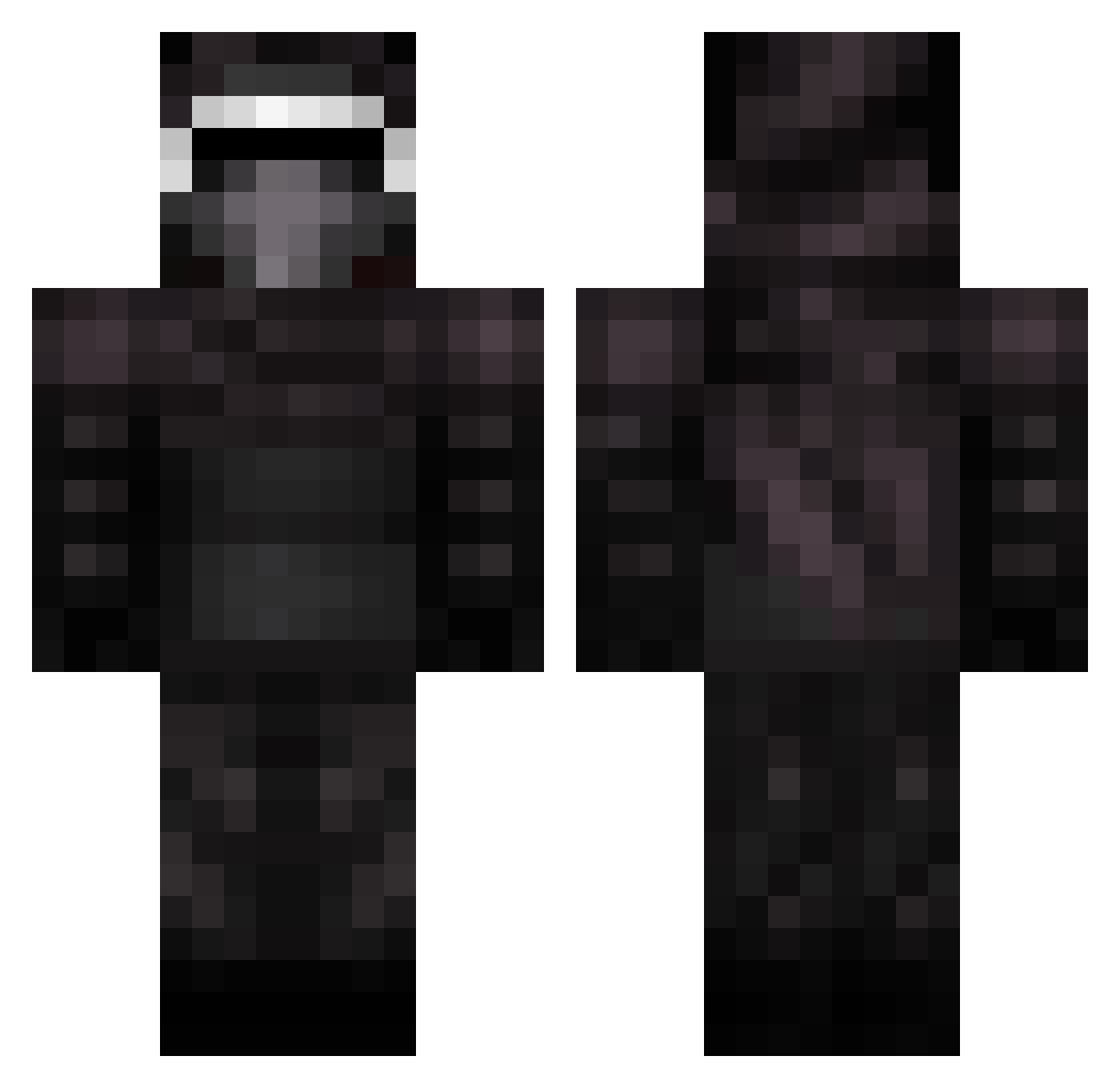
Current Minecraft skin of the player ztxtinity, loaded from the official Mojang API. Rotate the 3D model with your mouse or finger, then download the skin as a PNG file and use it in Minecraft: Bedrock Edition or Java Edition for free. When ztxtinity changes their skin, this page updates automatically and the old skin stays in the history below.
Other players with this skin (77)
ztxtinity was the 26th player we have seen with this skin, first spotted on 19.08.2026. The same skin was seen on these players. Open a nickname to see their current skin and skin history.
 ___Xeno___ Samn100 xLetsGetFiscal BiscuitEnes Mandalorian113 Hudliin Nakomenta Eron___ LMinalinsky Darth_Negus _vladii_ Legitakos Jukiloren95 trashlordmcgee dragonSKROK H0TGOD azzza09 Denito136 TR_m0ura
 Krockmock girors VikTuS_08 M4ard linus_krudka Local laxleo _reb0rn KireanCK NiiteMareZ UzziSTF MisterDerp_ EMPEROR_BASTIAAN Sir_Avi_ MuttleyMutt TheStar_Killer07 Piterek23 SershGamer_19 Larana8909 Lazazrail ATXgrayson_69 DashXxQc capra69420 CelestialM00n Nicogigi92 toolees UsingVape ___Flamez___ BarvelToaster minsang DuibS NightRiderPro Alfonsorod13 Kulayalu Jakesidious xM4X callmebutter Epic_Gillian sternberg333 Abenzio_ McPawloPVP
More Kylo Ren Minecraft skins
How to install the ztxtinity skin
- Press the Download button above to save the skin as a PNG file.
- Minecraft: Bedrock Edition (PE): open the Dressing Room from the main menu (or tap your character → Edit Character), go to Classic Skins → Owned, press the + (new skin) button, choose the downloaded PNG and pick the Classic (Steve) model. Works on PC and mobile; consoles cannot import custom skins.
- Minecraft: Java Edition: open the Minecraft Launcher, go to the Skins tab, click New Skin, load the PNG, pick the Classic (Steve) model and press Save & Use. You can also upload it at minecraft.net → Profile → Change Skin.
The skin does not show up after import - what should I do?
Restart Minecraft and open the Dressing Room again - imported skins sometimes appear only after a restart. Also make sure you selected the imported skin and picked the Classic (Steve) model.
Which model should I choose, Classic or Slim?
This skin is designed for the Classic (Steve) model. If you pick the wrong model, the arms of the skin will look stretched or squeezed.
Is the skin of ztxtinity free to download?
Yes. Press Download, save the PNG file and use it in Minecraft: Bedrock Edition or Java Edition - no payment or registration needed. The skin also works on multiplayer servers and Realms.
More skins
Looking for more? Go back to all Minecraft skins and check the top skins of the week, month and all time, or find any player's skin by nickname.