
zombomb2004 - Minecraft Skins & Skin History
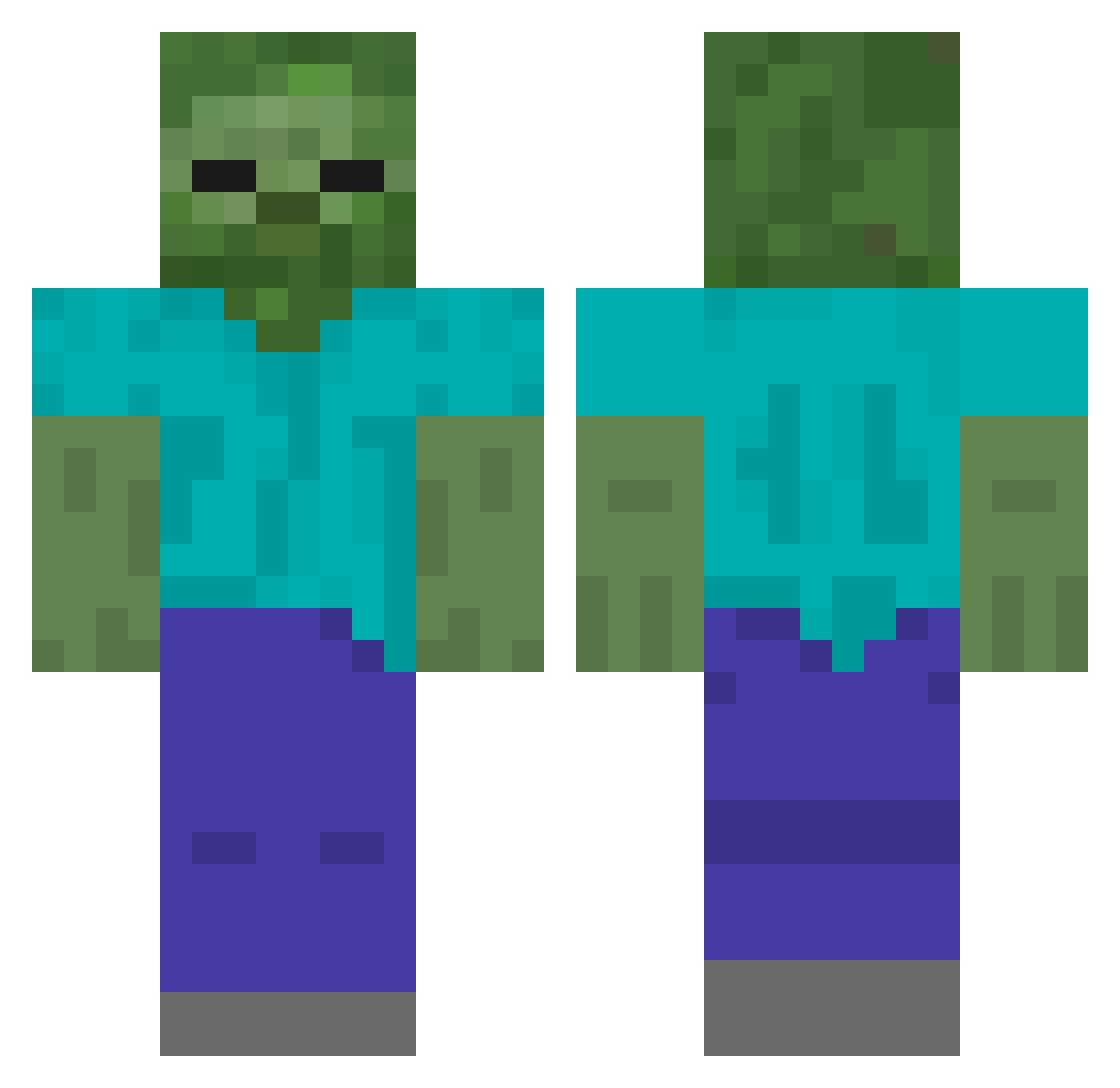
Current Minecraft skin of the player zombomb2004, loaded from the official Mojang API. Rotate the 3D model with your mouse or finger, then download the skin as a PNG file and use it in Minecraft: Bedrock Edition or Java Edition for free. When zombomb2004 changes their skin, this page updates automatically and the old skin stays in the history below.
Other players with this skin (211)
zombomb2004 was the 114th player we have seen with this skin, first spotted on 28.09.2026. The same skin was seen on these players. Open a nickname to see their current skin and skin history.
 carterbeast123 RubikMaster KeeperOfWeather yh5672 halaFunG weezegnome martinflipppi Phoenix389 zach6 Sn0ow hulk19852 Sarah_dei_Beste bastienw Gerd94 jjdiddy65 siranui_cb oewa Rinrin1123 Ogalilly DerPate1983 andy0987654321 coreybra DareCalvin whitehead23 Slushox KomradeLenin undeadrip Commando952 kgam liner3 ItsAlvinMCC kursten55555 Minebr _Disnev HerobrineLPs suskeliini Tart_Man MyBaeUnaib maquinat SayShelley 111405 K_Suboo mrdudles15 kmecpp Thegoodguy007 yoon_chan_soo1 CheDanNB miggymachine Scrooge_McJones Melvin_Giant Glue_on_Smile N1ckGreek TacoTigger calebwl ppatto mavQWQ tinaco123 UberLeetGlitch ImTJay yakult25
More Undead Minecraft skins
How to install the zombomb2004 skin
- Press the Download button above to save the skin as a PNG file.
- Minecraft: Bedrock Edition (PE): open the Dressing Room from the main menu (or tap your character → Edit Character), go to Classic Skins → Owned, press the + (new skin) button, choose the downloaded PNG and pick the Classic (Steve) model. Works on PC and mobile; consoles cannot import custom skins.
- Minecraft: Java Edition: open the Minecraft Launcher, go to the Skins tab, click New Skin, load the PNG, pick the Classic (Steve) model and press Save & Use. You can also upload it at minecraft.net → Profile → Change Skin.
The skin does not show up after import - what should I do?
Restart Minecraft and open the Dressing Room again - imported skins sometimes appear only after a restart. Also make sure you selected the imported skin and picked the Classic (Steve) model.
Which model should I choose, Classic or Slim?
This skin is designed for the Classic (Steve) model. If you pick the wrong model, the arms of the skin will look stretched or squeezed.
Is the skin of zombomb2004 free to download?
Yes. Press Download, save the PNG file and use it in Minecraft: Bedrock Edition or Java Edition - no payment or registration needed. The skin also works on multiplayer servers and Realms.
More skins
Looking for more? Go back to all Minecraft skins and check the top skins of the week, month and all time, or find any player's skin by nickname.