
zombip - Minecraft Skins & Skin History
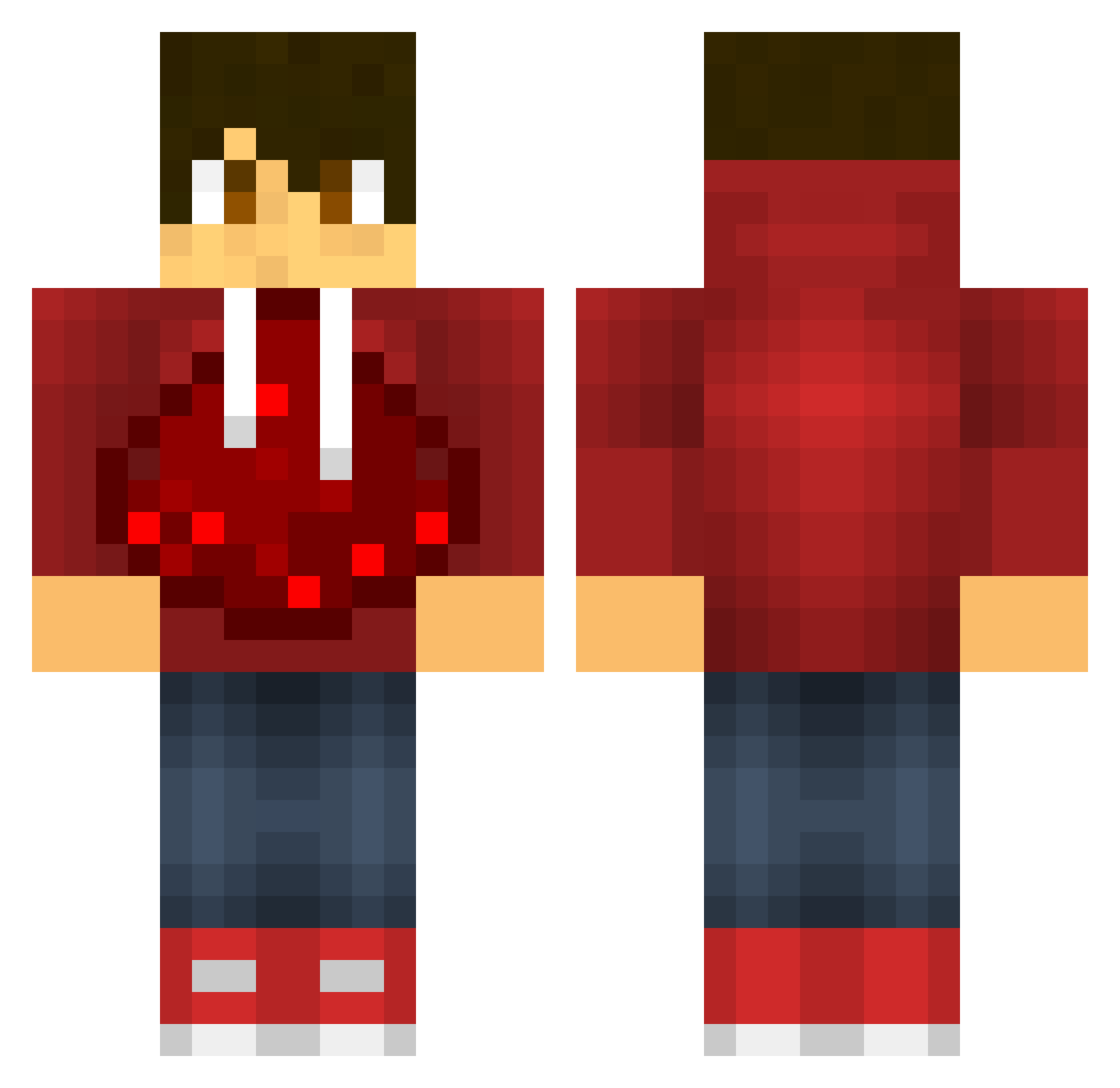
Current Minecraft skin of the player zombip, loaded from the official Mojang API. Rotate the 3D model with your mouse or finger, then download the skin as a PNG file and use it in Minecraft: Bedrock Edition or Java Edition for free. When zombip changes their skin, this page updates automatically and the old skin stays in the history below.
Other players with this skin (601)
zombip was the 130th player we have seen with this skin, first spotted on 20.08.2026. The same skin was seen on these players. Open a nickname to see their current skin and skin history.
 Architech360 adfoniahnf TheSicilian Chaosbuster__ rage213 JeppeOP Blizqr bombdagger BombAsticCole claude37 nokssu jdog0318 Knightdragon12 Rocky23515 Hype_STRT Renxault jaywatch real_tobias PhlegmBaller sagaris10 MempisCode voy_ JakeElite Chasey70 2133 Ysnow51 Slayyer123 RalphLaurenPvP Maverick428 Dark_Moons RedSlicer Enchantmentblaze Nisaus soffaperuna112 Fluffybearbutt datman222 anthony5496 Gaston0418 Qpwned DjDevyn futte11 smileville wzlamr dashie5616 Hendo68 devilman50 weiniboy01 Dr_Diamond_123 big_gamer1998 poodlesandwich11 KoolNate02 BarbarianKing09 simonaichhorn redmeow10 wrectal Awesome_Thomas XxZiggy102 Glassgubben54 psychodash231 acerman14
More Redstone Minecraft skins
How to install the zombip skin
- Press the Download button above to save the skin as a PNG file.
- Minecraft: Bedrock Edition (PE): open the Dressing Room from the main menu (or tap your character → Edit Character), go to Classic Skins → Owned, press the + (new skin) button, choose the downloaded PNG and pick the Classic (Steve) model. Works on PC and mobile; consoles cannot import custom skins.
- Minecraft: Java Edition: open the Minecraft Launcher, go to the Skins tab, click New Skin, load the PNG, pick the Classic (Steve) model and press Save & Use. You can also upload it at minecraft.net → Profile → Change Skin.
The skin does not show up after import - what should I do?
Restart Minecraft and open the Dressing Room again - imported skins sometimes appear only after a restart. Also make sure you selected the imported skin and picked the Classic (Steve) model.
Which model should I choose, Classic or Slim?
This skin is designed for the Classic (Steve) model. If you pick the wrong model, the arms of the skin will look stretched or squeezed.
Is the skin of zombip free to download?
Yes. Press Download, save the PNG file and use it in Minecraft: Bedrock Edition or Java Edition - no payment or registration needed. The skin also works on multiplayer servers and Realms.
More skins
Looking for more? Go back to all Minecraft skins and check the top skins of the week, month and all time, or find any player's skin by nickname.