
zlovejoy - Minecraft Skins & Skin History
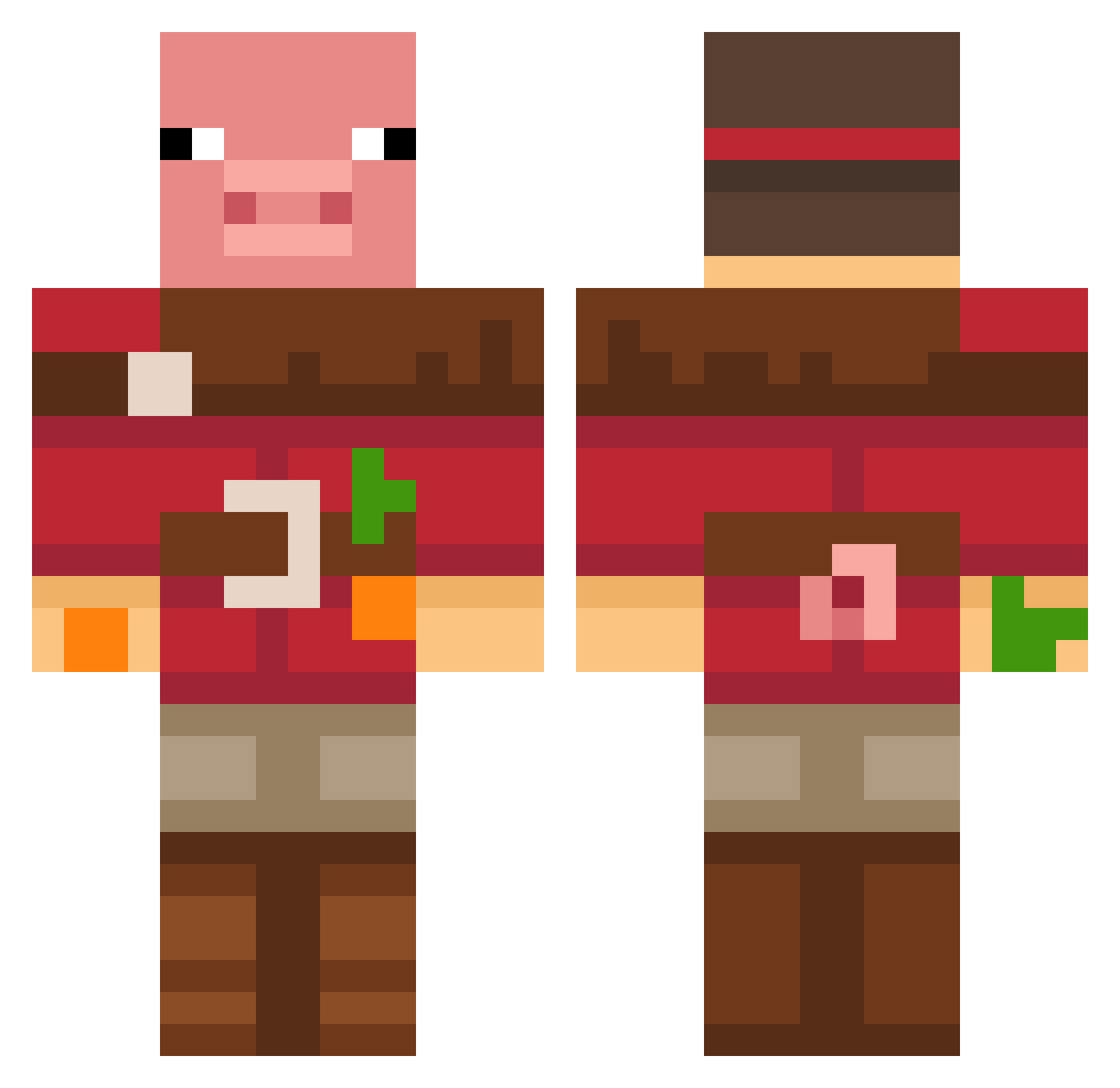
Current Minecraft skin of the player zlovejoy, loaded from the official Mojang API. Rotate the 3D model with your mouse or finger, then download the skin as a PNG file and use it in Minecraft: Bedrock Edition or Java Edition for free. When zlovejoy changes their skin, this page updates automatically and the old skin stays in the history below.
Other players with this skin (778)
zlovejoy was the 729th player we have seen with this skin, first spotted on 13.11.2026. The same skin was seen on these players. Open a nickname to see their current skin and skin history.
 WilmaAierkrauln willworld01 JESSEn42 Yraal FluffyKittenMC Kartosche4ka0_0 hihohi1210 Juanito745 Farnixl esquimozinho MatthisFT joaopro3000 Mr_Orange662 Kirchner_96 FranSo97 Letvi PandaQueen9053 NathanTanks boby123234 Torrent29 Ch0deChambers renaticos Jasonsblade02 dinau milanecha Hmm66 mimi569 ne_pr1dymal TanaBanana83 Mini_Butters03 XavierMarchant Dom6191 FidelCastrinho idk2398 zqnut123 JoJotape12 geistigverwiert looking111 Ruberty_play ConnorSaysHi SpottedFFS punster2004 suggongman Krindlok touchtips06 Carlos_5S The0neallmighty siuumin qkrwnstj5010 DodgeRaid72 BlindadoPorDeus jb7954 DAWGVET08 bobo23015 ahn_jung NerpZies Cokoladica fdfsdfsd skrrrrrrrrrr13 7k_flaco
More Pig Minecraft skins
How to install the zlovejoy skin
- Press the Download button above to save the skin as a PNG file.
- Minecraft: Bedrock Edition (PE): open the Dressing Room from the main menu (or tap your character → Edit Character), go to Classic Skins → Owned, press the + (new skin) button, choose the downloaded PNG and pick the Classic (Steve) model. Works on PC and mobile; consoles cannot import custom skins.
- Minecraft: Java Edition: open the Minecraft Launcher, go to the Skins tab, click New Skin, load the PNG, pick the Classic (Steve) model and press Save & Use. You can also upload it at minecraft.net → Profile → Change Skin.
The skin does not show up after import - what should I do?
Restart Minecraft and open the Dressing Room again - imported skins sometimes appear only after a restart. Also make sure you selected the imported skin and picked the Classic (Steve) model.
Which model should I choose, Classic or Slim?
This skin is designed for the Classic (Steve) model. If you pick the wrong model, the arms of the skin will look stretched or squeezed.
Is the skin of zlovejoy free to download?
Yes. Press Download, save the PNG file and use it in Minecraft: Bedrock Edition or Java Edition - no payment or registration needed. The skin also works on multiplayer servers and Realms.
More skins
Looking for more? Go back to all Minecraft skins and check the top skins of the week, month and all time, or find any player's skin by nickname.