
zhalffk_pp - Minecraft Skins & Skin History
Current Minecraft skin of the player zhalffk_pp, loaded from the official Mojang API. Rotate the 3D model with your mouse or finger, then download the skin as a PNG file and use it in Minecraft: Bedrock Edition or Java Edition for free. When zhalffk_pp changes their skin, this page updates automatically and the old skin stays in the history below.
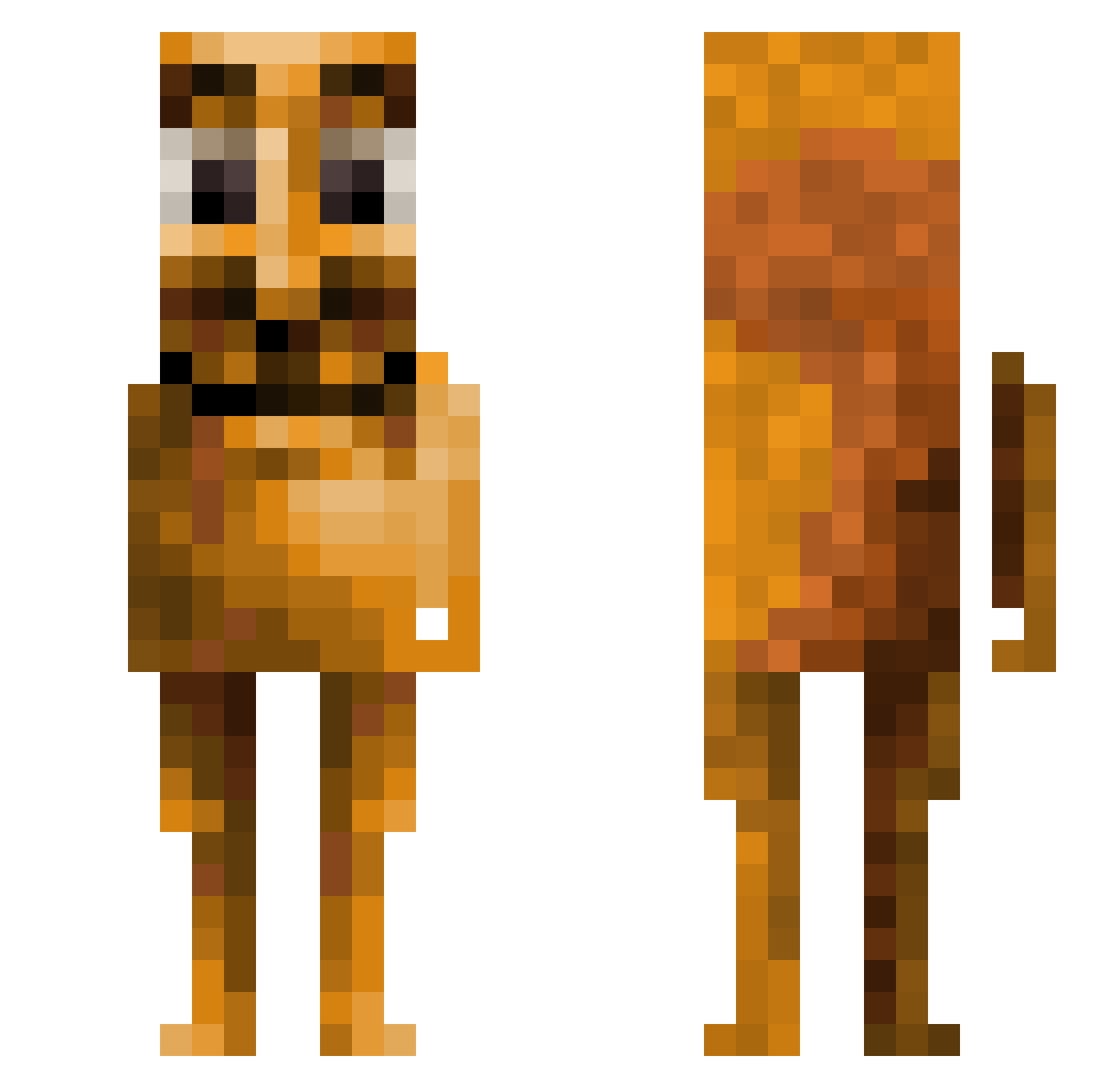
Other players with this skin (128)
zhalffk_pp was the 32nd player we have seen with this skin, first spotted on 14.08.2026. The same skin was seen on these players. Open a nickname to see their current skin and skin history.
 IanisPasGoat
 MarinPav Sa1ty_Rice N3wi
 yC4_
yC4_ meltt_77 96peakbot ted323
 Daviziinn1020 Pepsii121
 vintagers AveryRefineddude snircheff _shoxy sowchii JTEmangeTTcrus LEEJIHOO1116
 sav1m drywall19
 KURIBO116 skittles_pin
 CursedX2
 Megajoker123
 GorunmezOyuncuAK
 jkbobo21 Tetsuya3630 rinfy
 tymoker vVicho_ Sinblocks MoominK120 Dzonycwl xhns
 Cowboy6974 Mikcntu RecoilGaming Rexted909 mrzco12
 C0NTEMECE jarox2 rafix30 Blazek45
 falloutplaya Kacperos_PL BlackRavager Pancakelord69 MiikeTyson _min3_
 bemtrated deceasedanatidae xXJudahXx podabris
 jexd127 endermax5 nwcubeok
 L1nze_ lilazzkicker15 ZamThatGuy MadisonBeerFeet eidog0723
More Squirrel Minecraft skins
How to install the zhalffk_pp skin
- Press the Download button above to save the skin as a PNG file.
- Minecraft: Bedrock Edition (PE): open the Dressing Room from the main menu (or tap your character → Edit Character), go to Classic Skins → Owned, press the + (new skin) button, choose the downloaded PNG and pick the Slim (Alex) model. Works on PC and mobile; consoles cannot import custom skins.
- Minecraft: Java Edition: open the Minecraft Launcher, go to the Skins tab, click New Skin, load the PNG, pick the Slim (Alex) model and press Save & Use. You can also upload it at minecraft.net → Profile → Change Skin.
The skin does not show up after import - what should I do?
Restart Minecraft and open the Dressing Room again - imported skins sometimes appear only after a restart. Also make sure you selected the imported skin and picked the Slim (Alex) model.
Which model should I choose, Classic or Slim?
This skin is designed for the Slim (Alex) model. If you pick the wrong model, the arms of the skin will look stretched or squeezed.
Is the skin of zhalffk_pp free to download?
Yes. Press Download, save the PNG file and use it in Minecraft: Bedrock Edition or Java Edition - no payment or registration needed. The skin also works on multiplayer servers and Realms.
More skins
Looking for more? Go back to all Minecraft skins and check the top skins of the week, month and all time, or find any player's skin by nickname.