
zdima - Minecraft Skins & Skin History
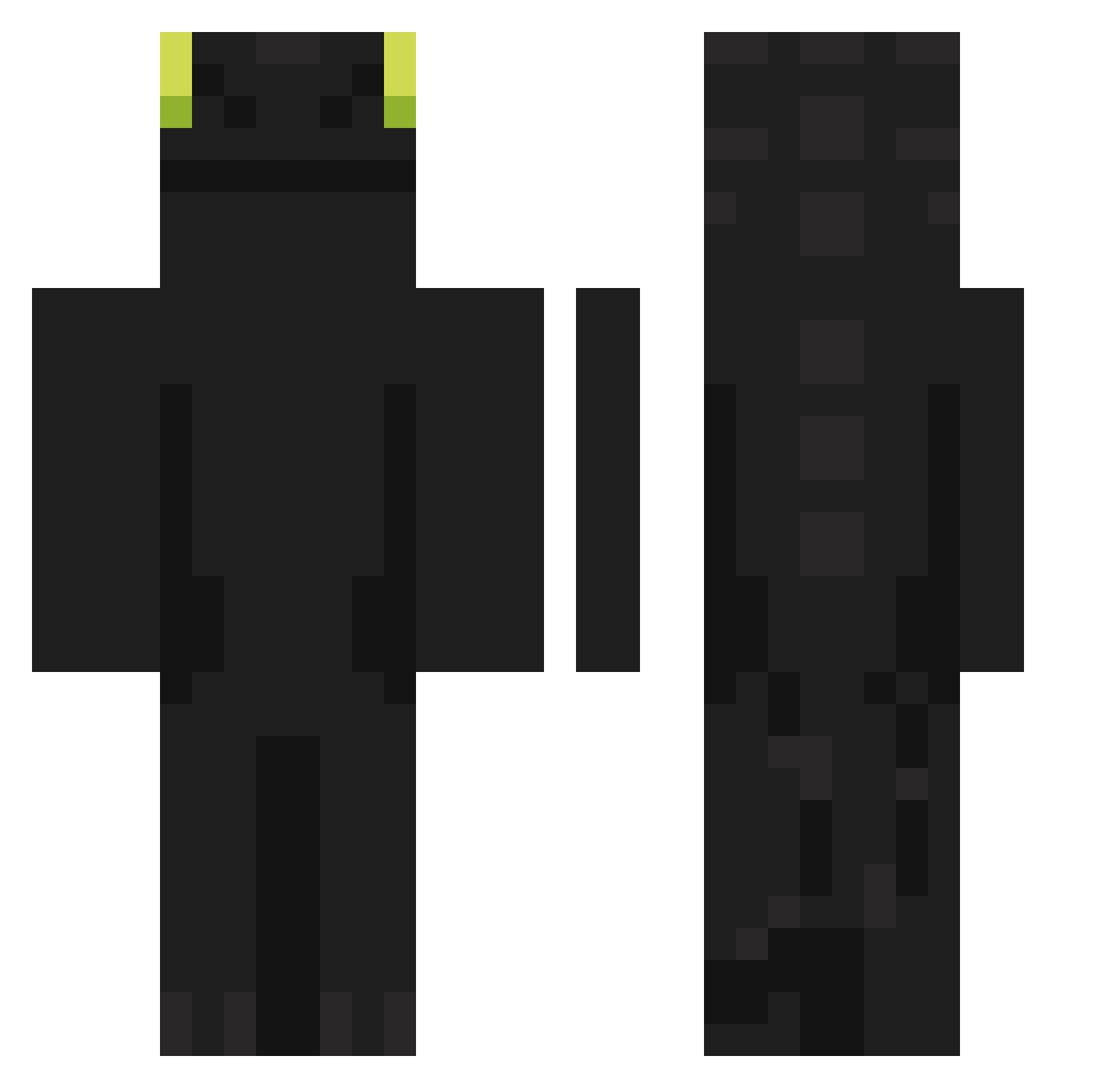
Current Minecraft skin of the player zdima, loaded from the official Mojang API. Rotate the 3D model with your mouse or finger, then download the skin as a PNG file and use it in Minecraft: Bedrock Edition or Java Edition for free. When zdima changes their skin, this page updates automatically and the old skin stays in the history below.
Other players with this skin (876)
zdima was the 747th player we have seen with this skin, first spotted on 19.10.2026. The same skin was seen on these players. Open a nickname to see their current skin and skin history.
 rafinhareido6969 mynameispenman adamons Musicos Chennann BS1G angrygami capyxaxa Spyridorm HiloNNN 6daledoback9 Mister_Sh4d0w TodynhoDMS philipnatan GAORI0001 AbyMind Ochef_ BI09 chacha__u Pathetic943727 HyenaXman kurati888 CEKRE Porpyyoho boloru78 phixd SS0612 AZERMOND bushy04 Pentolodon Bobikyey Ehoesq bokettobi rnfmaqkstjwoaal Pala1337 DuranCR23 Phantom_zzz SlapJelly Udoolkumale Zay_koko Ssquint_ Elechero084 vickzada davidone_e Aditi_ ElSrSupersonico 0oGiE_Bo0gIe birosio666 JIP21 dltpehf700 JulezWuz lil_davo dersonpvps Sykari9282 SyKoX19 Probably_Stephen Kapppacb StachuSIgma2137 Miguel53412 khc090503
More Night Fury Minecraft skins
How to install the zdima skin
- Press the Download button above to save the skin as a PNG file.
- Minecraft: Bedrock Edition (PE): open the Dressing Room from the main menu (or tap your character → Edit Character), go to Classic Skins → Owned, press the + (new skin) button, choose the downloaded PNG and pick the Classic (Steve) model. Works on PC and mobile; consoles cannot import custom skins.
- Minecraft: Java Edition: open the Minecraft Launcher, go to the Skins tab, click New Skin, load the PNG, pick the Classic (Steve) model and press Save & Use. You can also upload it at minecraft.net → Profile → Change Skin.
The skin does not show up after import - what should I do?
Restart Minecraft and open the Dressing Room again - imported skins sometimes appear only after a restart. Also make sure you selected the imported skin and picked the Classic (Steve) model.
Which model should I choose, Classic or Slim?
This skin is designed for the Classic (Steve) model. If you pick the wrong model, the arms of the skin will look stretched or squeezed.
Is the skin of zdima free to download?
Yes. Press Download, save the PNG file and use it in Minecraft: Bedrock Edition or Java Edition - no payment or registration needed. The skin also works on multiplayer servers and Realms.
More skins
Looking for more? Go back to all Minecraft skins and check the top skins of the week, month and all time, or find any player's skin by nickname.