
zbigniew_kucharz - Minecraft Skins & Skin History
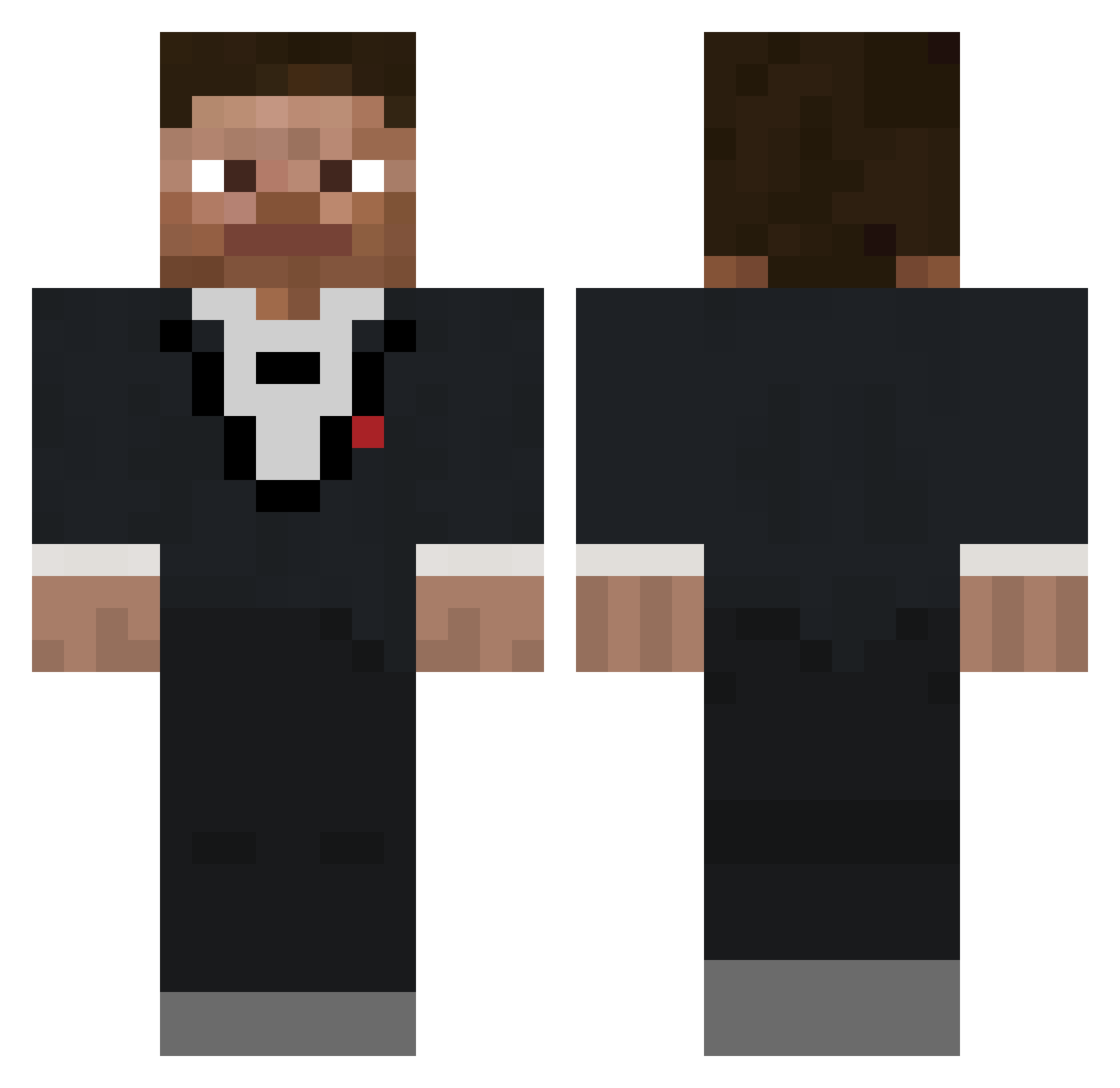
Current Minecraft skin of the player zbigniew_kucharz, loaded from the official Mojang API. Rotate the 3D model with your mouse or finger, then download the skin as a PNG file and use it in Minecraft: Bedrock Edition or Java Edition for free. When zbigniew_kucharz changes their skin, this page updates automatically and the old skin stays in the history below.
Other players with this skin (685)
zbigniew_kucharz was the 498th player we have seen with this skin, first spotted on 13.10.2026. The same skin was seen on these players. Open a nickname to see their current skin and skin history.
 Heikus1603 Matos5 _Ellepelle_ moxxiblox MAJDumps LTbattle xiszua itz_Aidan0629 cak3m WTF__ DrexYiii Ardur_ Noxious_Ape Junior9102 Squirtalicious nick723 anzusenpai ChasedParrot Slender_CM XMA45 Foggy07_ vnsr krwiak XxHagridxX casey7653 ivSenior parkourify MEMER101MC eluiy PhillMcCrac Mariuszcrediton Markopolo456 v1rg_ Arbxt GutsMemes Awesomepizza25 Jytole Veltior im_dav chocolatserenit Maxi8116 s4rew bannedacc114 WardoBombardo impotpot CoolDoog smellyraidman1 Azinaka_Sask LUKA_ESTIF LogusThemaximus Pandabearchen63 Aspixsx pl0use Aggelos1562 Zorroar le4ftzZz Bamjr239 ThatDudeNamedBob DigestingOrb47_ Cinder2465
How to install the zbigniew_kucharz skin
- Press the Download button above to save the skin as a PNG file.
- Minecraft: Bedrock Edition (PE): open the Dressing Room from the main menu (or tap your character → Edit Character), go to Classic Skins → Owned, press the + (new skin) button, choose the downloaded PNG and pick the Classic (Steve) model. Works on PC and mobile; consoles cannot import custom skins.
- Minecraft: Java Edition: open the Minecraft Launcher, go to the Skins tab, click New Skin, load the PNG, pick the Classic (Steve) model and press Save & Use. You can also upload it at minecraft.net → Profile → Change Skin.
The skin does not show up after import - what should I do?
Restart Minecraft and open the Dressing Room again - imported skins sometimes appear only after a restart. Also make sure you selected the imported skin and picked the Classic (Steve) model.
Which model should I choose, Classic or Slim?
This skin is designed for the Classic (Steve) model. If you pick the wrong model, the arms of the skin will look stretched or squeezed.
Is the skin of zbigniew_kucharz free to download?
Yes. Press Download, save the PNG file and use it in Minecraft: Bedrock Edition or Java Edition - no payment or registration needed. The skin also works on multiplayer servers and Realms.
More skins
Looking for more? Go back to all Minecraft skins and check the top skins of the week, month and all time, or find any player's skin by nickname.