
yzqtszp - Minecraft Skins & Skin History
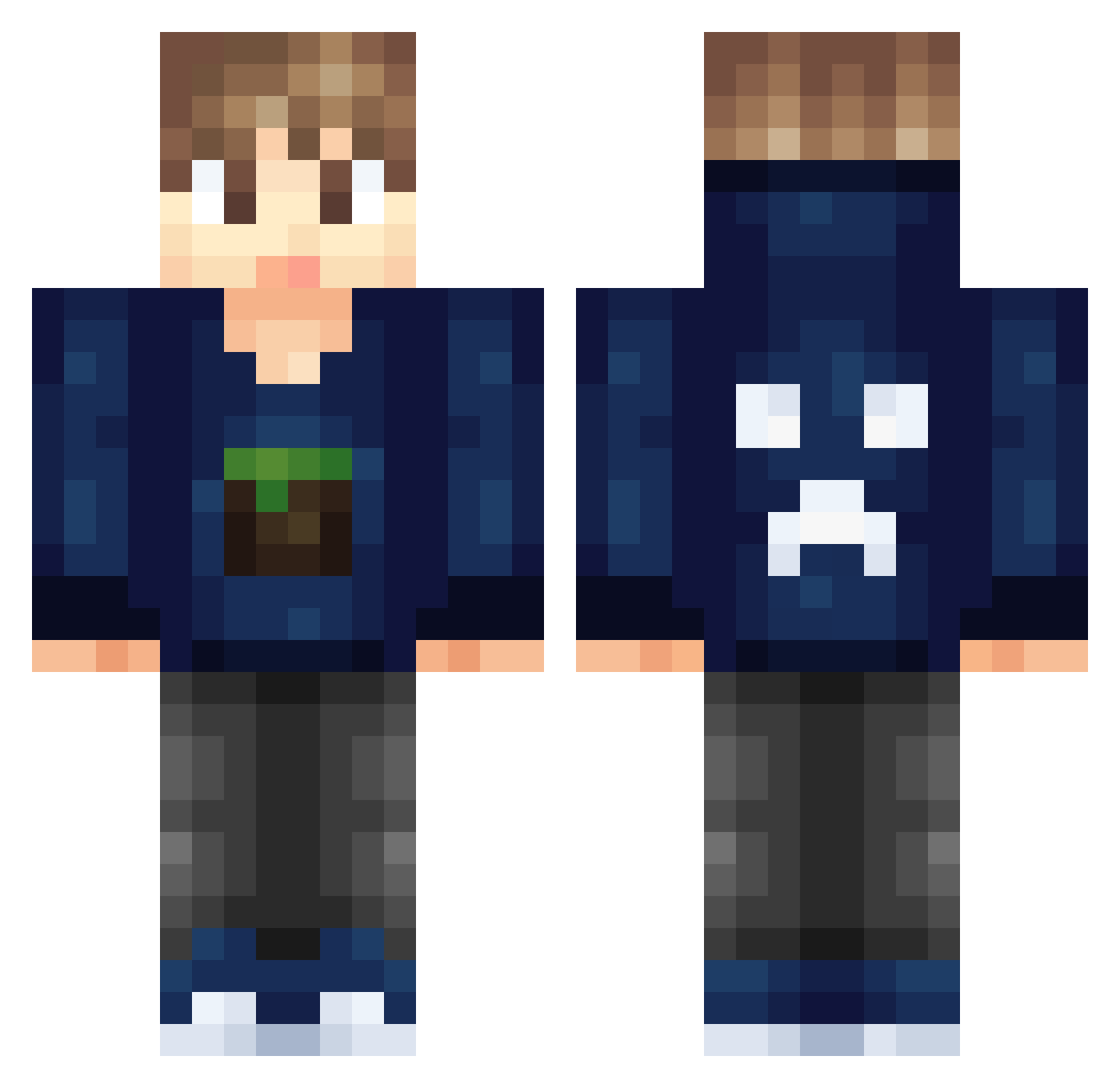
Current Minecraft skin of the player yzqtszp, loaded from the official Mojang API. Rotate the 3D model with your mouse or finger, then download the skin as a PNG file and use it in Minecraft: Bedrock Edition or Java Edition for free. When yzqtszp changes their skin, this page updates automatically and the old skin stays in the history below.
Other players with this skin (158)
yzqtszp was the 73rd player we have seen with this skin, first spotted on 10.09.2026. The same skin was seen on these players. Open a nickname to see their current skin and skin history.
 Kiroto_ PraiseSky ChouSkim Lin_buran yura_yamato Sheng_Qiu ldzl Zusn ThelordofMCgamer tolefouu wanfeng0742 Qsxy173 ManLanMofc Punchin_Treez Nenes85000 xiaciyiding85 F1ase_ AckeKatt et_coolis Romy_Arths D_Clicker yuji1a VEINYEBOY fuzhiheng HellishLeviathan XTSDXT hatsune0716 Daylight1122 Poots143 TIN_show Clear_Love626 BIGFISH12356 CalebPowers10 abcd1004 runandrun sansink123 Chocolate_700 ZhangYx96 Lateran CMCS34 mikkelTurbo1000 tangxiaoming666 yanheqi666 x1ang04 OHALPHA13 Sample_Dream Roy9426 NeunFafnir LaineyBo ILLO_04 LittleFunnyPea happy6371 SanctuaryHills11 CherryAmie linyuhang666 skylarneva Kxywy13 JJSLAYER_ FearlessDraconis Erhuo141
More Creeper Minecraft skins
How to install the yzqtszp skin
- Press the Download button above to save the skin as a PNG file.
- Minecraft: Bedrock Edition (PE): open the Dressing Room from the main menu (or tap your character → Edit Character), go to Classic Skins → Owned, press the + (new skin) button, choose the downloaded PNG and pick the Classic (Steve) model. Works on PC and mobile; consoles cannot import custom skins.
- Minecraft: Java Edition: open the Minecraft Launcher, go to the Skins tab, click New Skin, load the PNG, pick the Classic (Steve) model and press Save & Use. You can also upload it at minecraft.net → Profile → Change Skin.
The skin does not show up after import - what should I do?
Restart Minecraft and open the Dressing Room again - imported skins sometimes appear only after a restart. Also make sure you selected the imported skin and picked the Classic (Steve) model.
Which model should I choose, Classic or Slim?
This skin is designed for the Classic (Steve) model. If you pick the wrong model, the arms of the skin will look stretched or squeezed.
Is the skin of yzqtszp free to download?
Yes. Press Download, save the PNG file and use it in Minecraft: Bedrock Edition or Java Edition - no payment or registration needed. The skin also works on multiplayer servers and Realms.
More skins
Looking for more? Go back to all Minecraft skins and check the top skins of the week, month and all time, or find any player's skin by nickname.