
yyurphy - Minecraft Skins & Skin History
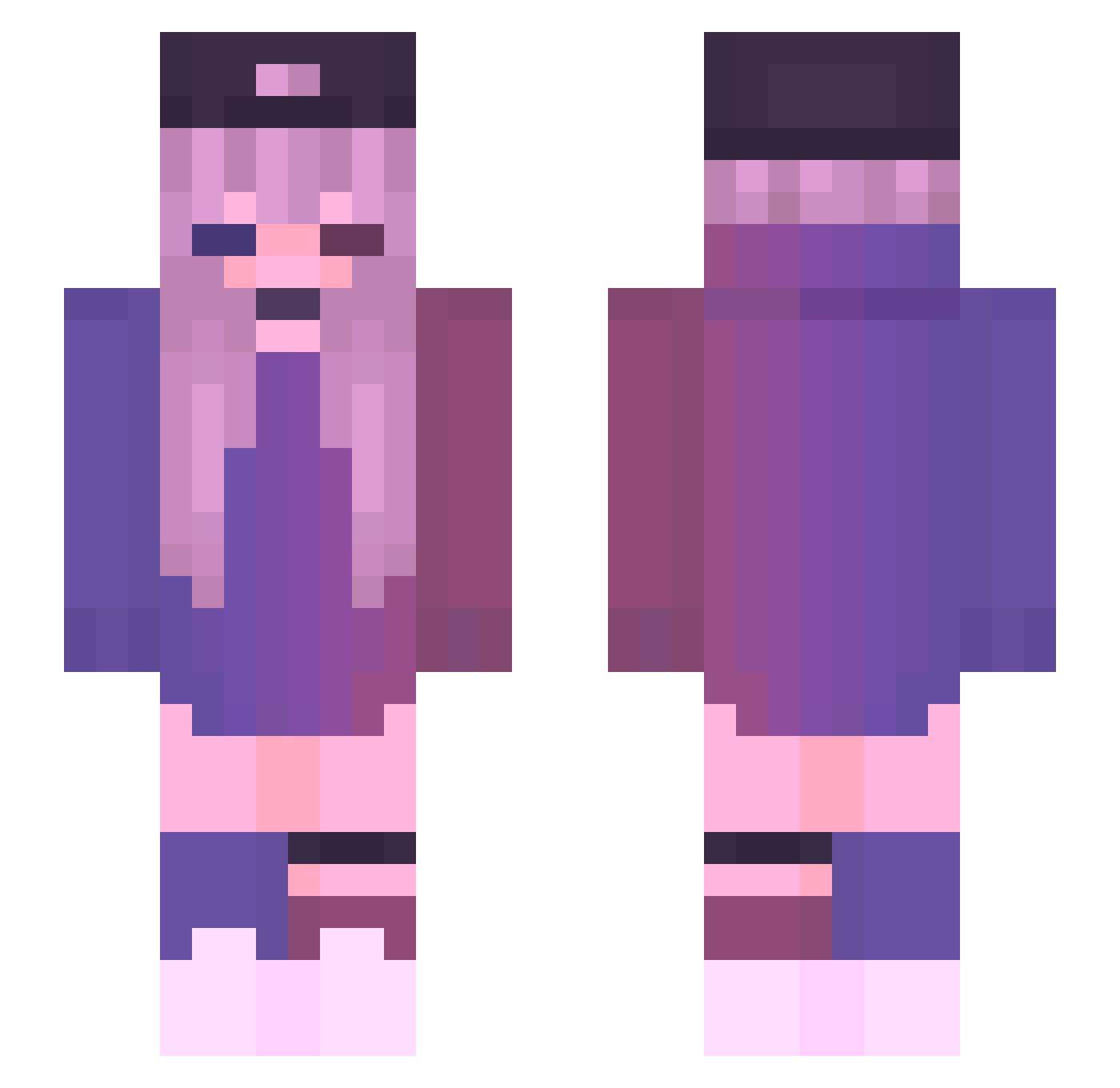
Current Minecraft skin of the player yyurphy, loaded from the official Mojang API. Rotate the 3D model with your mouse or finger, then download the skin as a PNG file and use it in Minecraft: Bedrock Edition or Java Edition for free. When yyurphy changes their skin, this page updates automatically and the old skin stays in the history below.
Other players with this skin (126)
yyurphy was the 6th player we have seen with this skin, first spotted on 26.07.2026. The same skin was seen on these players. Open a nickname to see their current skin and skin history.
 HsHairless gunzisbroke Thomas512613 Amayalake Miyxzaki blunaowl Alosirise Iraadexent DarvidaMan69 Beefy_the_Beef ANan921 svt_sky Hackedat1k PaledustOAO Jiahong925 cs6995566 Lenma_m Angeline1234 Luquimpa Kayla2209 Mihrim riritaaan PanPanDora iZoid_ PurpleN0va Renesansa bavhavs 12Mikrocosmos12 Crabbbbbbb Wogly Manoek Cleo_Coleman zaixvsm Shark_Hero Ivy2304 Fooooold ITzFxTuRe1337 lollo300 Nysa1857 CherryMuffler mrz1019 minikkelebek KsushaK96 BrandonGrych DEEvilGirl CerisKiller Tlqkf_05 TlustyKlopsik tttanson PigPig3705 Rotoll232 Valiu2006 L_man000 Smelly_Skunk WhosNathann Mogsoccer FrenchPurple kwutey Faustine_85 DiamondChuX
More Cap Minecraft skins
How to install the yyurphy skin
- Press the Download button above to save the skin as a PNG file.
- Minecraft: Bedrock Edition (PE): open the Dressing Room from the main menu (or tap your character → Edit Character), go to Classic Skins → Owned, press the + (new skin) button, choose the downloaded PNG and pick the Slim (Alex) model. Works on PC and mobile; consoles cannot import custom skins.
- Minecraft: Java Edition: open the Minecraft Launcher, go to the Skins tab, click New Skin, load the PNG, pick the Slim (Alex) model and press Save & Use. You can also upload it at minecraft.net → Profile → Change Skin.
The skin does not show up after import - what should I do?
Restart Minecraft and open the Dressing Room again - imported skins sometimes appear only after a restart. Also make sure you selected the imported skin and picked the Slim (Alex) model.
Which model should I choose, Classic or Slim?
This skin is designed for the Slim (Alex) model. If you pick the wrong model, the arms of the skin will look stretched or squeezed.
Is the skin of yyurphy free to download?
Yes. Press Download, save the PNG file and use it in Minecraft: Bedrock Edition or Java Edition - no payment or registration needed. The skin also works on multiplayer servers and Realms.
More skins
Looking for more? Go back to all Minecraft skins and check the top skins of the week, month and all time, or find any player's skin by nickname.