
ywyattwh - Minecraft Skins & Skin History
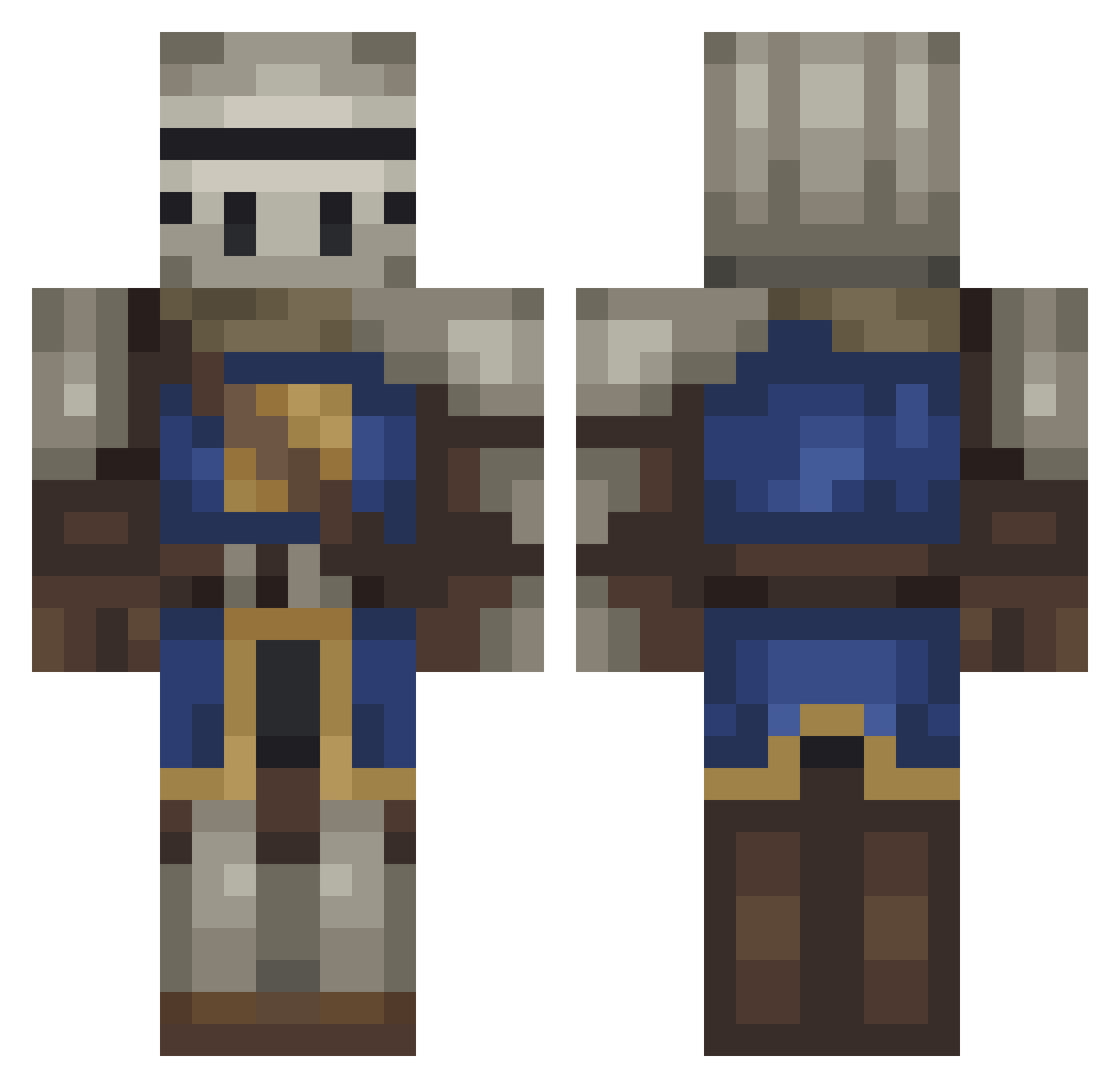
Current Minecraft skin of the player ywyattwh, loaded from the official Mojang API. Rotate the 3D model with your mouse or finger, then download the skin as a PNG file and use it in Minecraft: Bedrock Edition or Java Edition for free. When ywyattwh changes their skin, this page updates automatically and the old skin stays in the history below.
Other players with this skin (217)
ywyattwh was the 146th player we have seen with this skin, first spotted on 29.09.2026. The same skin was seen on these players. Open a nickname to see their current skin and skin history.
 Waaak NotSun _Slobro mips_risc RedactedMule OrpheusIX Oll4 kimbicci TheTinyNutt Volaik Thumb01 MLGxBurnZ Lyfector Lovlas12 Asdraca Tighas REFUGA Sublimazione mercurynovas meuovo222 Neofradeus Exley19 SheerSplash4460 Reaias Muvah Marczel chupacabraEP scruffy435 uyno BOSSMANHOUSE skele_b0i v666z ZarpaZaina_ taisnsturis Idle_Stark F3rM4st3r Suich lopuno Phlumpers Zerthuel jeffy120xd Niggros badfac3 BloodedRagnar sSH4DOWs RedfoX191 Vexlan Piesek1234567 NeneDeAntes spizylazynome ani0n_ Irvine_ derwahrepixeltyp Grimm1055 Remicelli JohnnySins10 _Bago SigmasSouls SaftigerPiPiman DargonIsWinner
Previous skins of ywyattwh
Skins that ywyattwh wore before, newest first. Click a skin to open its page and download it.
More Medieval Minecraft skins
How to install the ywyattwh skin
- Press the Download button above to save the skin as a PNG file.
- Minecraft: Bedrock Edition (PE): open the Dressing Room from the main menu (or tap your character → Edit Character), go to Classic Skins → Owned, press the + (new skin) button, choose the downloaded PNG and pick the Classic (Steve) model. Works on PC and mobile; consoles cannot import custom skins.
- Minecraft: Java Edition: open the Minecraft Launcher, go to the Skins tab, click New Skin, load the PNG, pick the Classic (Steve) model and press Save & Use. You can also upload it at minecraft.net → Profile → Change Skin.
The skin does not show up after import - what should I do?
Restart Minecraft and open the Dressing Room again - imported skins sometimes appear only after a restart. Also make sure you selected the imported skin and picked the Classic (Steve) model.
Which model should I choose, Classic or Slim?
This skin is designed for the Classic (Steve) model. If you pick the wrong model, the arms of the skin will look stretched or squeezed.
Is the skin of ywyattwh free to download?
Yes. Press Download, save the PNG file and use it in Minecraft: Bedrock Edition or Java Edition - no payment or registration needed. The skin also works on multiplayer servers and Realms.
More skins
Looking for more? Go back to all Minecraft skins and check the top skins of the week, month and all time, or find any player's skin by nickname.