
yuuuck - Minecraft Skins & Skin History
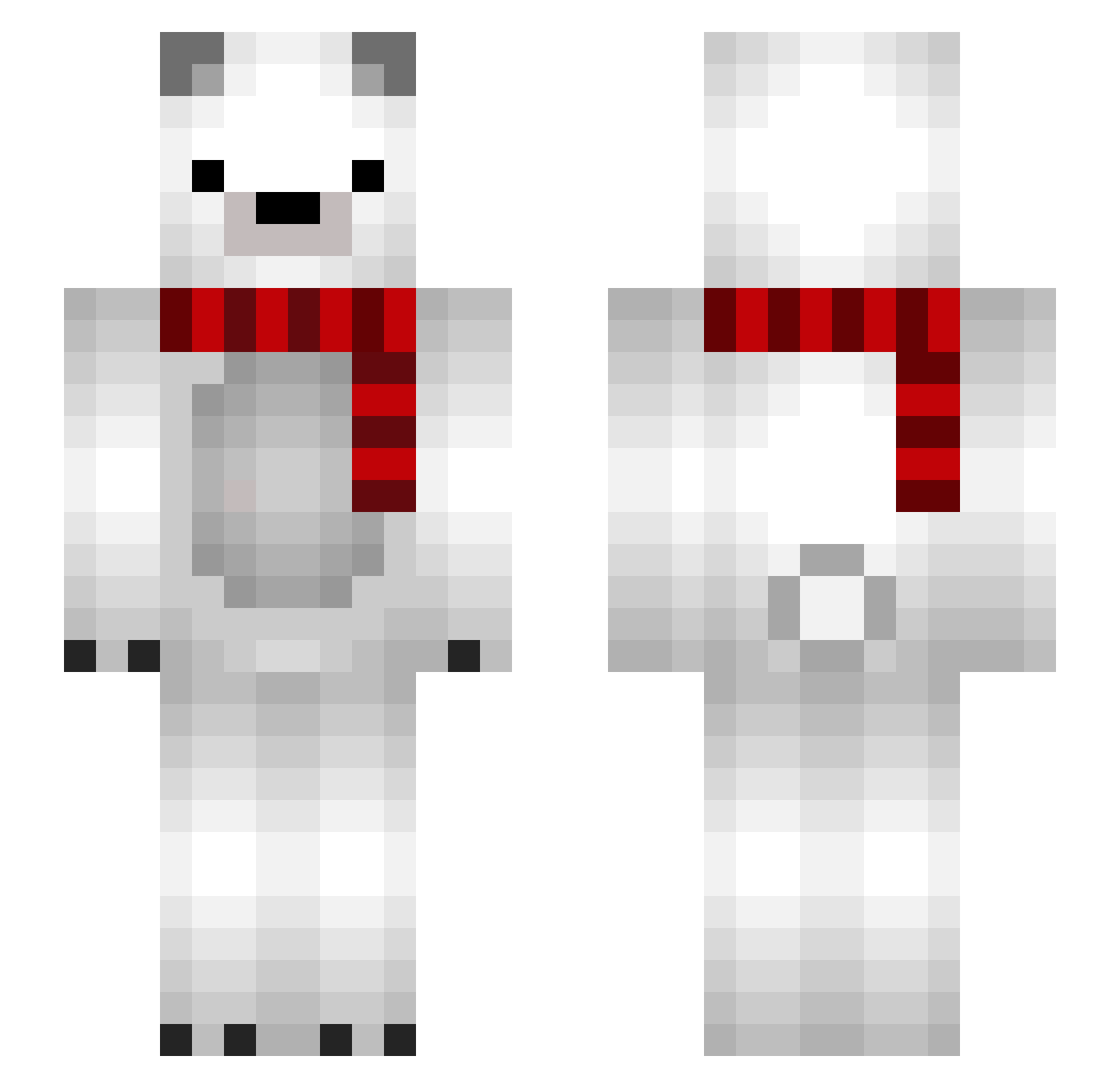
Current Minecraft skin of the player yuuuck, loaded from the official Mojang API. Rotate the 3D model with your mouse or finger, then download the skin as a PNG file and use it in Minecraft: Bedrock Edition or Java Edition for free. When yuuuck changes their skin, this page updates automatically and the old skin stays in the history below.
Other players with this skin (65)
yuuuck was the 21st player we have seen with this skin, first spotted on 22.08.2026. The same skin was seen on these players. Open a nickname to see their current skin and skin history.
 GereksizKerimPvP n26 Bugboytroy AlexPop07 MinoSpeed Alexkyriazis TalhaOzen Milryug_ Mutated_Lemon NepiCekcu ifollowmmcv1rg1n Zeqser jankapolarbear MorseCoder07 MIQCRAFT OAABBK PolarFlare03 _km_001 LateBear CondensedMatter Darkmoonzxz Kboy224 Beertje1501 aimbooster TheCombo Manicha WeCouldBeHeroes KanoYes Blaxe_ Z_WILLBE_KING Whachaaaaa Hermione121 xFunx1on rrrino BaNaNaZzZz SkyHaawk Blxze xmstacey ComfyDuck667 JustSolar_ FreeZy9000 Scarlett_Chaos Jsep169 ChickenNugget43 Ggsmithypup ShurlmP Sun_0804 plasmn Jack6390 TSAIwei MixTayber Indoorksk REINET Santrik kuusama01 TTinyPizzaSlice LyraVex Silentus_ Wubmm CoriH
More Polar Bear Minecraft skins
How to install the yuuuck skin
- Press the Download button above to save the skin as a PNG file.
- Minecraft: Bedrock Edition (PE): open the Dressing Room from the main menu (or tap your character → Edit Character), go to Classic Skins → Owned, press the + (new skin) button, choose the downloaded PNG and pick the Slim (Alex) model. Works on PC and mobile; consoles cannot import custom skins.
- Minecraft: Java Edition: open the Minecraft Launcher, go to the Skins tab, click New Skin, load the PNG, pick the Slim (Alex) model and press Save & Use. You can also upload it at minecraft.net → Profile → Change Skin.
The skin does not show up after import - what should I do?
Restart Minecraft and open the Dressing Room again - imported skins sometimes appear only after a restart. Also make sure you selected the imported skin and picked the Slim (Alex) model.
Which model should I choose, Classic or Slim?
This skin is designed for the Slim (Alex) model. If you pick the wrong model, the arms of the skin will look stretched or squeezed.
Is the skin of yuuuck free to download?
Yes. Press Download, save the PNG file and use it in Minecraft: Bedrock Edition or Java Edition - no payment or registration needed. The skin also works on multiplayer servers and Realms.
More skins
Looking for more? Go back to all Minecraft skins and check the top skins of the week, month and all time, or find any player's skin by nickname.