
yoyo7887 - Minecraft Skins & Skin History
Current Minecraft skin of the player yoyo7887, loaded from the official Mojang API. Rotate the 3D model with your mouse or finger, then download the skin as a PNG file and use it in Minecraft: Bedrock Edition or Java Edition for free. When yoyo7887 changes their skin, this page updates automatically and the old skin stays in the history below.
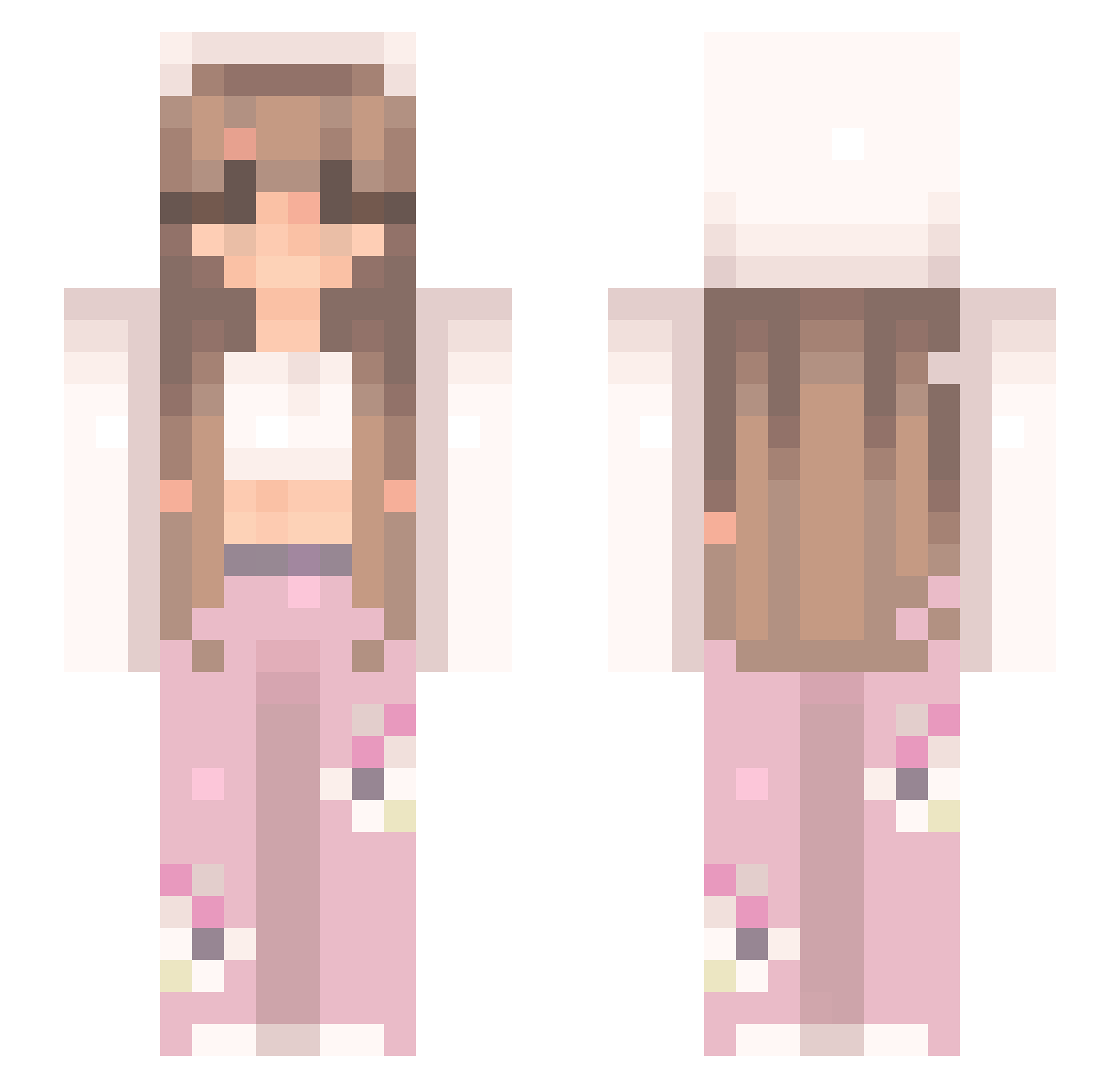
Other players with this skin (548)
yoyo7887 was the 271st player we have seen with this skin, first spotted on 20.09.2026. The same skin was seen on these players. Open a nickname to see their current skin and skin history.
 CheonJeongHo Eeyore2504 jju9877 PrincessFiJi jessskr77 Nereuchi Minkx00l Kuiste MintOreos7 Iris0011 exheidi Nelapp Neettlee Briannahh Brigikee jeux_denfants UnknownIda sdxla11 xCupids DragonPotatoes mioou5 prxncesita pyschee hellokitty640 PowerLevelTrash ElaWampir Ginesny bombii MonicaCC TheFallenYeeter Leloppai LANIISANGRY Fhockit Itz_JJ06 Tattorlue hannah1884x MaGiYo pretty_gii Silvverwing Elifina228 NotSees Swimmer4life30 Mikacookies9 Fairyofbeomgyu bocchitheroc 1BlackButterfly MemeMom420 Melina612 Kepurinis Lolita95 Jazmin24 Mariaj1s Abichuela_Play DAIZY___ soupypark Teletubbyotter KuromiWizzard Wicia_0 Sophia0817 princessssparkle
More Flowers Minecraft skins
How to install the yoyo7887 skin
- Press the Download button above to save the skin as a PNG file.
- Minecraft: Bedrock Edition (PE): open the Dressing Room from the main menu (or tap your character → Edit Character), go to Classic Skins → Owned, press the + (new skin) button, choose the downloaded PNG and pick the Slim (Alex) model. Works on PC and mobile; consoles cannot import custom skins.
- Minecraft: Java Edition: open the Minecraft Launcher, go to the Skins tab, click New Skin, load the PNG, pick the Slim (Alex) model and press Save & Use. You can also upload it at minecraft.net → Profile → Change Skin.
The skin does not show up after import - what should I do?
Restart Minecraft and open the Dressing Room again - imported skins sometimes appear only after a restart. Also make sure you selected the imported skin and picked the Slim (Alex) model.
Which model should I choose, Classic or Slim?
This skin is designed for the Slim (Alex) model. If you pick the wrong model, the arms of the skin will look stretched or squeezed.
Is the skin of yoyo7887 free to download?
Yes. Press Download, save the PNG file and use it in Minecraft: Bedrock Edition or Java Edition - no payment or registration needed. The skin also works on multiplayer servers and Realms.
More skins
Looking for more? Go back to all Minecraft skins and check the top skins of the week, month and all time, or find any player's skin by nickname.