
youarespectre - Minecraft Skins & Skin History
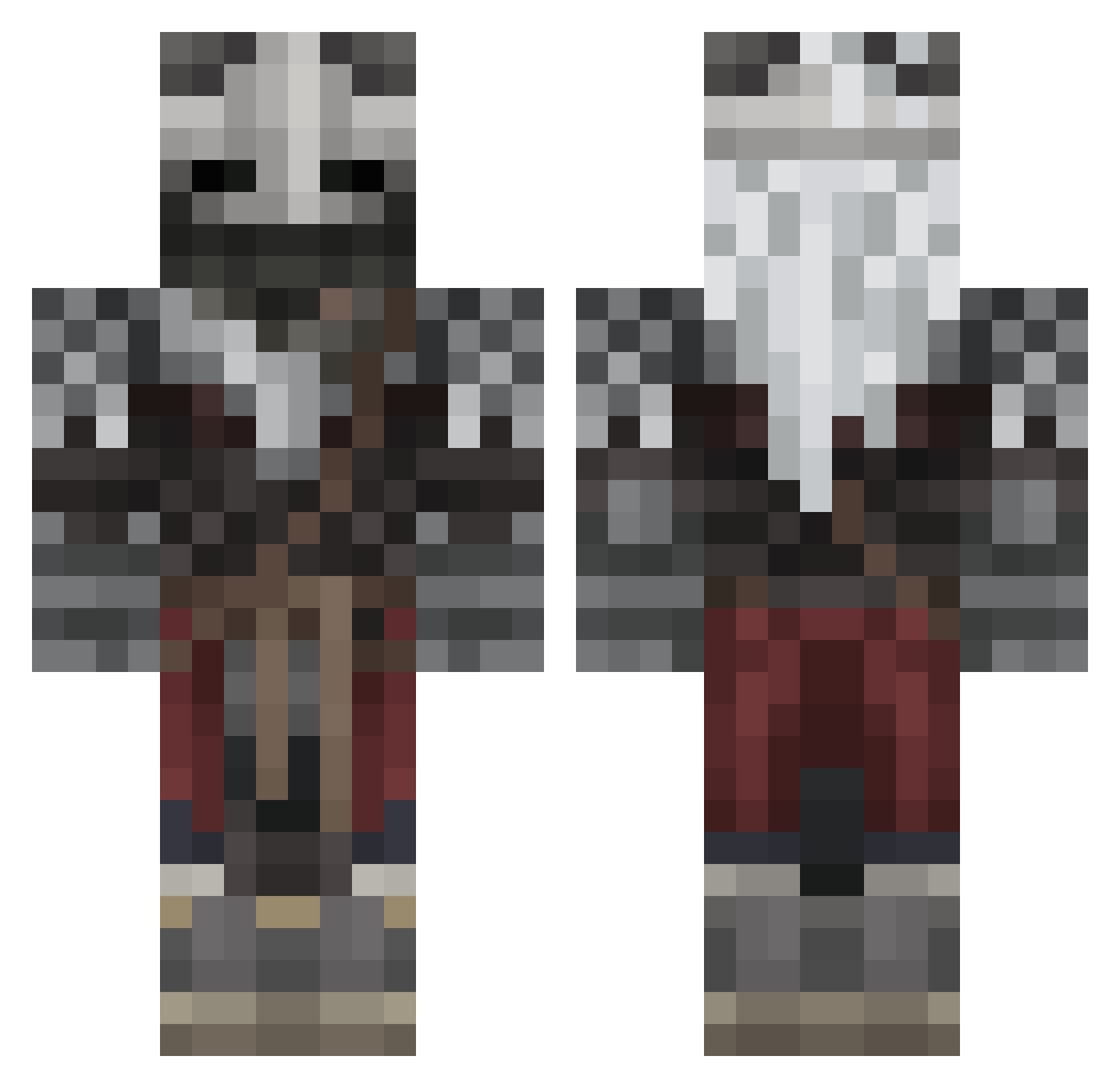
Current Minecraft skin of the player youarespectre, loaded from the official Mojang API. Rotate the 3D model with your mouse or finger, then download the skin as a PNG file and use it in Minecraft: Bedrock Edition or Java Edition for free. When youarespectre changes their skin, this page updates automatically and the old skin stays in the history below.
Other players with this skin (603)
youarespectre was the 129th player we have seen with this skin, first spotted on 22.08.2026. The same skin was seen on these players. Open a nickname to see their current skin and skin history.
 ReaverWT Yazakana CloroxReach SaghB RiskDoubleNine Fishwithsock Astro294 Upon_A_Blackstar Crazy1234 dillw Evadezz Thread29 Sonden1l Mr_Ver123 TheHomeBrewedBoy Railiav RocksterMan208 midevil_997 PapaCheeki Chillz_322 SwaggaddyX JustJohnyCZ kongmvp P34AK Caiahar SvenjaminII Jamchow ShrillDodo TTTViperstrike Collusify petergridfin Niqky TABIBITOSAMA OrgamusP4 NikiwebX ActualBadEdits jrebul bandito17 Esinon aodhy tomakbtw Dandien EyeYeux AlfredOfWessex QuagmegiumQM Pickle808 SuperComeLord95 Argo9 mrmike_ CozyCalcifer Dainty_Ass_Juice stxrmynights JoshIsHere__ ManeaterEdwads VIP3R_Legion MrChriss ImKnuh Quattro_nk TrickyMister Derfindale
More Warrior Minecraft skins
How to install the youarespectre skin
- Press the Download button above to save the skin as a PNG file.
- Minecraft: Bedrock Edition (PE): open the Dressing Room from the main menu (or tap your character → Edit Character), go to Classic Skins → Owned, press the + (new skin) button, choose the downloaded PNG and pick the Classic (Steve) model. Works on PC and mobile; consoles cannot import custom skins.
- Minecraft: Java Edition: open the Minecraft Launcher, go to the Skins tab, click New Skin, load the PNG, pick the Classic (Steve) model and press Save & Use. You can also upload it at minecraft.net → Profile → Change Skin.
The skin does not show up after import - what should I do?
Restart Minecraft and open the Dressing Room again - imported skins sometimes appear only after a restart. Also make sure you selected the imported skin and picked the Classic (Steve) model.
Which model should I choose, Classic or Slim?
This skin is designed for the Classic (Steve) model. If you pick the wrong model, the arms of the skin will look stretched or squeezed.
Is the skin of youarespectre free to download?
Yes. Press Download, save the PNG file and use it in Minecraft: Bedrock Edition or Java Edition - no payment or registration needed. The skin also works on multiplayer servers and Realms.
More skins
Looking for more? Go back to all Minecraft skins and check the top skins of the week, month and all time, or find any player's skin by nickname.