
yifaruhun - Minecraft Skins & Skin History
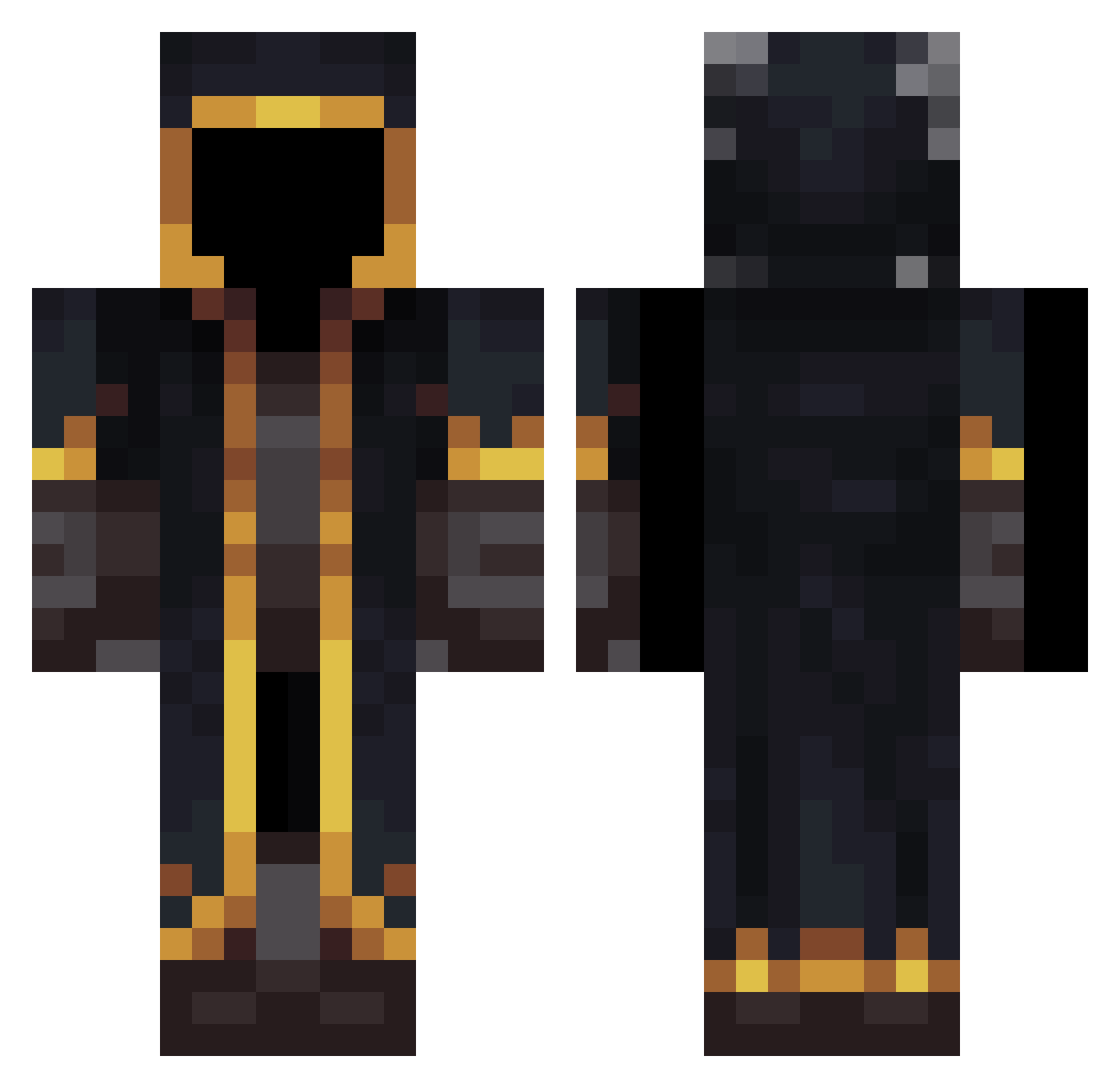
Current Minecraft skin of the player yifaruhun, loaded from the official Mojang API. Rotate the 3D model with your mouse or finger, then download the skin as a PNG file and use it in Minecraft: Bedrock Edition or Java Edition for free. When yifaruhun changes their skin, this page updates automatically and the old skin stays in the history below.
Other players with this skin (532)
yifaruhun was the 332nd player we have seen with this skin, first spotted on 02.10.2026. The same skin was seen on these players. Open a nickname to see their current skin and skin history.
 Jehoney dvaesjedan jonghyun312 quadziu RENANxx DaniWide Itzvxre Lille888 gqangtal domineter Xephyr_X NzX_KeVin Duhuoo Losikbiel ZUPPER SIR_STUPIDBIRD FerreiraExe xja05 Cruz8900 Zephyr28_ MrEbag xvzmikul Hurricane_Li Milkhan daniiv23 Capitan2009 Er_miglior W0oll oleg2612 Asunaa7 momo1415 b1llal helpful__ Hazardabomb SUSKLES NEEZ7 Syneticz Micheseee SmokeyySage NP41 PoweringScheme TreFord88 Czaruss5 MrStealYoGirl69 PabloMiguel1983 XiangNiLeA Duusen Praetor_Marcus RetawolfeR1 art7emi Twickenham6768 Void_Wisp ArruinaRacha Rizek75 Nestor18A Dabo01 KerdDgn0453 Add24712 0_snickers_0 etropix
More Mage Minecraft skins
How to install the yifaruhun skin
- Press the Download button above to save the skin as a PNG file.
- Minecraft: Bedrock Edition (PE): open the Dressing Room from the main menu (or tap your character → Edit Character), go to Classic Skins → Owned, press the + (new skin) button, choose the downloaded PNG and pick the Classic (Steve) model. Works on PC and mobile; consoles cannot import custom skins.
- Minecraft: Java Edition: open the Minecraft Launcher, go to the Skins tab, click New Skin, load the PNG, pick the Classic (Steve) model and press Save & Use. You can also upload it at minecraft.net → Profile → Change Skin.
The skin does not show up after import - what should I do?
Restart Minecraft and open the Dressing Room again - imported skins sometimes appear only after a restart. Also make sure you selected the imported skin and picked the Classic (Steve) model.
Which model should I choose, Classic or Slim?
This skin is designed for the Classic (Steve) model. If you pick the wrong model, the arms of the skin will look stretched or squeezed.
Is the skin of yifaruhun free to download?
Yes. Press Download, save the PNG file and use it in Minecraft: Bedrock Edition or Java Edition - no payment or registration needed. The skin also works on multiplayer servers and Realms.
More skins
Looking for more? Go back to all Minecraft skins and check the top skins of the week, month and all time, or find any player's skin by nickname.