
yeobeebao - Minecraft Skins & Skin History
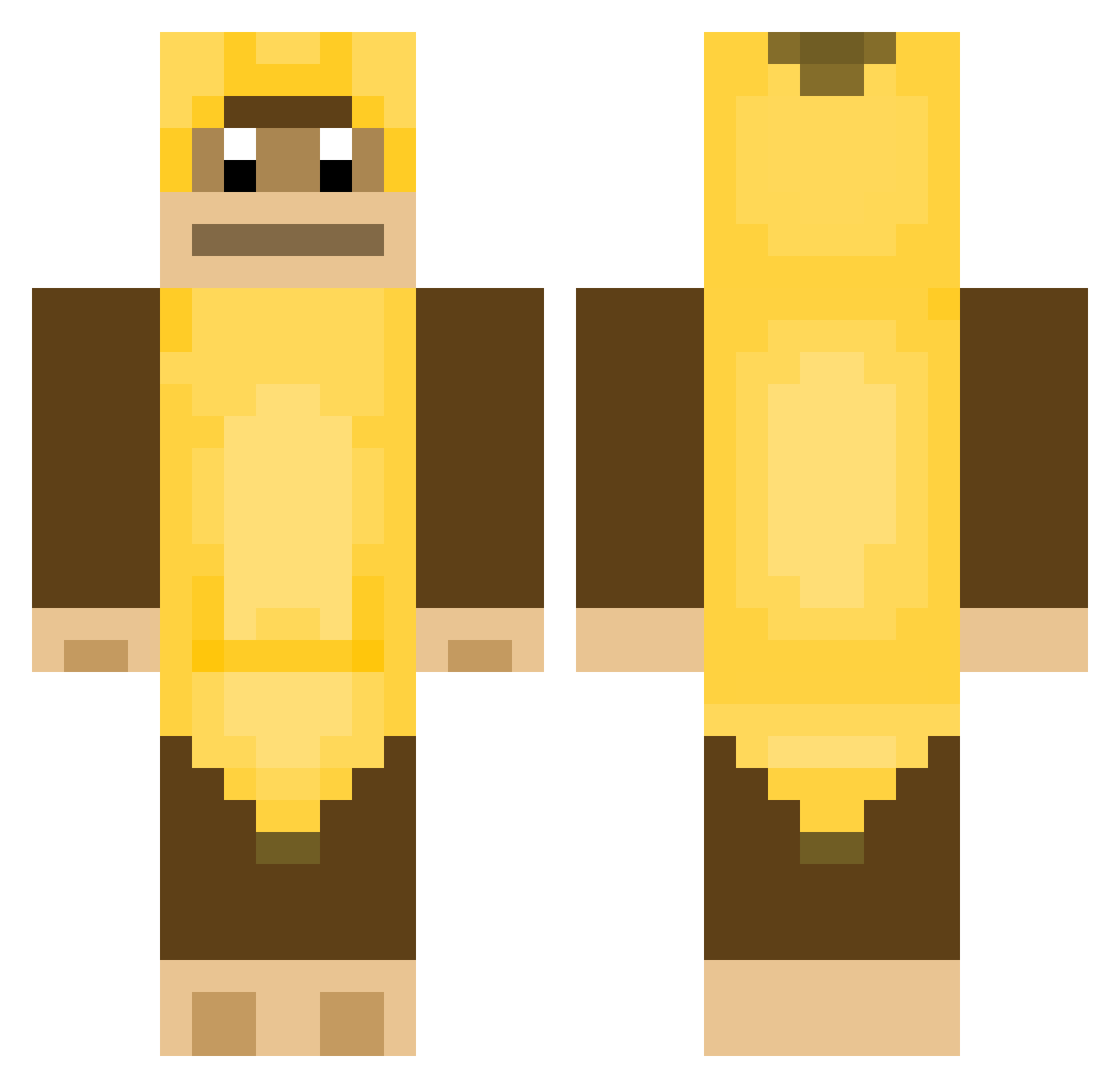
Current Minecraft skin of the player yeobeebao, loaded from the official Mojang API. Rotate the 3D model with your mouse or finger, then download the skin as a PNG file and use it in Minecraft: Bedrock Edition or Java Edition for free. When yeobeebao changes their skin, this page updates automatically and the old skin stays in the history below.
Other players with this skin (378)
yeobeebao was the 182nd player we have seen with this skin, first spotted on 18.09.2026. The same skin was seen on these players. Open a nickname to see their current skin and skin history.
 Whics_Suked_Me raigen_ BidGaggy WhicsMyBofyriend BIGSQUEEZ 6pt StarspielerYanni Gobbledigoop CattaLaCarpa rbdus0407 Danlessa FazeStaff KongleTyggis jacothetacoo BananaGodz7 EnderGamer23456 MGN20 MLBpark11 TwoInchWhip MonkySkin bruhbih Pot_Toes Man_of_the_Craft madixjaye AssWax chugjugminion gadsi1223 GoldApe22286752 LordBobThe1st Atas81 2skewl4kewl MrTypsy qwe1463 HHGnu Dbray1 Natedog7149 Holay BananaName9D detaKat MainlyUnknown123 Abou1205 KilMiPlacek oHReLLYUo George_Hally justrachel_ grancle Baahaaa hwootie DeinRok2724 shnxmae ChumbaWumba23 Crusim Marko007 uwochan Jnegr02 _Basilius_ CMCF14 Tiipsyy Toxouille_ Mrsbananabeer
More Animal Minecraft skins
How to install the yeobeebao skin
- Press the Download button above to save the skin as a PNG file.
- Minecraft: Bedrock Edition (PE): open the Dressing Room from the main menu (or tap your character → Edit Character), go to Classic Skins → Owned, press the + (new skin) button, choose the downloaded PNG and pick the Classic (Steve) model. Works on PC and mobile; consoles cannot import custom skins.
- Minecraft: Java Edition: open the Minecraft Launcher, go to the Skins tab, click New Skin, load the PNG, pick the Classic (Steve) model and press Save & Use. You can also upload it at minecraft.net → Profile → Change Skin.
The skin does not show up after import - what should I do?
Restart Minecraft and open the Dressing Room again - imported skins sometimes appear only after a restart. Also make sure you selected the imported skin and picked the Classic (Steve) model.
Which model should I choose, Classic or Slim?
This skin is designed for the Classic (Steve) model. If you pick the wrong model, the arms of the skin will look stretched or squeezed.
Is the skin of yeobeebao free to download?
Yes. Press Download, save the PNG file and use it in Minecraft: Bedrock Edition or Java Edition - no payment or registration needed. The skin also works on multiplayer servers and Realms.
More skins
Looking for more? Go back to all Minecraft skins and check the top skins of the week, month and all time, or find any player's skin by nickname.