
yeatfan211 - Minecraft Skins & Skin History
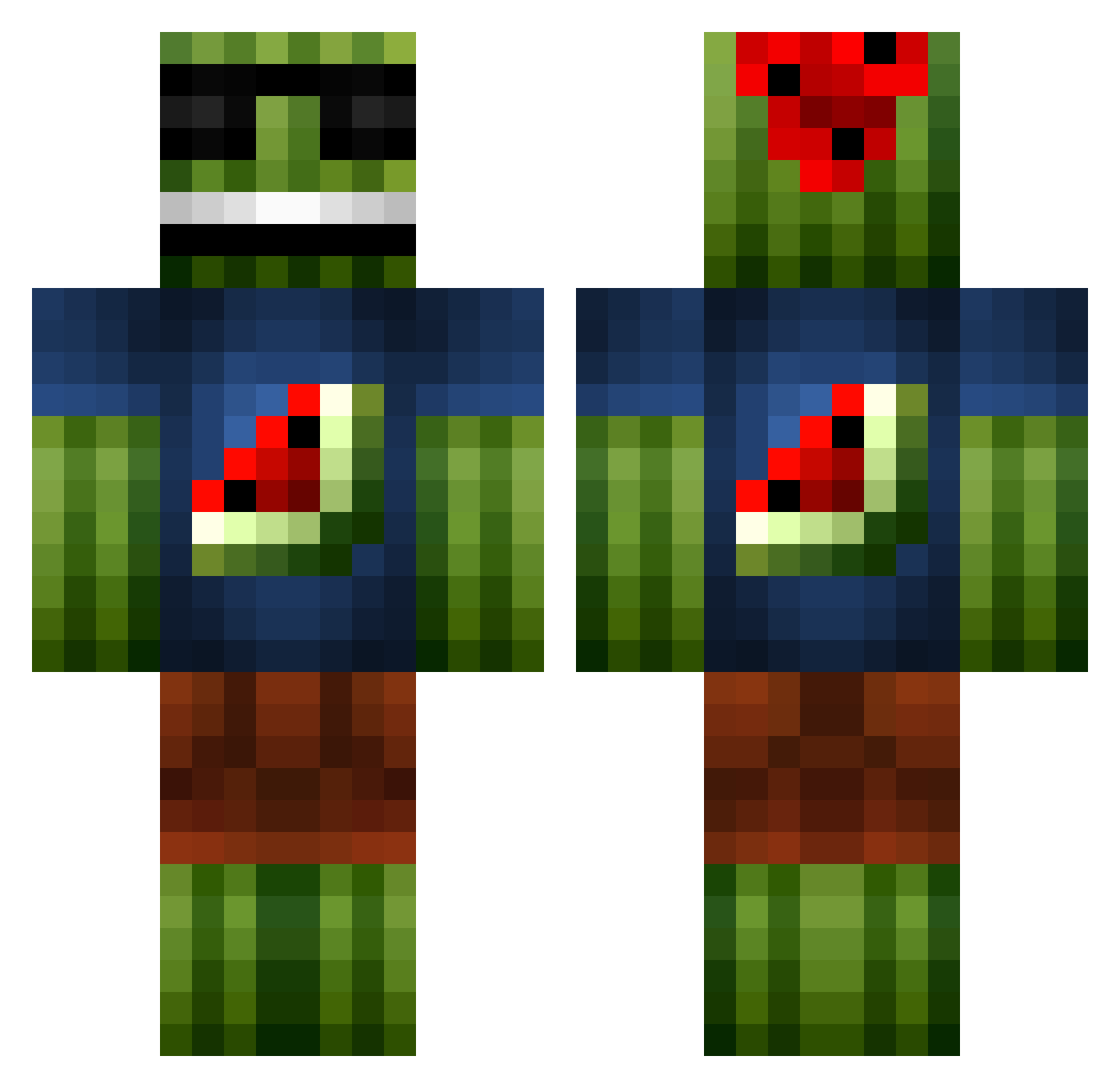
Current Minecraft skin of the player yeatfan211, loaded from the official Mojang API. Rotate the 3D model with your mouse or finger, then download the skin as a PNG file and use it in Minecraft: Bedrock Edition or Java Edition for free. When yeatfan211 changes their skin, this page updates automatically and the old skin stays in the history below.
Other players with this skin (49)
yeatfan211 was the 24th player we have seen with this skin, first spotted on 22.09.2026. The same skin was seen on these players. Open a nickname to see their current skin and skin history.
 ArbuzzzzzZ mini14_Aim Wlouder Jcono14 Freedent11 sebascabecione UnaiLoidi SMC_SaturN BluBrewinq Rudzny BlooCanary GEOR_KILLER Vrefko ChrisCoum locomiri Bruhbruhbruhbru2 L_FiiTz Thanos2005N je4tt Paramithas war_cale KyrogaUwU TheHOA89 pontlorven literallybish Tilo369 minecrafter100 neversell13 zikimo121 ZGHLOOL _Schmaex_ Bl4s01 Sandman_69 SiriusAntares insulied markstitovits Neuroxsi studdie _HappyBard_ ExcaliburC6 BizzleVita Mayffff EnablerSeiji mack1k Mabo_3 theevildant SaTeRIT sakusaku3944 Nandu28
More Watermelon Minecraft skins
How to install the yeatfan211 skin
- Press the Download button above to save the skin as a PNG file.
- Minecraft: Bedrock Edition (PE): open the Dressing Room from the main menu (or tap your character → Edit Character), go to Classic Skins → Owned, press the + (new skin) button, choose the downloaded PNG and pick the Classic (Steve) model. Works on PC and mobile; consoles cannot import custom skins.
- Minecraft: Java Edition: open the Minecraft Launcher, go to the Skins tab, click New Skin, load the PNG, pick the Classic (Steve) model and press Save & Use. You can also upload it at minecraft.net → Profile → Change Skin.
The skin does not show up after import - what should I do?
Restart Minecraft and open the Dressing Room again - imported skins sometimes appear only after a restart. Also make sure you selected the imported skin and picked the Classic (Steve) model.
Which model should I choose, Classic or Slim?
This skin is designed for the Classic (Steve) model. If you pick the wrong model, the arms of the skin will look stretched or squeezed.
Is the skin of yeatfan211 free to download?
Yes. Press Download, save the PNG file and use it in Minecraft: Bedrock Edition or Java Edition - no payment or registration needed. The skin also works on multiplayer servers and Realms.
More skins
Looking for more? Go back to all Minecraft skins and check the top skins of the week, month and all time, or find any player's skin by nickname.