
yJake - Minecraft Skins & Skin History
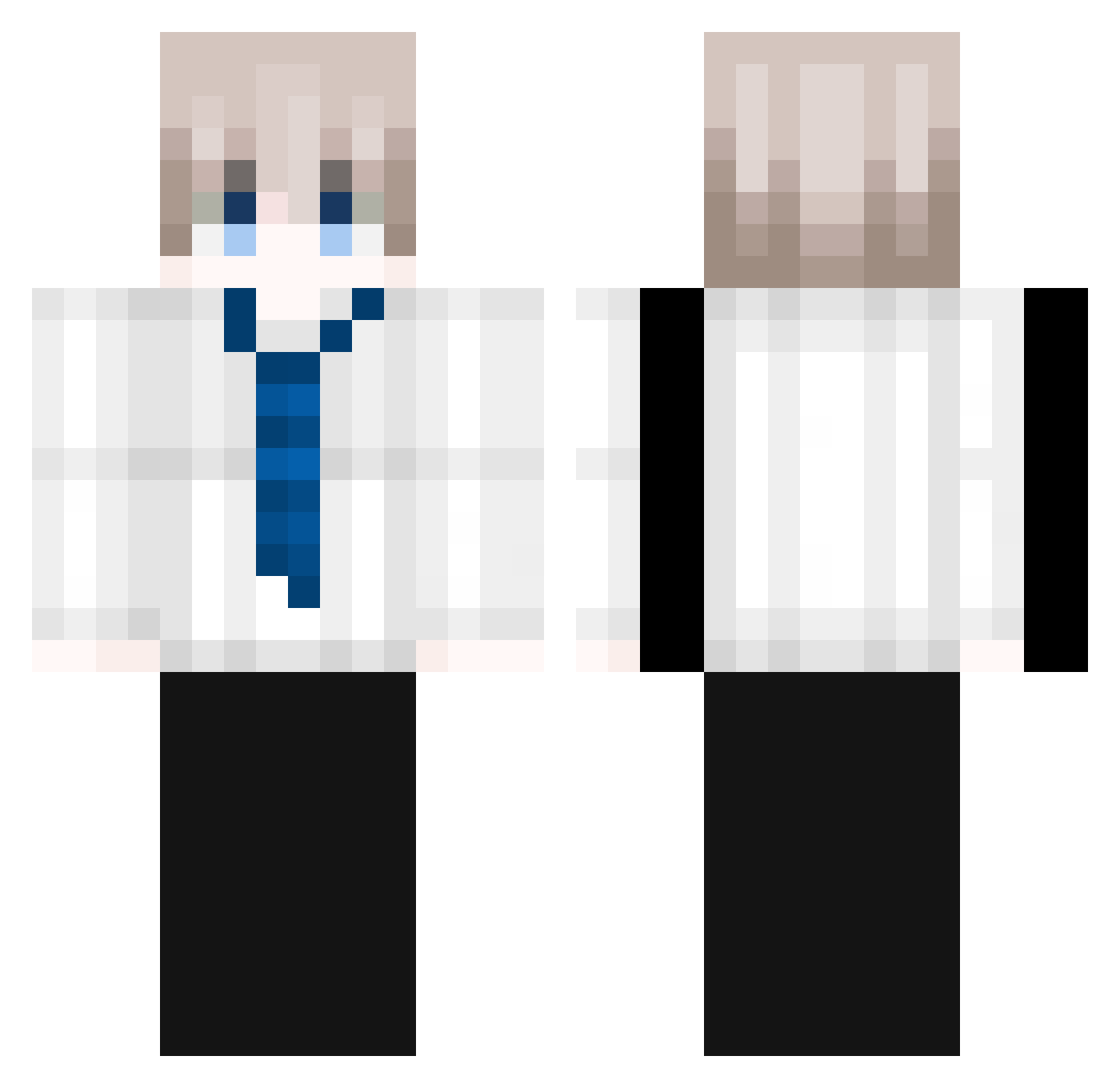
Current Minecraft skin of the player yJake, loaded from the official Mojang API. Rotate the 3D model with your mouse or finger, then download the skin as a PNG file and use it in Minecraft: Bedrock Edition or Java Edition for free. When yJake changes their skin, this page updates automatically and the old skin stays in the history below.
Other players with this skin (133)
yJake was the 35th player we have seen with this skin, first spotted on 20.08.2026. The same skin was seen on these players. Open a nickname to see their current skin and skin history.
 Cather55_ phuoccho Solarys2 FLa005 lovecncy MieRenn 354wredf VaaanPan staractivity ZentoFound_ Kenny439 sakuyarei_1993 SkillAwra _nvrc Balcn ShyBryGuy Saibzin nadieh lemon3152 Bandmyi MyokaMyo Farx21 MrSamms01 akynelik barrtry sixshoota Amitoosh_Mashi MIZUKICHAN__ Makanouchi Itz_Aryash Xtr1keZ Drayy1
 StarLite01 Fu_xe ToonPlayGame derHemo zcvp kje7 yred Kirysha_ not_novel _Leywin Kapodelaranja sipren MasterBreadloaf Adinutu XX_Grill ainuzin ssscout Hyemz MyLoveSinay Doryeonxy 2200g KingKeitha Nodeens ClammyOcean7305 SkyAzuer IamSuperHill DTMeow zhaoyongbo10
More Businessman Minecraft skins
See all 6316 Businessman skins
How to install the yJake skin
- Press the Download button above to save the skin as a PNG file.
- Minecraft: Bedrock Edition (PE): open the Dressing Room from the main menu (or tap your character → Edit Character), go to Classic Skins → Owned, press the + (new skin) button, choose the downloaded PNG and pick the Classic (Steve) model. Works on PC and mobile; consoles cannot import custom skins.
- Minecraft: Java Edition: open the Minecraft Launcher, go to the Skins tab, click New Skin, load the PNG, pick the Classic (Steve) model and press Save & Use. You can also upload it at minecraft.net → Profile → Change Skin.
The skin does not show up after import - what should I do?
Restart Minecraft and open the Dressing Room again - imported skins sometimes appear only after a restart. Also make sure you selected the imported skin and picked the Classic (Steve) model.
Which model should I choose, Classic or Slim?
This skin is designed for the Classic (Steve) model. If you pick the wrong model, the arms of the skin will look stretched or squeezed.
Is the skin of yJake free to download?
Yes. Press Download, save the PNG file and use it in Minecraft: Bedrock Edition or Java Edition - no payment or registration needed. The skin also works on multiplayer servers and Realms.
More skins
Looking for more? Go back to all Minecraft skins and check the top skins of the week, month and all time, or find any player's skin by nickname.