
xzodyal - Minecraft Skins & Skin History
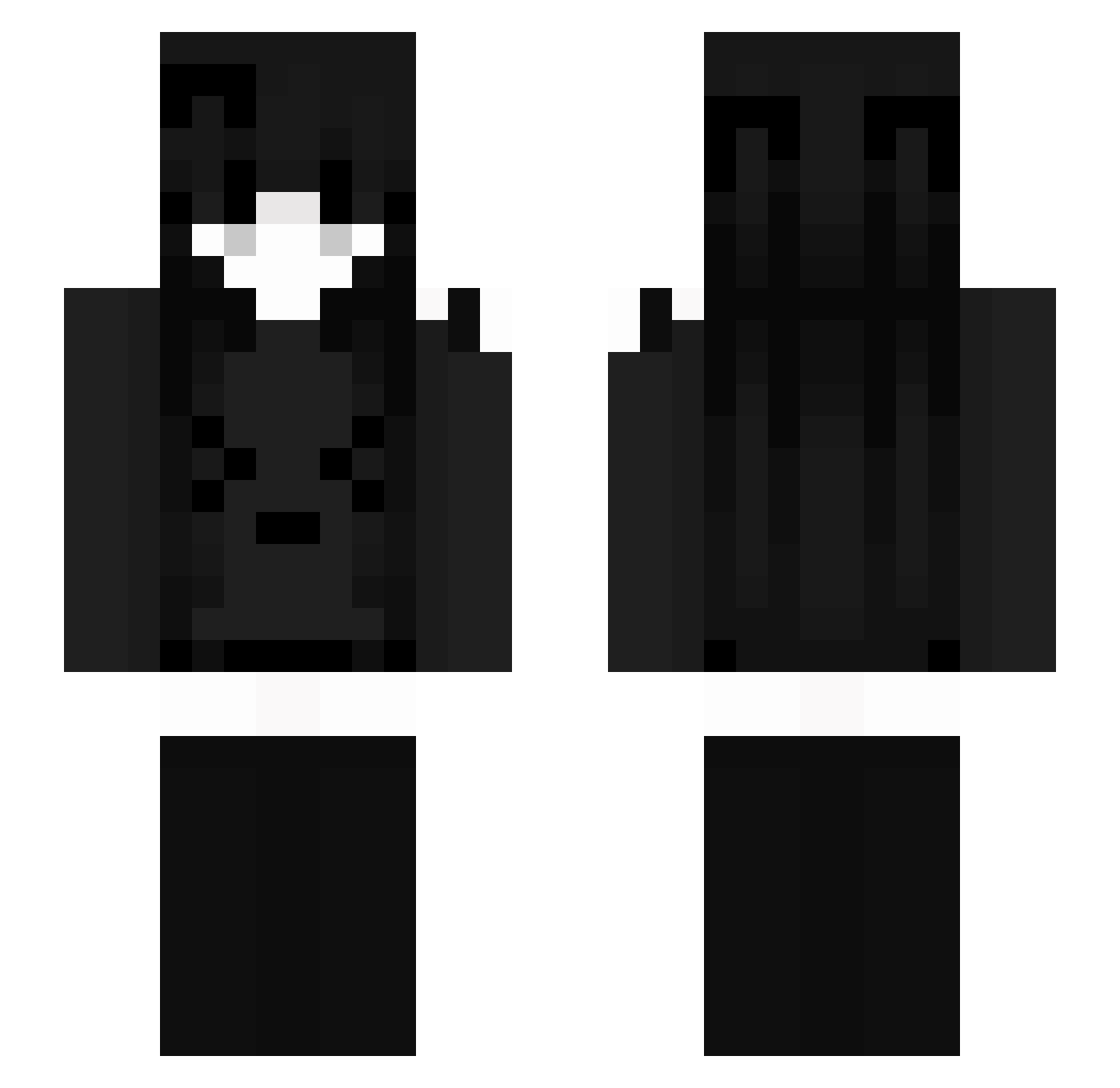
Current Minecraft skin of the player xzodyal, loaded from the official Mojang API. Rotate the 3D model with your mouse or finger, then download the skin as a PNG file and use it in Minecraft: Bedrock Edition or Java Edition for free. When xzodyal changes their skin, this page updates automatically and the old skin stays in the history below.
Other players with this skin (55)
xzodyal was the 23rd player we have seen with this skin, first spotted on 28.08.2026. The same skin was seen on these players. Open a nickname to see their current skin and skin history.
 zaurenholloween Biggy083
 Lcker_ Jim30108 WeiyYa
 viewzhen peak_of_fire
 yuri678 Nixsosiax
 breebug12008 DinoNuggetExe
 ZYPH3Rzz omaga0159 sigma1karol
 Ninja022_ IFanKyo
 EzraLMAO 7Wywern AbusiveWhite
 Vxrschoben
 liaoyangxop Amajiikii Chickenwing4561 halfofsomething littlepecas TualetFlex _j_a_y_yjxf Chefchamatcha
 Peruanerin Psychiatra2137 YA__XY bilbilnight57 4ide guczrj DerWachtelsohn52 namkaze Boryniek iyuki07 wildulk Avis2115 xvaqmp lnkompetent KyAkari ane_mao kxi1ee sukaimi ej50115 Queen0312 meriqi sickdeviant Mason_Huang Stigga1 prussiaispurple 11thype DoutorFarofa
More Face Mask Minecraft skins
How to install the xzodyal skin
- Press the Download button above to save the skin as a PNG file.
- Minecraft: Bedrock Edition (PE): open the Dressing Room from the main menu (or tap your character → Edit Character), go to Classic Skins → Owned, press the + (new skin) button, choose the downloaded PNG and pick the Slim (Alex) model. Works on PC and mobile; consoles cannot import custom skins.
- Minecraft: Java Edition: open the Minecraft Launcher, go to the Skins tab, click New Skin, load the PNG, pick the Slim (Alex) model and press Save & Use. You can also upload it at minecraft.net → Profile → Change Skin.
The skin does not show up after import - what should I do?
Restart Minecraft and open the Dressing Room again - imported skins sometimes appear only after a restart. Also make sure you selected the imported skin and picked the Slim (Alex) model.
Which model should I choose, Classic or Slim?
This skin is designed for the Slim (Alex) model. If you pick the wrong model, the arms of the skin will look stretched or squeezed.
Is the skin of xzodyal free to download?
Yes. Press Download, save the PNG file and use it in Minecraft: Bedrock Edition or Java Edition - no payment or registration needed. The skin also works on multiplayer servers and Realms.
More skins
Looking for more? Go back to all Minecraft skins and check the top skins of the week, month and all time, or find any player's skin by nickname.