
xvillery - Minecraft Skins & Skin History
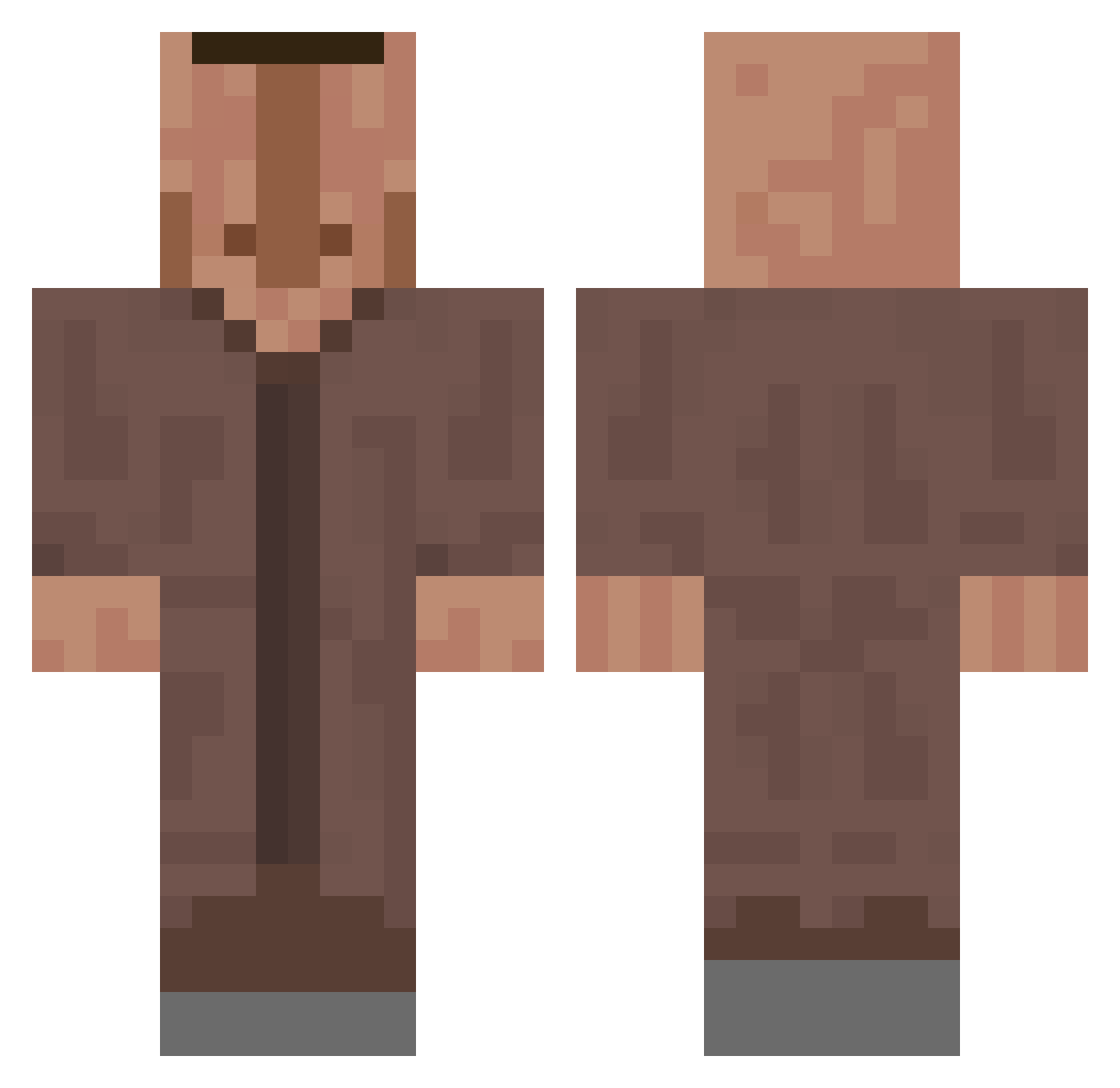
Current Minecraft skin of the player xvillery, loaded from the official Mojang API. Rotate the 3D model with your mouse or finger, then download the skin as a PNG file and use it in Minecraft: Bedrock Edition or Java Edition for free. When xvillery changes their skin, this page updates automatically and the old skin stays in the history below.
Other players with this skin (709)
xvillery was the 653rd player we have seen with this skin, first spotted on 10.11.2026. The same skin was seen on these players. Open a nickname to see their current skin and skin history.
 Chops08 zlsmmel AnziPro123 Auslaendischer SIamz GrapeMinecraft3 ChunkyDork LittleLeo4210 Timka_CoIlins _D0min0 alexwar118 barimbau Gxrtxn_Zwxrg kili_461 Da_Mato360 NoTsunset_ I_bims1 59_fifty Arthur07on san2684 meeenvely leonthelion123 lm8m tyrrr_ CHlebaVeVaju1234 ST1GGLE senres2 RandomGamer5396 DivenBM PatatoG_25 DragBlaster5518 wtffrank YahYeetShambles PhilippoKamado KingLionZ IjoloolI KLR_sama K_ine standard635 Alyhamad01 GregoriDirty B10809 shutrick Big_Boss_1 TessTicless _Hydroo_ OdinLegacy Bebbser02 zRetnussTR KingPeter187 J3eetleJuice Flanco77 BadIllagerTrades TheFoolBird LeynaV marecekq1 W3rngral Elgoren ukbgfcvbb VictorDelMo
More Villager Minecraft skins
How to install the xvillery skin
- Press the Download button above to save the skin as a PNG file.
- Minecraft: Bedrock Edition (PE): open the Dressing Room from the main menu (or tap your character → Edit Character), go to Classic Skins → Owned, press the + (new skin) button, choose the downloaded PNG and pick the Classic (Steve) model. Works on PC and mobile; consoles cannot import custom skins.
- Minecraft: Java Edition: open the Minecraft Launcher, go to the Skins tab, click New Skin, load the PNG, pick the Classic (Steve) model and press Save & Use. You can also upload it at minecraft.net → Profile → Change Skin.
The skin does not show up after import - what should I do?
Restart Minecraft and open the Dressing Room again - imported skins sometimes appear only after a restart. Also make sure you selected the imported skin and picked the Classic (Steve) model.
Which model should I choose, Classic or Slim?
This skin is designed for the Classic (Steve) model. If you pick the wrong model, the arms of the skin will look stretched or squeezed.
Is the skin of xvillery free to download?
Yes. Press Download, save the PNG file and use it in Minecraft: Bedrock Edition or Java Edition - no payment or registration needed. The skin also works on multiplayer servers and Realms.
More skins
Looking for more? Go back to all Minecraft skins and check the top skins of the week, month and all time, or find any player's skin by nickname.