
xofabixo - Minecraft Skins & Skin History
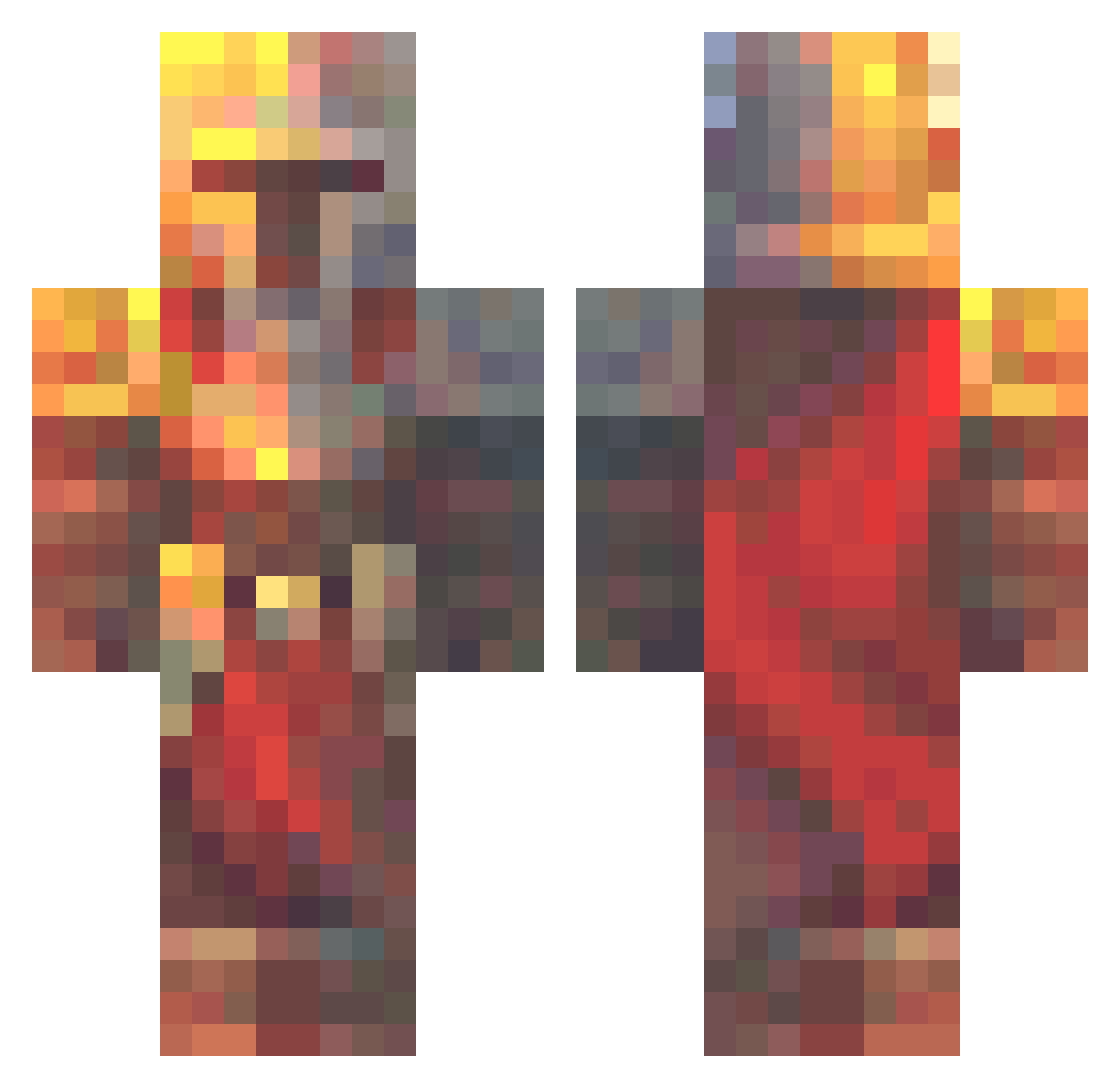
Current Minecraft skin of the player xofabixo, loaded from the official Mojang API. Rotate the 3D model with your mouse or finger, then download the skin as a PNG file and use it in Minecraft: Bedrock Edition or Java Edition for free. When xofabixo changes their skin, this page updates automatically and the old skin stays in the history below.
Other players with this skin (573)
xofabixo was the 369th player we have seen with this skin, first spotted on 02.10.2026. The same skin was seen on these players. Open a nickname to see their current skin and skin history.
 Bin_Juice_ Airwickcom Gorman1007 mc_vaclavik_22 Hehehehehheeh zekereid biohazardjax12E Trickstar465 FelipeCC07 Ry0013 AquaHaze675 Fon_Bon freshy79 1987_Lawski IdontplayThis1 Ackentosh lkulisz Nekroz_MC Kzmonaut Owen_the_brain Riperin Pary666 onyxraven77 joro760 KyberKitter LordSolarexIgnis Da_Noob1234 Huoswn CrazyMage101 ninjagite Rydogss cyberton Dagenious FallenIsopod Gavitron6000 Alp008 RJrules201 thatboyapl MasterB_443 tinyTanner Telepatec jspmon_nom BlitzFungus2719 techico123 alenghc Lucxus ilkapo mrnullguy chunghan1024 RarriYungBoi ExcitedBongo769 DocHowlett ISOO6 tomee638 supercala420 dogos3 sukyjepan madcargal Mooneleafs mobii_
More Medieval Minecraft skins
How to install the xofabixo skin
- Press the Download button above to save the skin as a PNG file.
- Minecraft: Bedrock Edition (PE): open the Dressing Room from the main menu (or tap your character → Edit Character), go to Classic Skins → Owned, press the + (new skin) button, choose the downloaded PNG and pick the Classic (Steve) model. Works on PC and mobile; consoles cannot import custom skins.
- Minecraft: Java Edition: open the Minecraft Launcher, go to the Skins tab, click New Skin, load the PNG, pick the Classic (Steve) model and press Save & Use. You can also upload it at minecraft.net → Profile → Change Skin.
The skin does not show up after import - what should I do?
Restart Minecraft and open the Dressing Room again - imported skins sometimes appear only after a restart. Also make sure you selected the imported skin and picked the Classic (Steve) model.
Which model should I choose, Classic or Slim?
This skin is designed for the Classic (Steve) model. If you pick the wrong model, the arms of the skin will look stretched or squeezed.
Is the skin of xofabixo free to download?
Yes. Press Download, save the PNG file and use it in Minecraft: Bedrock Edition or Java Edition - no payment or registration needed. The skin also works on multiplayer servers and Realms.
More skins
Looking for more? Go back to all Minecraft skins and check the top skins of the week, month and all time, or find any player's skin by nickname.