
xo77 - Minecraft Skins & Skin History
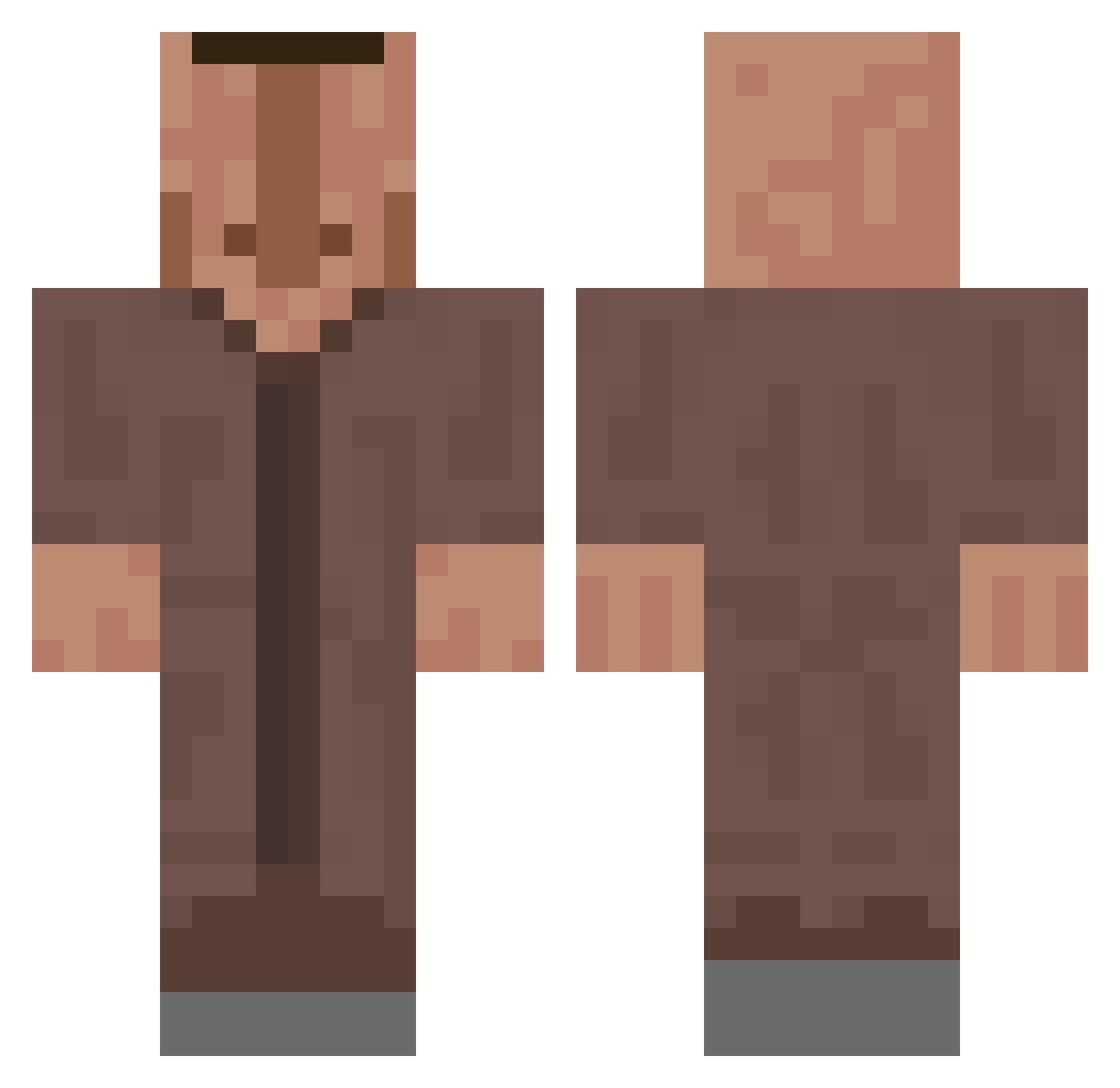
Current Minecraft skin of the player xo77, loaded from the official Mojang API. Rotate the 3D model with your mouse or finger, then download the skin as a PNG file and use it in Minecraft: Bedrock Edition or Java Edition for free. When xo77 changes their skin, this page updates automatically and the old skin stays in the history below.
Other players with this skin (660)
xo77 was the 374th player we have seen with this skin, first spotted on 25.09.2026. The same skin was seen on these players. Open a nickname to see their current skin and skin history.
 MVP_Gamer42 kerac oveka carrotman8868 Sonnenaxt999 PIERR0T856 CronsXD CeloneK RedstoneDynamite theo_five Asnouo CurdSquirt Madsertyk Flower_124 lemur_11 Marco2352 SmoothGary Artsmah EarthZXZ SkivaOut Vive_les_Naine sota4116 KlNGLAMA Casinao Igressdude CleverFawn93154 pat1014 Usopp11 cawach J_Spaghetti Kassios KONSTANTIN4E JayTheTopKek Tonypigeon_BRAAA zGzpy ssilesg001 lil2lit Chris465 csmnct GermanyFTWW Bobzillman nashiiyo diegoscorpse NKSs123 Sigmairox HumongousAss Yannick_mysterio myxeyyy Nowgead Bob_09 swimguy501 ImHector55 Afridqvist dziobasss HughJanis Eliite935 Mylan99 GewoonCunk Lucrain Suguskun
More Villager Minecraft skins
How to install the xo77 skin
- Press the Download button above to save the skin as a PNG file.
- Minecraft: Bedrock Edition (PE): open the Dressing Room from the main menu (or tap your character → Edit Character), go to Classic Skins → Owned, press the + (new skin) button, choose the downloaded PNG and pick the Classic (Steve) model. Works on PC and mobile; consoles cannot import custom skins.
- Minecraft: Java Edition: open the Minecraft Launcher, go to the Skins tab, click New Skin, load the PNG, pick the Classic (Steve) model and press Save & Use. You can also upload it at minecraft.net → Profile → Change Skin.
The skin does not show up after import - what should I do?
Restart Minecraft and open the Dressing Room again - imported skins sometimes appear only after a restart. Also make sure you selected the imported skin and picked the Classic (Steve) model.
Which model should I choose, Classic or Slim?
This skin is designed for the Classic (Steve) model. If you pick the wrong model, the arms of the skin will look stretched or squeezed.
Is the skin of xo77 free to download?
Yes. Press Download, save the PNG file and use it in Minecraft: Bedrock Edition or Java Edition - no payment or registration needed. The skin also works on multiplayer servers and Realms.
More skins
Looking for more? Go back to all Minecraft skins and check the top skins of the week, month and all time, or find any player's skin by nickname.