
xin77 - Minecraft Skins & Skin History
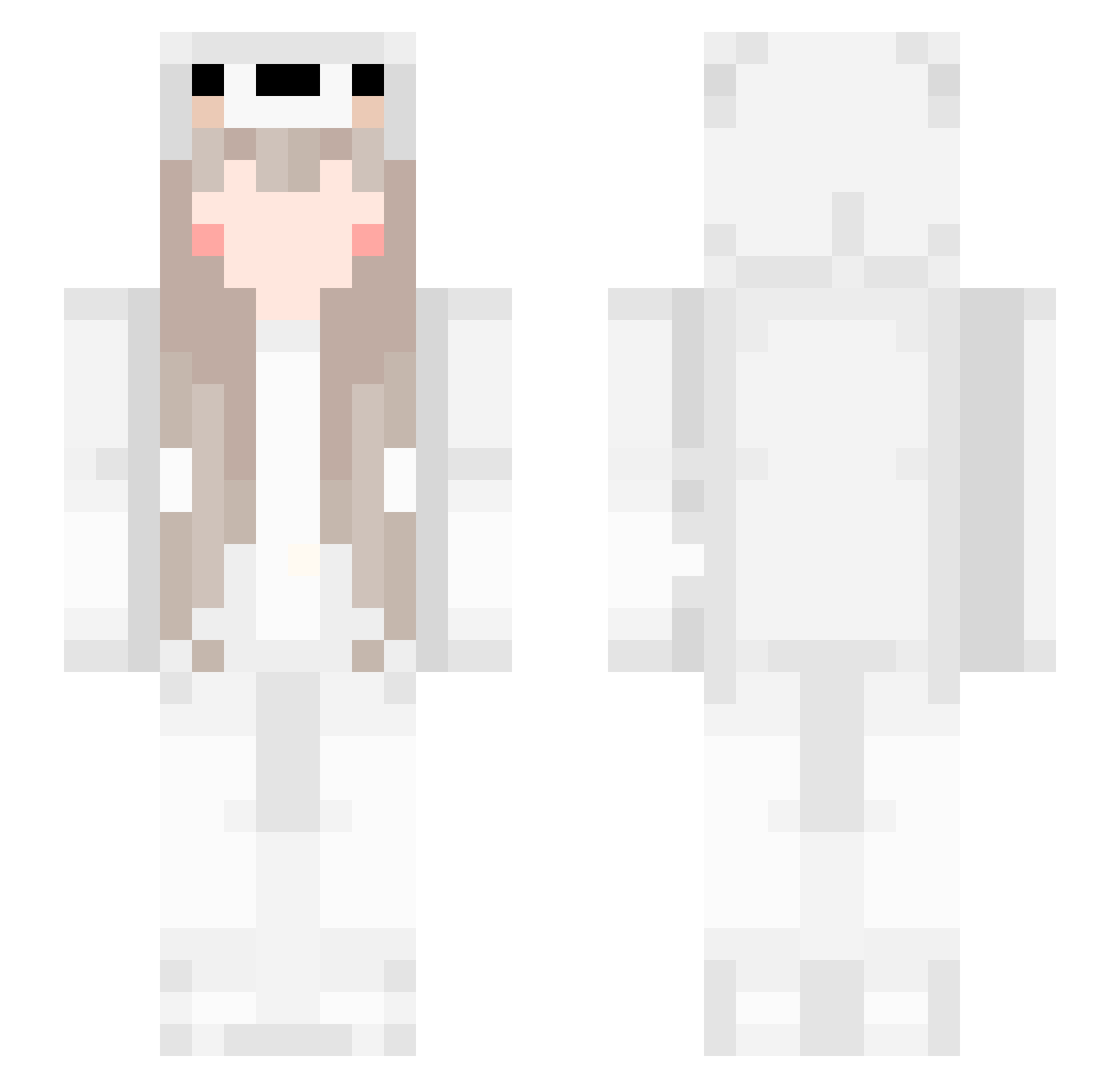
Current Minecraft skin of the player xin77, loaded from the official Mojang API. Rotate the 3D model with your mouse or finger, then download the skin as a PNG file and use it in Minecraft: Bedrock Edition or Java Edition for free. When xin77 changes their skin, this page updates automatically and the old skin stays in the history below.
Other players with this skin (480)
xin77 was the 457th player we have seen with this skin, first spotted on 20.10.2026. The same skin was seen on these players. Open a nickname to see their current skin and skin history.
 EithSuzg_ N134340 rang_h cylqinn shang0905 peterlee201 zs77kk MapRunner77 ______Ning______ s14_msmc_8eg terra556 nacpanykotek zhuoxingchen mowxc catqwq hhhyyy1 Rimrain Adeline_Yumo LimeAdeeeee zzw5555 RobertGay GiveMehAttention Ohtyug ReSolve_l Apekatt qazwsxedc5201 XueTianT millabi1 Arrebol222 bluebrave666 OAMOAMOAM EBVO01 crazyheaven kkk99 KFCv50 yinguodu Qy_L gang8686 kdy_god siseul123 0d00hoho RinneOharall yayan331 smling GRTZEL strawberry1581 Misstac fulequinha okayed_1 Yami1007 starry_night114 marcuslindemose 123456258 lussori icedeatw demonsknighta Limit0712 urpunny11 TheBeiluo StuperSheep
More Girl Minecraft skins
How to install the xin77 skin
- Press the Download button above to save the skin as a PNG file.
- Minecraft: Bedrock Edition (PE): open the Dressing Room from the main menu (or tap your character → Edit Character), go to Classic Skins → Owned, press the + (new skin) button, choose the downloaded PNG and pick the Slim (Alex) model. Works on PC and mobile; consoles cannot import custom skins.
- Minecraft: Java Edition: open the Minecraft Launcher, go to the Skins tab, click New Skin, load the PNG, pick the Slim (Alex) model and press Save & Use. You can also upload it at minecraft.net → Profile → Change Skin.
The skin does not show up after import - what should I do?
Restart Minecraft and open the Dressing Room again - imported skins sometimes appear only after a restart. Also make sure you selected the imported skin and picked the Slim (Alex) model.
Which model should I choose, Classic or Slim?
This skin is designed for the Slim (Alex) model. If you pick the wrong model, the arms of the skin will look stretched or squeezed.
Is the skin of xin77 free to download?
Yes. Press Download, save the PNG file and use it in Minecraft: Bedrock Edition or Java Edition - no payment or registration needed. The skin also works on multiplayer servers and Realms.
More skins
Looking for more? Go back to all Minecraft skins and check the top skins of the week, month and all time, or find any player's skin by nickname.