
xiandanajun - Minecraft Skins & Skin History
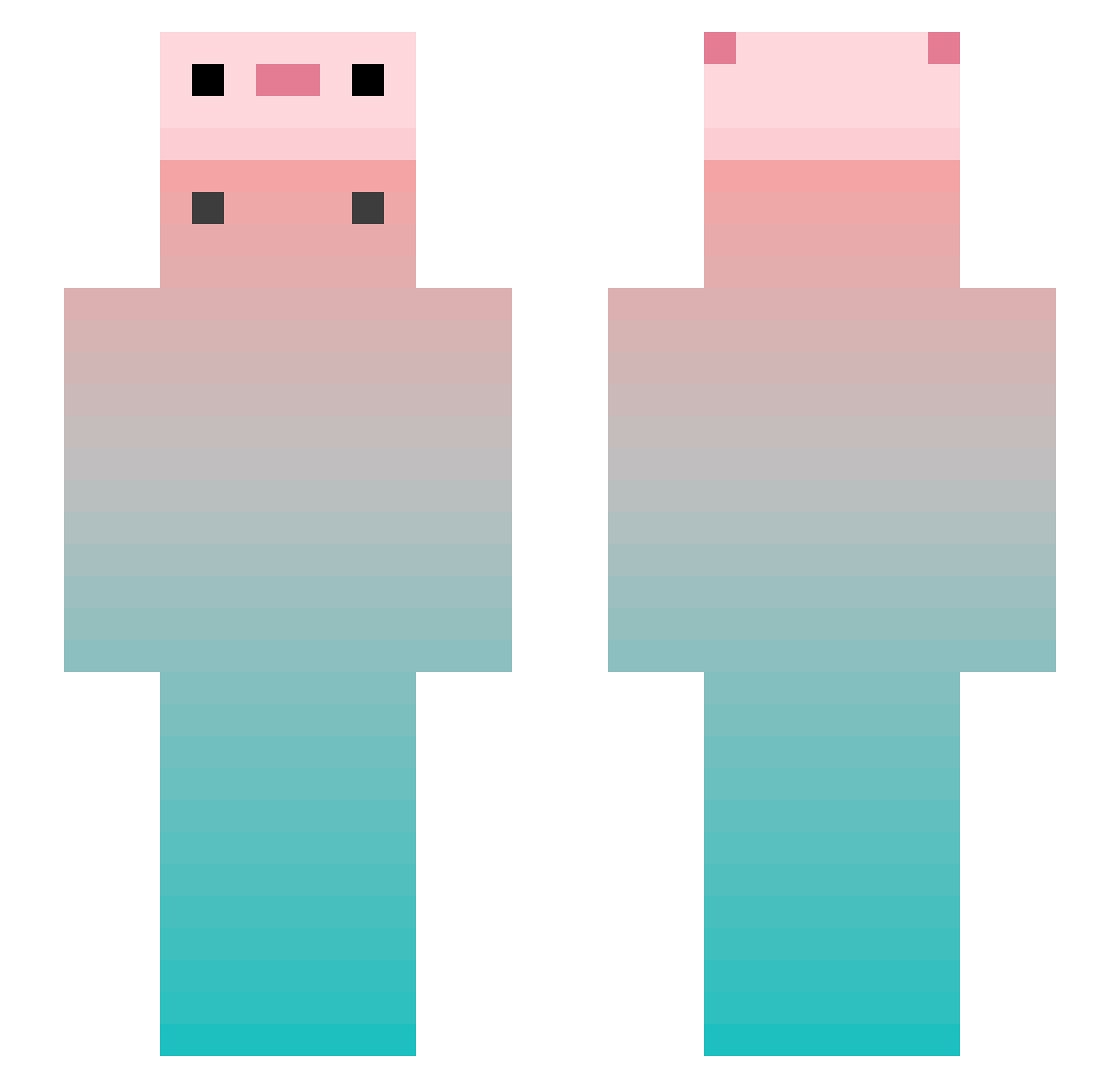
Current Minecraft skin of the player xiandanajun, loaded from the official Mojang API. Rotate the 3D model with your mouse or finger, then download the skin as a PNG file and use it in Minecraft: Bedrock Edition or Java Edition for free. When xiandanajun changes their skin, this page updates automatically and the old skin stays in the history below.
Other players with this skin (848)
xiandanajun was the 79th player we have seen with this skin, first spotted on 06.08.2026. The same skin was seen on these players. Open a nickname to see their current skin and skin history.
 yasi_252 duvet1213 coldcountry philophobiaa Raymmm heejeong9 Bletilla_striata chumpie Jin___X yue_tyann1218 Away0412 zfpteen621 Mu_Yan98 Violence114514 wukongju7 DUIJIU wy123 attt617 YUANGSHENGDAWANG tiya12138 hywef Ppplanck dagukgs Meng_Xin233 A_Slient bahader Neeu27 _Ovdoes Mindain WhereInfinity DrippyKianna SheepIsSk Kakunnn 55Kai13 gasanzenji aterice s1rius1337 kjsjs Hair_mao Bloo_king LumosJChan XingDaShuai2004 StrangeYe Sonicekp Eskimo6286 hayaakiz xNudelx Wa1ten ahsry wa1tor tlqkf_0won whg123 Florencerep
 MingawaQ derervillager Airuiliya_ Xratos07 xfchhhh FeiFei1806 Flutter_2
More Gradient Minecraft skins
How to install the xiandanajun skin
- Press the Download button above to save the skin as a PNG file.
- Minecraft: Bedrock Edition (PE): open the Dressing Room from the main menu (or tap your character → Edit Character), go to Classic Skins → Owned, press the + (new skin) button, choose the downloaded PNG and pick the Slim (Alex) model. Works on PC and mobile; consoles cannot import custom skins.
- Minecraft: Java Edition: open the Minecraft Launcher, go to the Skins tab, click New Skin, load the PNG, pick the Slim (Alex) model and press Save & Use. You can also upload it at minecraft.net → Profile → Change Skin.
The skin does not show up after import - what should I do?
Restart Minecraft and open the Dressing Room again - imported skins sometimes appear only after a restart. Also make sure you selected the imported skin and picked the Slim (Alex) model.
Which model should I choose, Classic or Slim?
This skin is designed for the Slim (Alex) model. If you pick the wrong model, the arms of the skin will look stretched or squeezed.
Is the skin of xiandanajun free to download?
Yes. Press Download, save the PNG file and use it in Minecraft: Bedrock Edition or Java Edition - no payment or registration needed. The skin also works on multiplayer servers and Realms.
More skins
Looking for more? Go back to all Minecraft skins and check the top skins of the week, month and all time, or find any player's skin by nickname.