
xerciiia - Minecraft Skins & Skin History
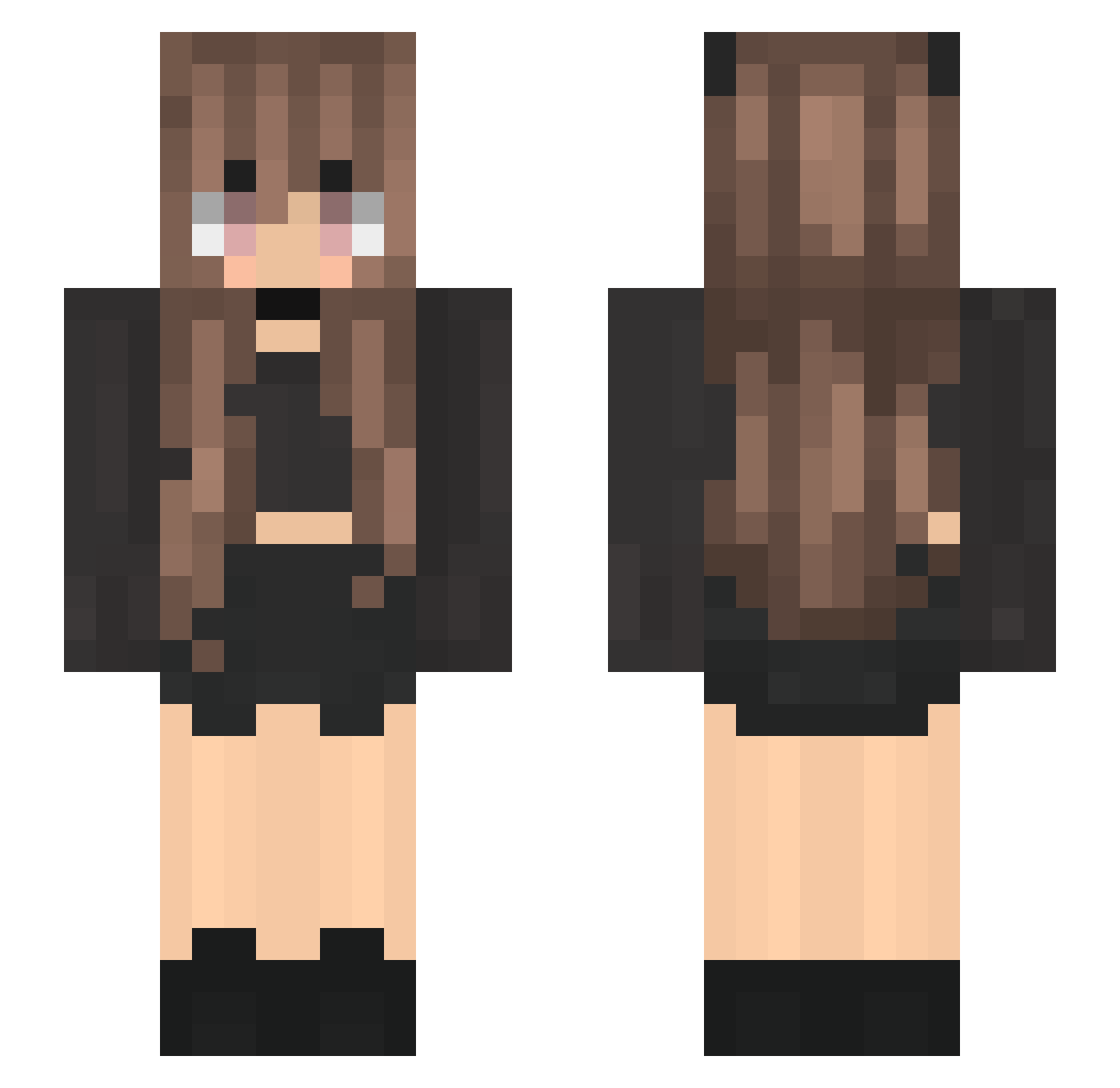
Current Minecraft skin of the player xerciiia, loaded from the official Mojang API. Rotate the 3D model with your mouse or finger, then download the skin as a PNG file and use it in Minecraft: Bedrock Edition or Java Edition for free. When xerciiia changes their skin, this page updates automatically and the old skin stays in the history below.
Other players with this skin (248)
xerciiia was the 235th player we have seen with this skin, first spotted on 12.11.2026. The same skin was seen on these players. Open a nickname to see their current skin and skin history.
 Xinghui0917 CatieNeko wendypamela10 Prometheuses carlottaaltomare lizettemelenie Shinji091090 itslilyyyy gamerplayz_pro1 Ackrite03 s_maro sllv04 hhhRobo 6tanaduq hummus76 _Mar1ne HEBERUTO leonie2406 JuhVia annee_ JojoXXX1309 L05TCA11 Amoraliz Faxekond qJxliya Hacker_HATT NiinaBee kangkang2024 beboleite Pink_Unikornis MysticFart3 Marlijade Gabriela_Camargo DiamondHeart09 PressureNS danismeyk Mada1 heyitzluna_ Ahmed_7368 hedplayYT zAna_ EtheralK skcat03 8v8haruchacha8v8 mijumayu rafael_romano _ChiYan Ssasan Momotcha Zarthader NielsChiapas Carozer Leni_12 GeneralShepherd socktan666 Tikitaka006 Aneczka 951753729 dilarayu ImTinyy
More Goth Minecraft skins
How to install the xerciiia skin
- Press the Download button above to save the skin as a PNG file.
- Minecraft: Bedrock Edition (PE): open the Dressing Room from the main menu (or tap your character → Edit Character), go to Classic Skins → Owned, press the + (new skin) button, choose the downloaded PNG and pick the Slim (Alex) model. Works on PC and mobile; consoles cannot import custom skins.
- Minecraft: Java Edition: open the Minecraft Launcher, go to the Skins tab, click New Skin, load the PNG, pick the Slim (Alex) model and press Save & Use. You can also upload it at minecraft.net → Profile → Change Skin.
The skin does not show up after import - what should I do?
Restart Minecraft and open the Dressing Room again - imported skins sometimes appear only after a restart. Also make sure you selected the imported skin and picked the Slim (Alex) model.
Which model should I choose, Classic or Slim?
This skin is designed for the Slim (Alex) model. If you pick the wrong model, the arms of the skin will look stretched or squeezed.
Is the skin of xerciiia free to download?
Yes. Press Download, save the PNG file and use it in Minecraft: Bedrock Edition or Java Edition - no payment or registration needed. The skin also works on multiplayer servers and Realms.
More skins
Looking for more? Go back to all Minecraft skins and check the top skins of the week, month and all time, or find any player's skin by nickname.