
xX_Yashiro_Xx - Minecraft Skins & Skin History
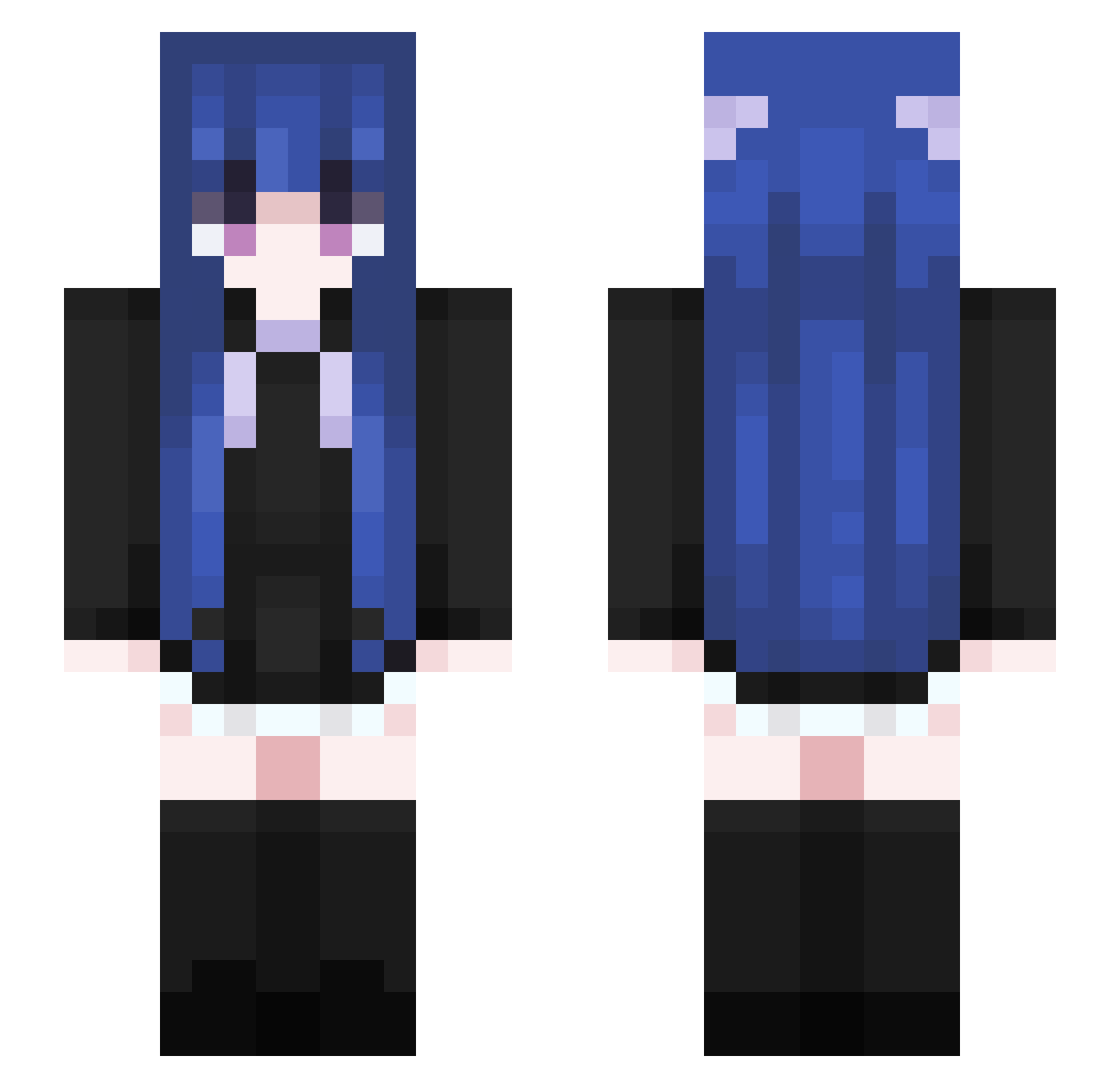
Current Minecraft skin of the player xX_Yashiro_Xx, loaded from the official Mojang API. Rotate the 3D model with your mouse or finger, then download the skin as a PNG file and use it in Minecraft: Bedrock Edition or Java Edition for free. When xX_Yashiro_Xx changes their skin, this page updates automatically and the old skin stays in the history below.
Other players with this skin (460)
xX_Yashiro_Xx was the 164th player we have seen with this skin, first spotted on 24.08.2026. The same skin was seen on these players. Open a nickname to see their current skin and skin history.
 Sky_Skeleton LLZloveyou Psychze WEIWEN_ZY The_Star17 Duarda Kamijou__Touma gabikaki socalFL muyu0215 CokeSB Mooncake556 KK_Kyuniss xCiih_ yuzyi Juang332 Kouda1112 Nyarmetamorphosi duanGrui islandting NNianNian xwinkx 7Princ3ssLegacy IdustI KK_want2neru sunsunssset MoChoU_x lemon0993 ZhangRTTT Eliraa yezi455 MoJieDo Jupitermoon56 akiyamamio666 Kminos Lhyyjie cowgirly muss0808 Sienna6326 orutega556 xiqtkt ZayaForever eGoogleNEVERDIES xYAPI_TAROx Tsubaki0095 Huan_jingzi IceWolf2320 Blue1888 Nuoit INeedHealinggg TermedCloth Wind1551 tutujiang qtn0115 KaiKaiKaiKaiZi knkuma LT_Peter 6KELE9 IcelandicHorse Mufeng2001
More Goth Minecraft skins
How to install the xX_Yashiro_Xx skin
- Press the Download button above to save the skin as a PNG file.
- Minecraft: Bedrock Edition (PE): open the Dressing Room from the main menu (or tap your character → Edit Character), go to Classic Skins → Owned, press the + (new skin) button, choose the downloaded PNG and pick the Slim (Alex) model. Works on PC and mobile; consoles cannot import custom skins.
- Minecraft: Java Edition: open the Minecraft Launcher, go to the Skins tab, click New Skin, load the PNG, pick the Slim (Alex) model and press Save & Use. You can also upload it at minecraft.net → Profile → Change Skin.
The skin does not show up after import - what should I do?
Restart Minecraft and open the Dressing Room again - imported skins sometimes appear only after a restart. Also make sure you selected the imported skin and picked the Slim (Alex) model.
Which model should I choose, Classic or Slim?
This skin is designed for the Slim (Alex) model. If you pick the wrong model, the arms of the skin will look stretched or squeezed.
Is the skin of xX_Yashiro_Xx free to download?
Yes. Press Download, save the PNG file and use it in Minecraft: Bedrock Edition or Java Edition - no payment or registration needed. The skin also works on multiplayer servers and Realms.
More skins
Looking for more? Go back to all Minecraft skins and check the top skins of the week, month and all time, or find any player's skin by nickname.