
xX_Bacca_King_Xx - Minecraft Skins & Skin History
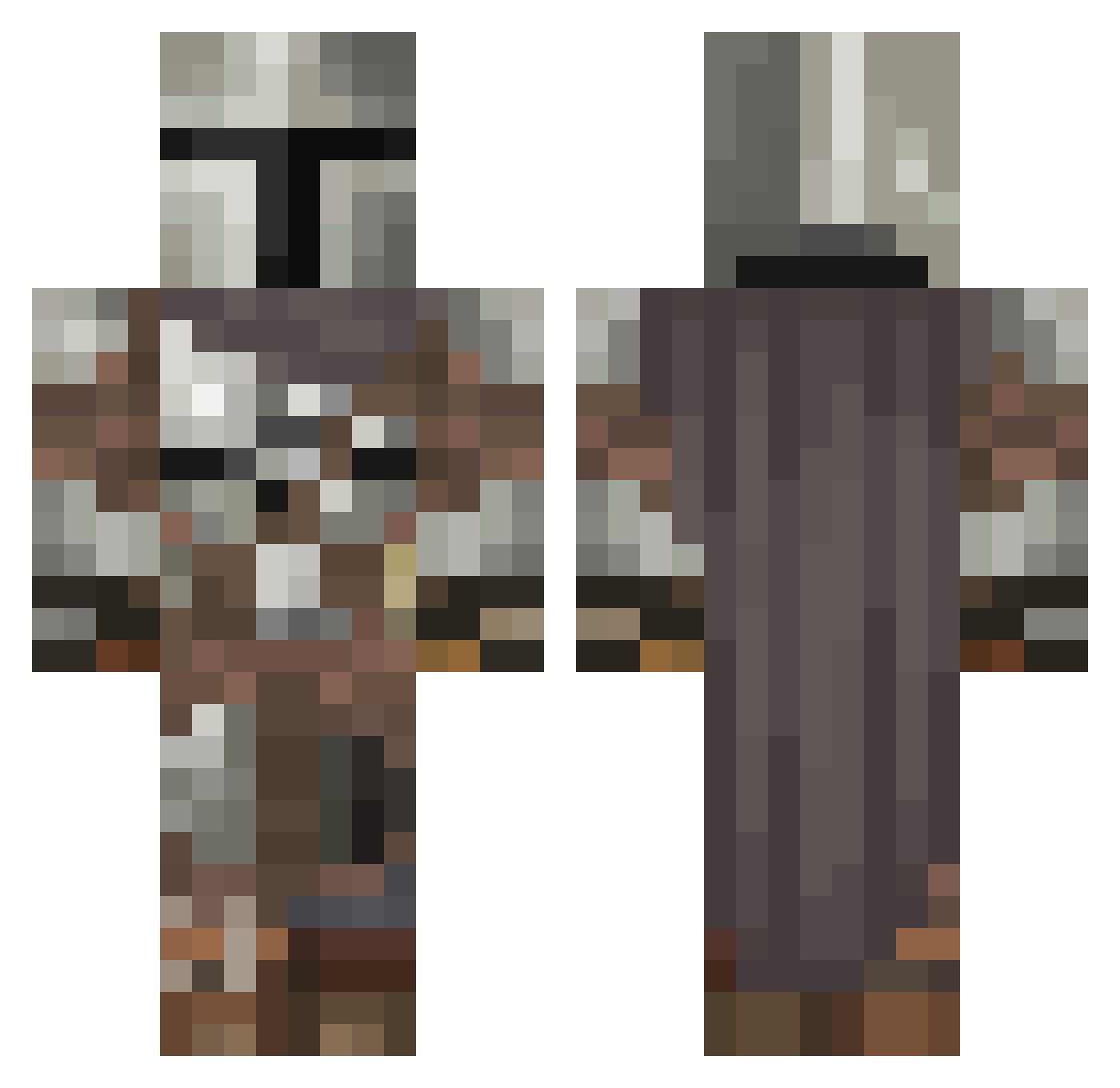
Current Minecraft skin of the player xX_Bacca_King_Xx, loaded from the official Mojang API. Rotate the 3D model with your mouse or finger, then download the skin as a PNG file and use it in Minecraft: Bedrock Edition or Java Edition for free. When xX_Bacca_King_Xx changes their skin, this page updates automatically and the old skin stays in the history below.
Other players with this skin (546)
xX_Bacca_King_Xx was the 300th player we have seen with this skin, first spotted on 24.09.2026. The same skin was seen on these players. Open a nickname to see their current skin and skin history.
 RubyRoom629397 syntheagle136 Zomb13butt TheWalsh24 WOPPOW dobley speedsofter2 Gr4ph1c5 MidgePlayzGames Rafaga06 stacky420 _4399_ pollakk FPK8 br0kn_viper Schneet ToXXerZ DanMansRage birdmen3035 yiusen99 jk123451 ExtraSaltyNinja JawBreaker101 gem114 ReivaxAutos bojoftw SandraC137 GaudiestJA Kazer23 RaiiNN B0NGWAT3R Ekteri0 Teary_the_Animal IDoNotMind PuchiMC123 laur666c charleytango05 Sith10_97 Petreus Alyahr KebabEfendi Illee2 AUZ_ ManipulativeEye R4K3_ Sofar850 theocaspo What_Shade nikaidou98 sutherlanda414 Dragonator64 Skeleos F1n14y Fuego_IsABot BigDaddySalvia9 iamkimmycoco prism673 frogchariot Riley2305 Amarantharie
More The Mandalorian Minecraft skins
See all 592 The Mandalorian skins
How to install the xX_Bacca_King_Xx skin
- Press the Download button above to save the skin as a PNG file.
- Minecraft: Bedrock Edition (PE): open the Dressing Room from the main menu (or tap your character → Edit Character), go to Classic Skins → Owned, press the + (new skin) button, choose the downloaded PNG and pick the Classic (Steve) model. Works on PC and mobile; consoles cannot import custom skins.
- Minecraft: Java Edition: open the Minecraft Launcher, go to the Skins tab, click New Skin, load the PNG, pick the Classic (Steve) model and press Save & Use. You can also upload it at minecraft.net → Profile → Change Skin.
The skin does not show up after import - what should I do?
Restart Minecraft and open the Dressing Room again - imported skins sometimes appear only after a restart. Also make sure you selected the imported skin and picked the Classic (Steve) model.
Which model should I choose, Classic or Slim?
This skin is designed for the Classic (Steve) model. If you pick the wrong model, the arms of the skin will look stretched or squeezed.
Is the skin of xX_Bacca_King_Xx free to download?
Yes. Press Download, save the PNG file and use it in Minecraft: Bedrock Edition or Java Edition - no payment or registration needed. The skin also works on multiplayer servers and Realms.
More skins
Looking for more? Go back to all Minecraft skins and check the top skins of the week, month and all time, or find any player's skin by nickname.