
xXNoobdu94xX - Minecraft Skins & Skin History
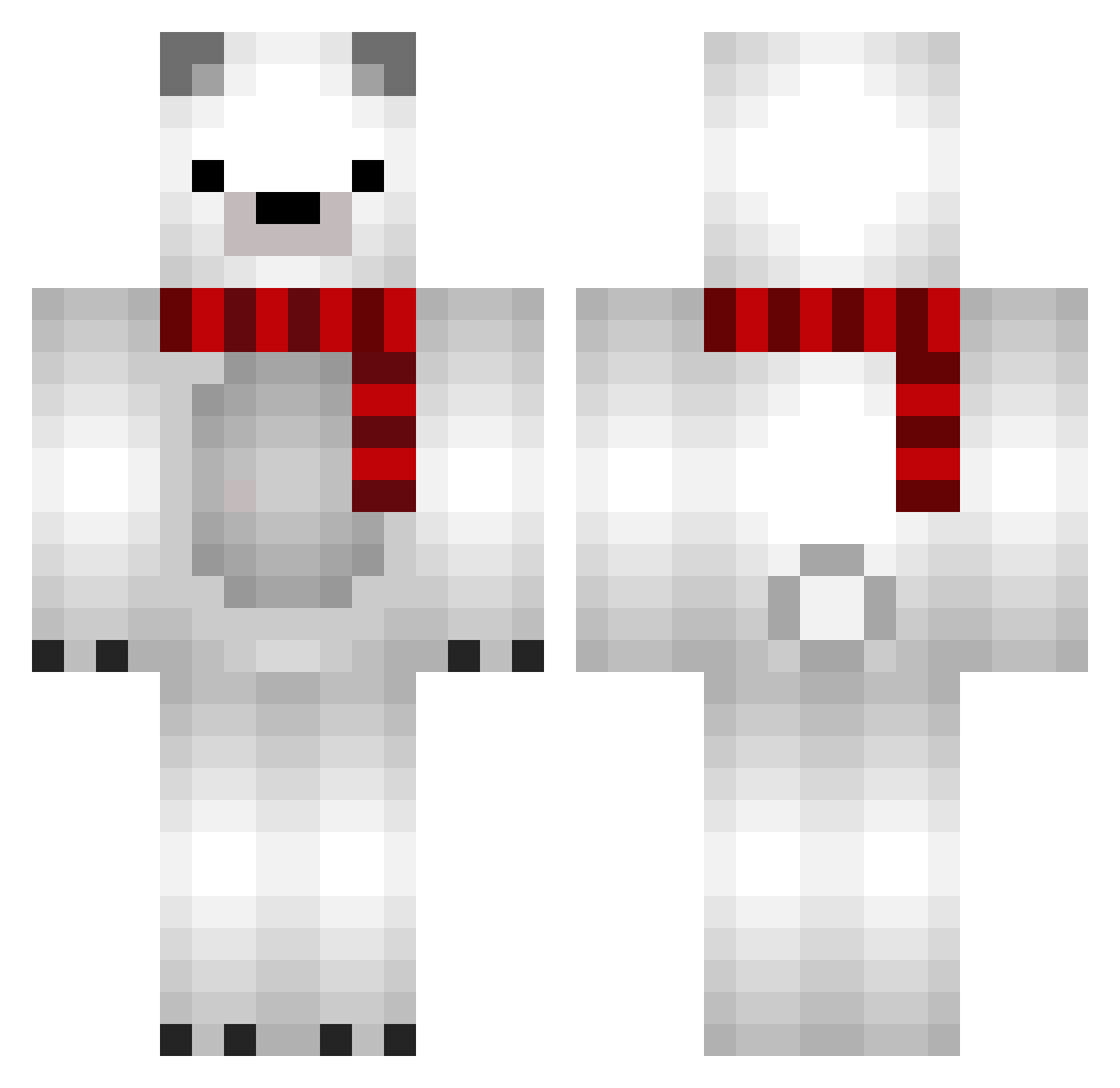
Current Minecraft skin of the player xXNoobdu94xX, loaded from the official Mojang API. Rotate the 3D model with your mouse or finger, then download the skin as a PNG file and use it in Minecraft: Bedrock Edition or Java Edition for free. When xXNoobdu94xX changes their skin, this page updates automatically and the old skin stays in the history below.
Other players with this skin (690)
xXNoobdu94xX was the 172nd player we have seen with this skin, first spotted on 17.08.2026. The same skin was seen on these players. Open a nickname to see their current skin and skin history.
 sumichov 50014 BushDog23 Moong_2 joowon2 wwnggi THEBuddyism uhhrama Alianz TyrianNinja dksewns Minkkkk0 kwangbo Nam24 xxaLUNAaxx milocereal14 crystalah welovemars Mattya0806
 AW101ch Shoki2686 SmillingRain Josezz2004 Feuftrix HangryAggie SerbianStud vviinniii ydwoh omochi001_ Young9 psychicpuppy chunksy DIRI0 _Tella_ Hyang_su sakkusaku Juxnxoo Monggui00 un_deux_trois216 darong2e YukiteruLight Raynight zionx456 PlusMoon_Lee alexdarmetko LoudMothh raramoto niconanico KumaTubaki amarox7 leejeongchan YANGKONG19 DoriDori97 DDo_Rim Toskos DDULOO Mr_Piniu Snowy1550 BBagayoung IGo_35
More Polar Bear Minecraft skins
How to install the xXNoobdu94xX skin
- Press the Download button above to save the skin as a PNG file.
- Minecraft: Bedrock Edition (PE): open the Dressing Room from the main menu (or tap your character → Edit Character), go to Classic Skins → Owned, press the + (new skin) button, choose the downloaded PNG and pick the Classic (Steve) model. Works on PC and mobile; consoles cannot import custom skins.
- Minecraft: Java Edition: open the Minecraft Launcher, go to the Skins tab, click New Skin, load the PNG, pick the Classic (Steve) model and press Save & Use. You can also upload it at minecraft.net → Profile → Change Skin.
The skin does not show up after import - what should I do?
Restart Minecraft and open the Dressing Room again - imported skins sometimes appear only after a restart. Also make sure you selected the imported skin and picked the Classic (Steve) model.
Which model should I choose, Classic or Slim?
This skin is designed for the Classic (Steve) model. If you pick the wrong model, the arms of the skin will look stretched or squeezed.
Is the skin of xXNoobdu94xX free to download?
Yes. Press Download, save the PNG file and use it in Minecraft: Bedrock Edition or Java Edition - no payment or registration needed. The skin also works on multiplayer servers and Realms.
More skins
Looking for more? Go back to all Minecraft skins and check the top skins of the week, month and all time, or find any player's skin by nickname.