
xRyukxT - Minecraft Skins & Skin History
Current Minecraft skin of the player xRyukxT, loaded from the official Mojang API. Rotate the 3D model with your mouse or finger, then download the skin as a PNG file and use it in Minecraft: Bedrock Edition or Java Edition for free. When xRyukxT changes their skin, this page updates automatically and the old skin stays in the history below.
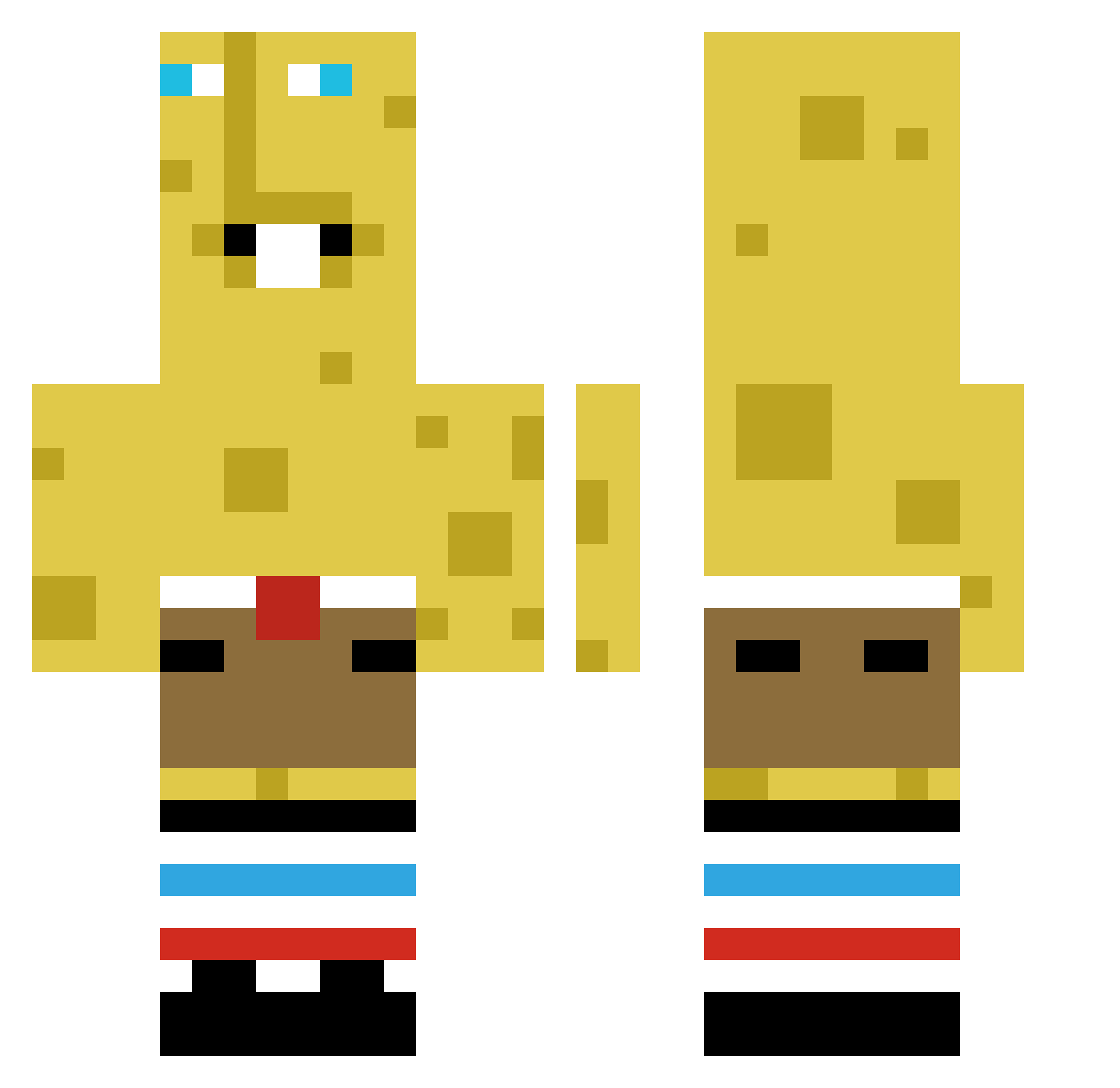
Other players with this skin (383)
xRyukxT was the 184th player we have seen with this skin, first spotted on 09.09.2026. The same skin was seen on these players. Open a nickname to see their current skin and skin history.
 RixzyAGL
 charliebummaye merlinraven145 yujun6767 rxRysiu MeGoRawr Solaura RaineMySack Alexelpanchito10 daGraca
 Vin9 Kingbob619 Elitecooltitan
 Mortal_human hilel124 BabooDaniel tnzforce BigH109 zuzu1004 chab00ty Mr_CarneAsada Ghozty_ Brodster98 musthegoat wizexguy orewaeniz Gss232012 JuanPedro_tf kebabvert Jay_Jay_LPA _cipa_ Alesxddd2 MasterButters Hongsi_11 ICELOSTI Emiel_VDD bad_froggy man545 itsdannyy NotMoshiku MythicalMrT ksrl Shadowzgame MarkoniXYZ sdagN N0Zin SyungBin ACValhalla its_ando liamsabozo tesel228 itclimbs ChengHuaQ jbuzzsaw55 avery127789 Reff10 FreddyPaste noctisX90 Yadelmn hnterlmon
More Spongebob Minecraft skins
How to install the xRyukxT skin
- Press the Download button above to save the skin as a PNG file.
- Minecraft: Bedrock Edition (PE): open the Dressing Room from the main menu (or tap your character → Edit Character), go to Classic Skins → Owned, press the + (new skin) button, choose the downloaded PNG and pick the Classic (Steve) model. Works on PC and mobile; consoles cannot import custom skins.
- Minecraft: Java Edition: open the Minecraft Launcher, go to the Skins tab, click New Skin, load the PNG, pick the Classic (Steve) model and press Save & Use. You can also upload it at minecraft.net → Profile → Change Skin.
The skin does not show up after import - what should I do?
Restart Minecraft and open the Dressing Room again - imported skins sometimes appear only after a restart. Also make sure you selected the imported skin and picked the Classic (Steve) model.
Which model should I choose, Classic or Slim?
This skin is designed for the Classic (Steve) model. If you pick the wrong model, the arms of the skin will look stretched or squeezed.
Is the skin of xRyukxT free to download?
Yes. Press Download, save the PNG file and use it in Minecraft: Bedrock Edition or Java Edition - no payment or registration needed. The skin also works on multiplayer servers and Realms.
More skins
Looking for more? Go back to all Minecraft skins and check the top skins of the week, month and all time, or find any player's skin by nickname.