
xPanduwu - Minecraft Skins & Skin History
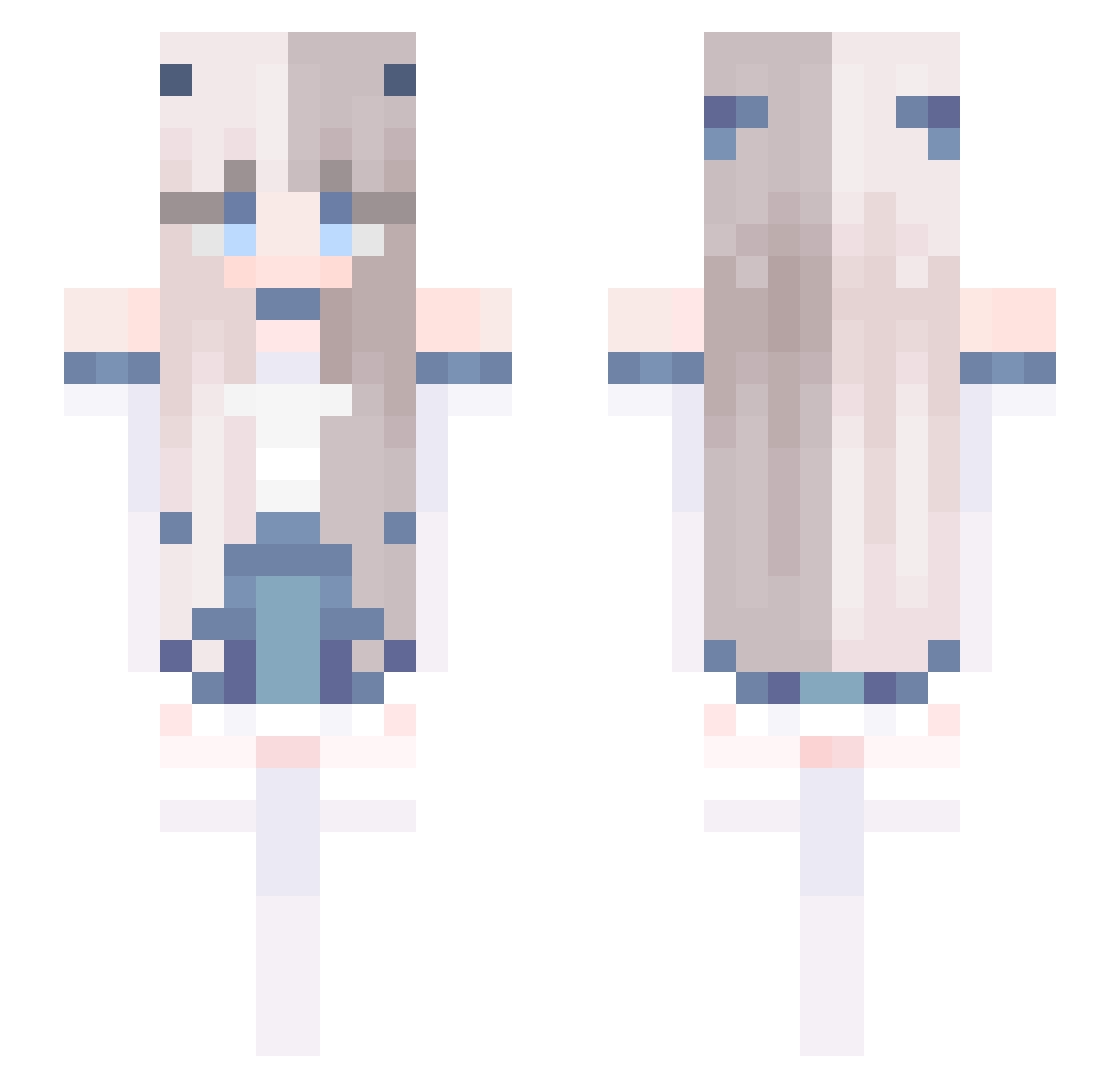
Current Minecraft skin of the player xPanduwu, loaded from the official Mojang API. Rotate the 3D model with your mouse or finger, then download the skin as a PNG file and use it in Minecraft: Bedrock Edition or Java Edition for free. When xPanduwu changes their skin, this page updates automatically and the old skin stays in the history below.
Other players with this skin (679)
xPanduwu was the 358th player we have seen with this skin, first spotted on 24.09.2026. The same skin was seen on these players. Open a nickname to see their current skin and skin history.
 _yyijin AgivA choramm Lenuageuu Holmwood townward Kyranicha Lyutong JohnLin0602 nonnon1225 BadonkaDonkie SaimaiWannoi Killda JEFF2219 SarbellaPink Tuanzi_sama jayplay_v1 MC_badjoker AscarSky humpoemo GhostGirlz yuritachan Sannieday yomga TC_WashingPowder Apricity_326 CoDe_Ttheo _o3oJY_ Theni_ DX0000 sleepy_zoul Marrla22 tanabes wo7 My_kong ocean0901 chai_ccc _Lovely__ Tsuki0193 ChangAn6101 huisu3 Sondra2525 blessyu kitten0214 mosomaci Solis0202 White_Wolf_233 Zeromooon520 RaShunn daonda_S2 Bl4nche Nidhogg69 Faaaa_wuhu Ana352 PzeroXDxD MeowUwU13 ixGon1 BieberP1205 Love_Redstone HighAdmiralH
More Horns Minecraft skins
How to install the xPanduwu skin
- Press the Download button above to save the skin as a PNG file.
- Minecraft: Bedrock Edition (PE): open the Dressing Room from the main menu (or tap your character → Edit Character), go to Classic Skins → Owned, press the + (new skin) button, choose the downloaded PNG and pick the Slim (Alex) model. Works on PC and mobile; consoles cannot import custom skins.
- Minecraft: Java Edition: open the Minecraft Launcher, go to the Skins tab, click New Skin, load the PNG, pick the Slim (Alex) model and press Save & Use. You can also upload it at minecraft.net → Profile → Change Skin.
The skin does not show up after import - what should I do?
Restart Minecraft and open the Dressing Room again - imported skins sometimes appear only after a restart. Also make sure you selected the imported skin and picked the Slim (Alex) model.
Which model should I choose, Classic or Slim?
This skin is designed for the Slim (Alex) model. If you pick the wrong model, the arms of the skin will look stretched or squeezed.
Is the skin of xPanduwu free to download?
Yes. Press Download, save the PNG file and use it in Minecraft: Bedrock Edition or Java Edition - no payment or registration needed. The skin also works on multiplayer servers and Realms.
More skins
Looking for more? Go back to all Minecraft skins and check the top skins of the week, month and all time, or find any player's skin by nickname.