
xPaTx - Minecraft Skins & Skin History
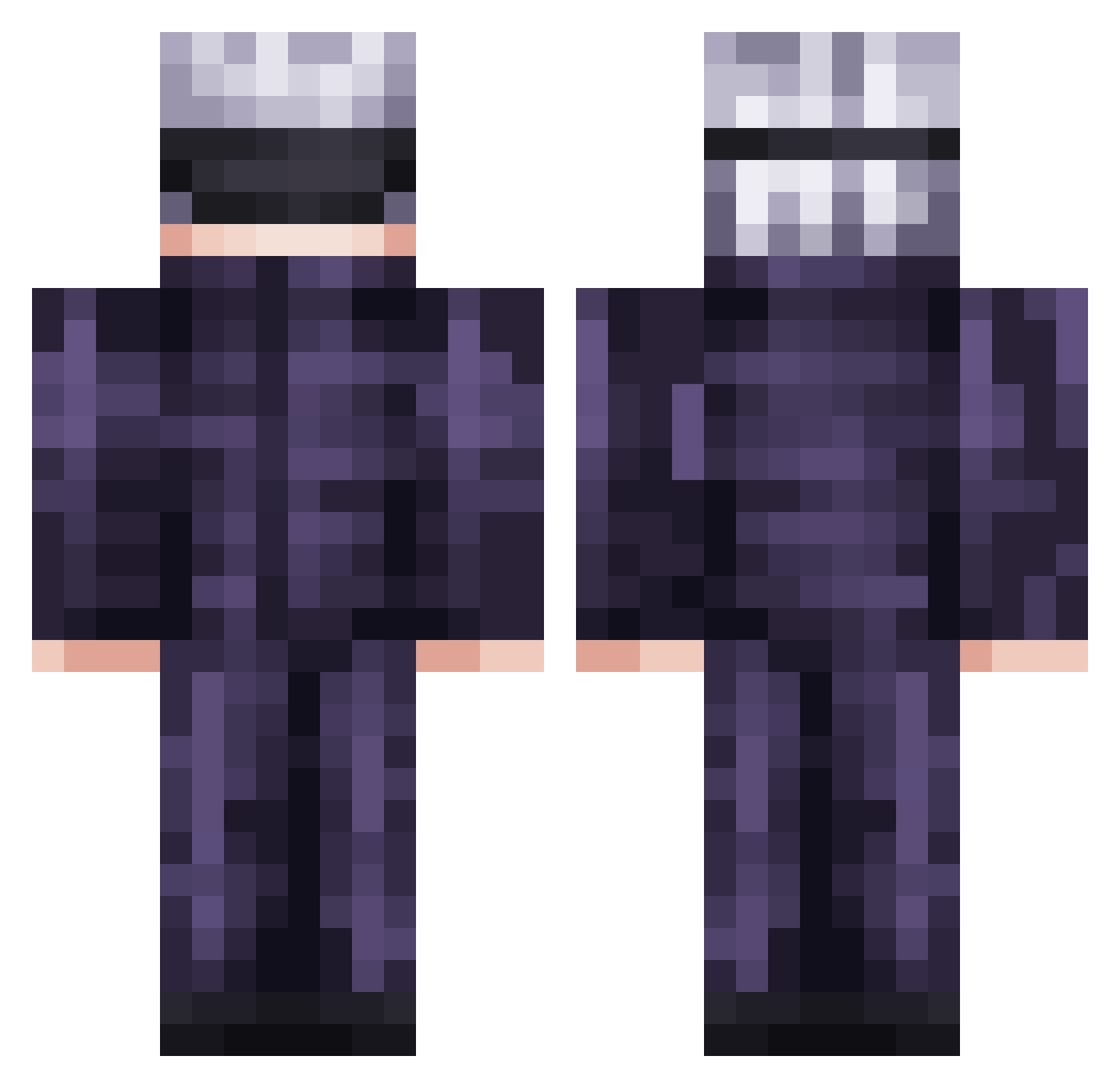
Current Minecraft skin of the player xPaTx, loaded from the official Mojang API. Rotate the 3D model with your mouse or finger, then download the skin as a PNG file and use it in Minecraft: Bedrock Edition or Java Edition for free. When xPaTx changes their skin, this page updates automatically and the old skin stays in the history below.
Other players with this skin (878)
xPaTx was the 819th player we have seen with this skin, first spotted on 11.11.2026. The same skin was seen on these players. Open a nickname to see their current skin and skin history.
 Leotrollmice Radziuq Zancrow57 Back_The_Future GDLFcc JiYak_ Jayunna Bootyslayer9000 DrinkWatah ChickemLord iReMiXd3SsS Ldrago9 Cyber_Muffin lluffysama Ozfen C17I lit_mc Vampire4723 Kuangsanwopo0610 Phantomm_m blu3_racooon Gianchi007 _yl8xm kung0620 Bird0926 SlimCounty03 vapor83 Kryzz0 Sableaura icylighting32 Diamond_71 saddboyseason Euraque KATAIMAN ARCGFE Gatogojo Luk_eSSJB KarmaKid29 __Fatherless wew0315 Rafaelle77_To_Ja pajamasss_ Jeansyyy Rianworld Callmeleft Saiyans_Godz_ Greengang8829 marvelous291 alwoko IzumoYs Yak_Yak1 Leancab14 DrewWuzhere SeaMooh PokeLuke1624 dky727 Luca_nix vnsnt4c ppinq starnutzzz
More Satoru Gojo Minecraft skins
See all 1484 Satoru Gojo skins
How to install the xPaTx skin
- Press the Download button above to save the skin as a PNG file.
- Minecraft: Bedrock Edition (PE): open the Dressing Room from the main menu (or tap your character → Edit Character), go to Classic Skins → Owned, press the + (new skin) button, choose the downloaded PNG and pick the Classic (Steve) model. Works on PC and mobile; consoles cannot import custom skins.
- Minecraft: Java Edition: open the Minecraft Launcher, go to the Skins tab, click New Skin, load the PNG, pick the Classic (Steve) model and press Save & Use. You can also upload it at minecraft.net → Profile → Change Skin.
The skin does not show up after import - what should I do?
Restart Minecraft and open the Dressing Room again - imported skins sometimes appear only after a restart. Also make sure you selected the imported skin and picked the Classic (Steve) model.
Which model should I choose, Classic or Slim?
This skin is designed for the Classic (Steve) model. If you pick the wrong model, the arms of the skin will look stretched or squeezed.
Is the skin of xPaTx free to download?
Yes. Press Download, save the PNG file and use it in Minecraft: Bedrock Edition or Java Edition - no payment or registration needed. The skin also works on multiplayer servers and Realms.
More skins
Looking for more? Go back to all Minecraft skins and check the top skins of the week, month and all time, or find any player's skin by nickname.