
ws1240 - Minecraft Skins & Skin History
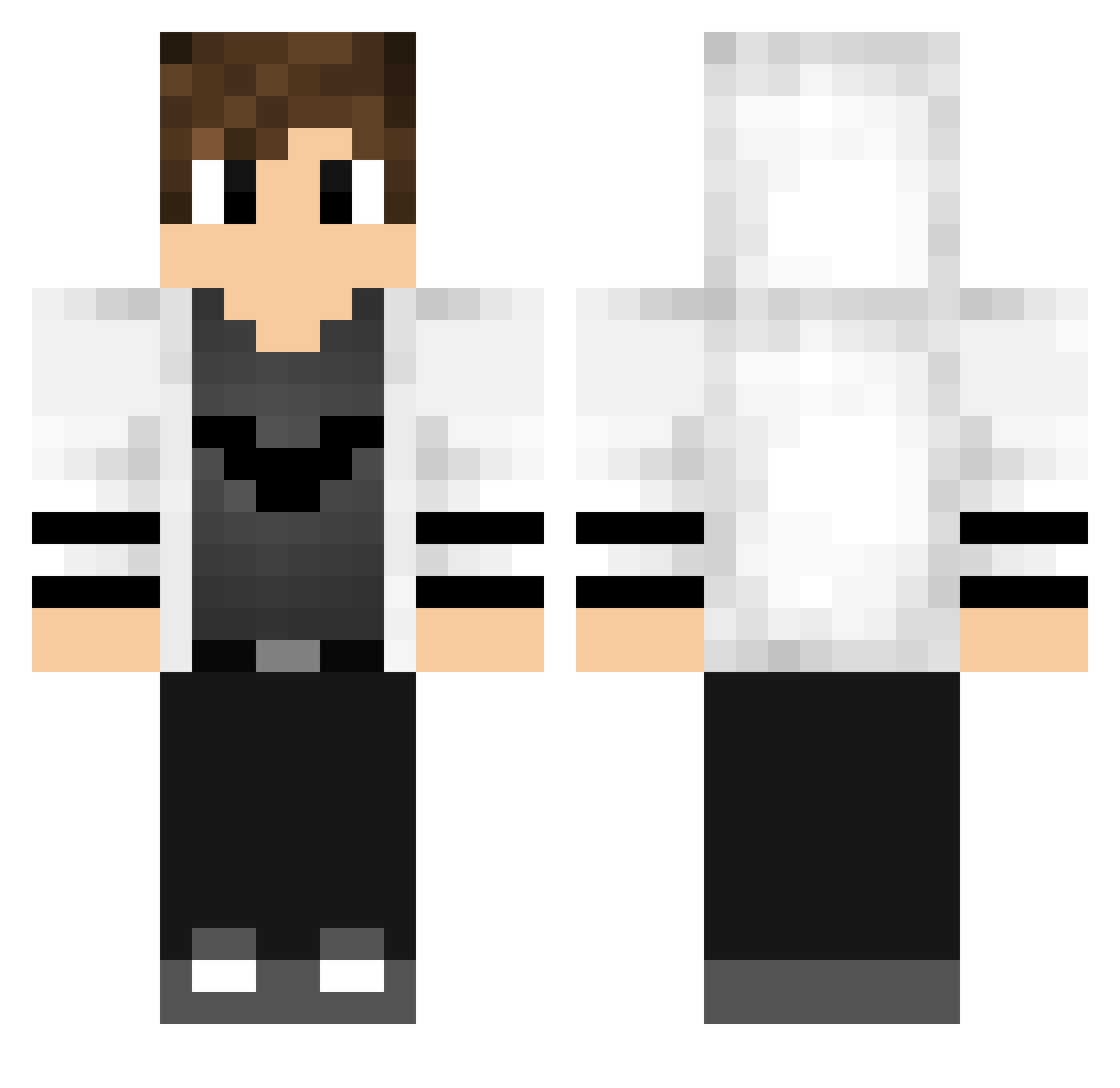
Current Minecraft skin of the player ws1240, loaded from the official Mojang API. Rotate the 3D model with your mouse or finger, then download the skin as a PNG file and use it in Minecraft: Bedrock Edition or Java Edition for free. When ws1240 changes their skin, this page updates automatically and the old skin stays in the history below.
Other players with this skin (769)
ws1240 was the 366th player we have seen with this skin, first spotted on 23.09.2026. The same skin was seen on these players. Open a nickname to see their current skin and skin history.
 LoboGam1ng ooolfts zAqu19 Ruff030 TyaDo_Kcoke Addbert kaisuperme Ivanovit HenryPierre kogetamochi Jasper1133 Walter_2002 Andy1000 Garrero Arcano94 Matteo2206 Edutrick thebeeskneeses Highboss Nicco_B_29 Ax3l_27 Nanni10 Amexplayer PigMan7 GustavoBahis_ Garibaldi12313 Luccas28 HAM0909 W1NTER_BIRD tunux PsykoQS guilherme_luiz mamejack Tomidep LucasJJ150 Mino4K julek_03 Supermeatboy1234 Boss1234bg goncalopc ExCuSeMeBuTT ClawZ7 SplentyG hanep PrinzSheldor GRUBASNYYY128121 Praise_Thee_Lord Whiplash13579 MathPVP_1 Benicuss23 Juanda1 JamNotFound_ Anubissxd LiamAsta239 AlexGRonYT Mtsprdo big_Steve85 Baptisteman2 BinBaz ready7
More Bat Symbol Minecraft skins
How to install the ws1240 skin
- Press the Download button above to save the skin as a PNG file.
- Minecraft: Bedrock Edition (PE): open the Dressing Room from the main menu (or tap your character → Edit Character), go to Classic Skins → Owned, press the + (new skin) button, choose the downloaded PNG and pick the Classic (Steve) model. Works on PC and mobile; consoles cannot import custom skins.
- Minecraft: Java Edition: open the Minecraft Launcher, go to the Skins tab, click New Skin, load the PNG, pick the Classic (Steve) model and press Save & Use. You can also upload it at minecraft.net → Profile → Change Skin.
The skin does not show up after import - what should I do?
Restart Minecraft and open the Dressing Room again - imported skins sometimes appear only after a restart. Also make sure you selected the imported skin and picked the Classic (Steve) model.
Which model should I choose, Classic or Slim?
This skin is designed for the Classic (Steve) model. If you pick the wrong model, the arms of the skin will look stretched or squeezed.
Is the skin of ws1240 free to download?
Yes. Press Download, save the PNG file and use it in Minecraft: Bedrock Edition or Java Edition - no payment or registration needed. The skin also works on multiplayer servers and Realms.
More skins
Looking for more? Go back to all Minecraft skins and check the top skins of the week, month and all time, or find any player's skin by nickname.