
wosui - Minecraft Skins & Skin History
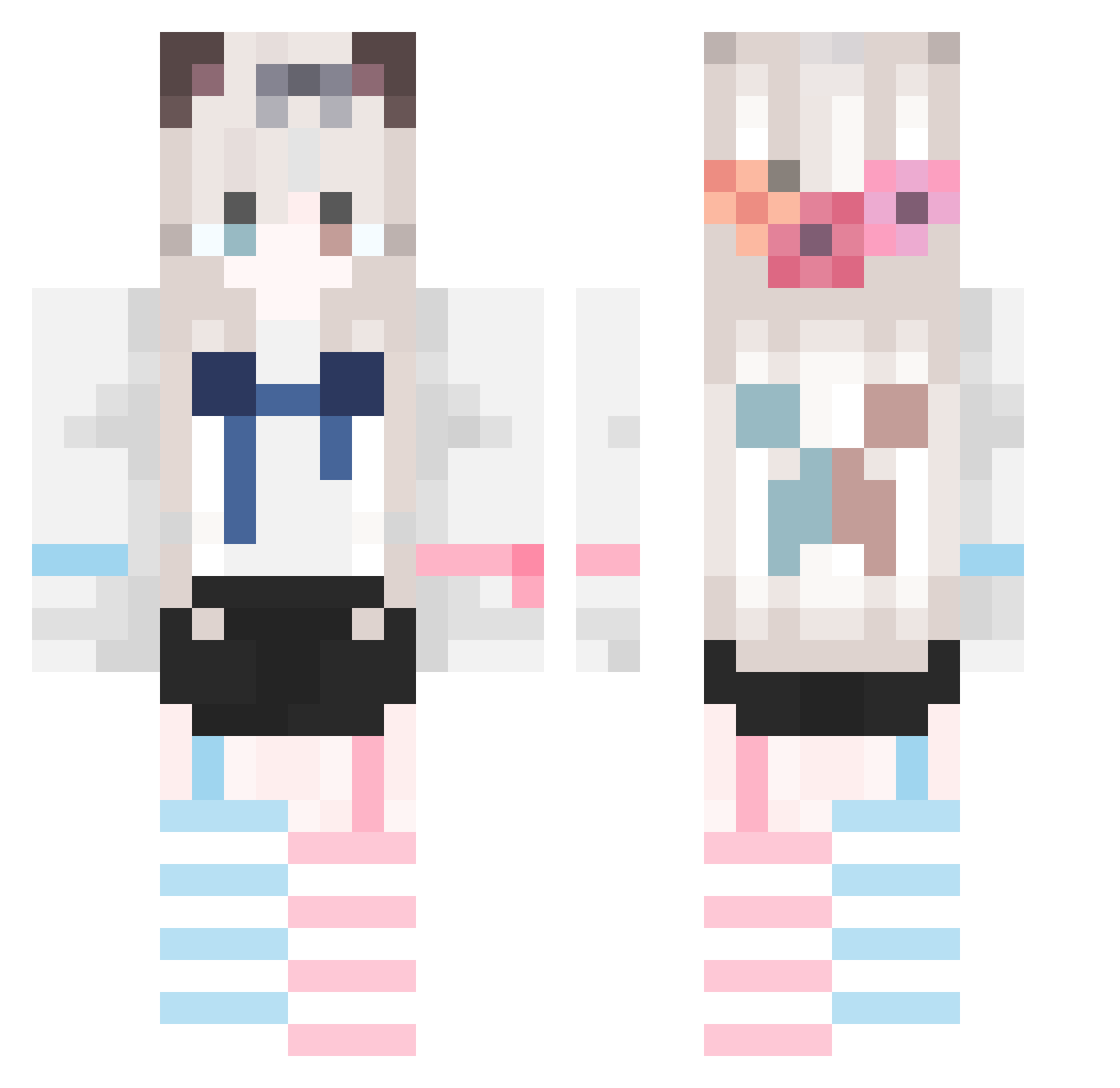
Current Minecraft skin of the player wosui, loaded from the official Mojang API. Rotate the 3D model with your mouse or finger, then download the skin as a PNG file and use it in Minecraft: Bedrock Edition or Java Edition for free. When wosui changes their skin, this page updates automatically and the old skin stays in the history below.
Other players with this skin (747)
wosui was the 33rd player we have seen with this skin, first spotted on 27.07.2026. The same skin was seen on these players. Open a nickname to see their current skin and skin history.
 linkewhy linhelinhe WKM_FOX Xnshi Deity5
 Un1Tzz Balember Hangover_w liorubi M_HeTao Baicai1979 CrowSco mengye6023 xitian_an TLF333 fsd5211 Mu_yu_ Serene_Kaslana byq70 jiokkkl Kelvin233 Rain_Catss DuoHeReShui6 hanzheng123 xiao_mo_6 kojioji2 Harry_Chengas Yogurt9527 wwhsdhr Aya_nami_ FANNN_ Salaska_ CCCCCCCCCCyk Xinxin0524 SKY__LY beilidabei JCJiang shino_003 woshiyaozebabba TIOPWXNL yhcw Recy233 Lapland25 xiaozhi101 A_Meng qingtian521 lovesforever
 zhen_hun AbroadEel773280 QIQIwawa Table666 Name911 Bigsuo Niuduoduodt malatutou1 AAA1333 sakura6868 fakeuminecraft YYYYYYYAA YuRui0704
More Cat Ears Minecraft skins
How to install the wosui skin
- Press the Download button above to save the skin as a PNG file.
- Minecraft: Bedrock Edition (PE): open the Dressing Room from the main menu (or tap your character → Edit Character), go to Classic Skins → Owned, press the + (new skin) button, choose the downloaded PNG and pick the Classic (Steve) model. Works on PC and mobile; consoles cannot import custom skins.
- Minecraft: Java Edition: open the Minecraft Launcher, go to the Skins tab, click New Skin, load the PNG, pick the Classic (Steve) model and press Save & Use. You can also upload it at minecraft.net → Profile → Change Skin.
The skin does not show up after import - what should I do?
Restart Minecraft and open the Dressing Room again - imported skins sometimes appear only after a restart. Also make sure you selected the imported skin and picked the Classic (Steve) model.
Which model should I choose, Classic or Slim?
This skin is designed for the Classic (Steve) model. If you pick the wrong model, the arms of the skin will look stretched or squeezed.
Is the skin of wosui free to download?
Yes. Press Download, save the PNG file and use it in Minecraft: Bedrock Edition or Java Edition - no payment or registration needed. The skin also works on multiplayer servers and Realms.
More skins
Looking for more? Go back to all Minecraft skins and check the top skins of the week, month and all time, or find any player's skin by nickname.