
wildestcat - Minecraft Skins & Skin History
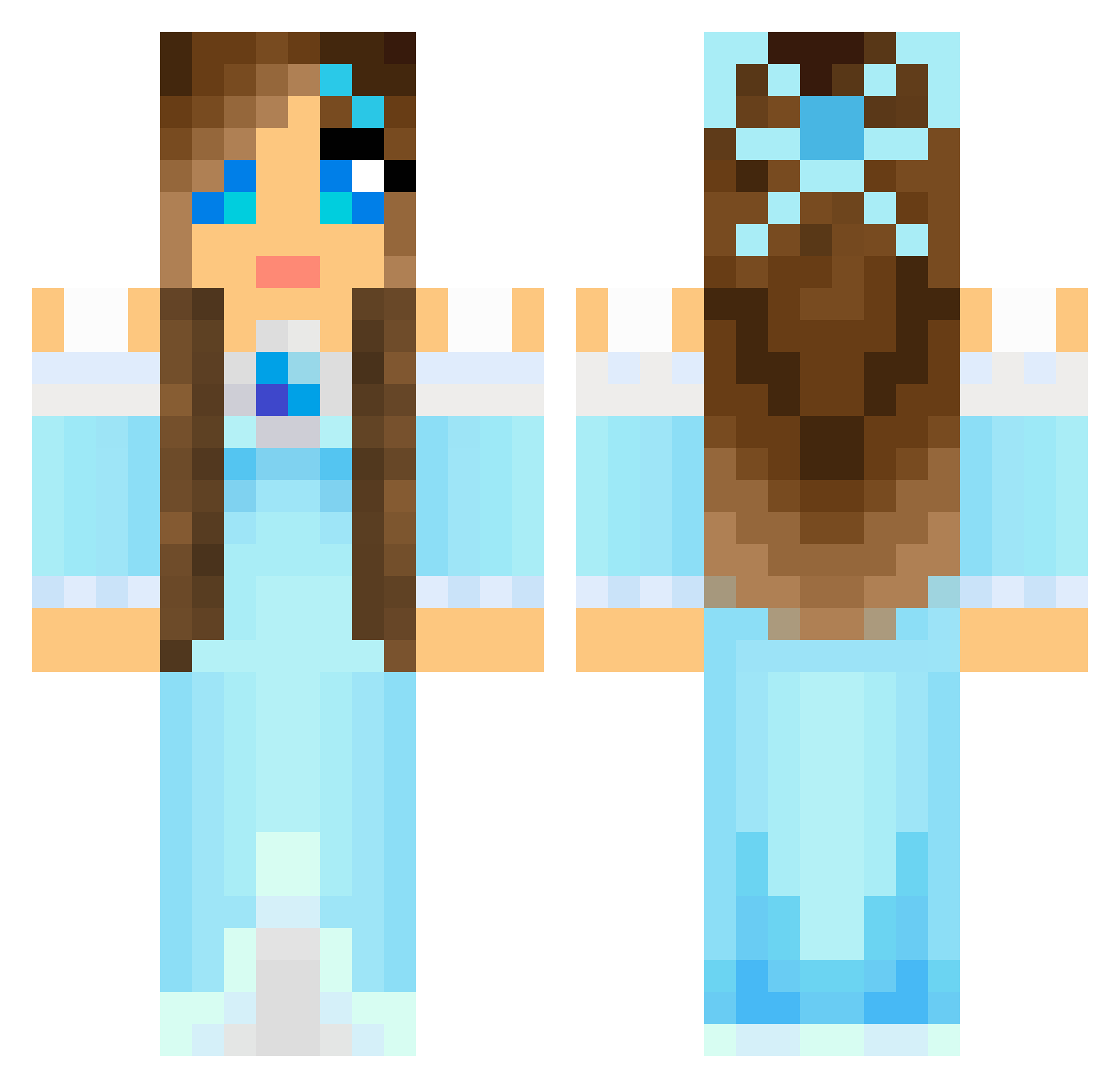
Current Minecraft skin of the player wildestcat, loaded from the official Mojang API. Rotate the 3D model with your mouse or finger, then download the skin as a PNG file and use it in Minecraft: Bedrock Edition or Java Edition for free. When wildestcat changes their skin, this page updates automatically and the old skin stays in the history below.
Other players with this skin (804)
wildestcat was the 77th player we have seen with this skin, first spotted on 03.08.2026. The same skin was seen on these players. Open a nickname to see their current skin and skin history.
 jade027 KittyCatz123 meltab1234 OmnomBeer PrincessNo1 PrincessKally SammaGlamma boxheadxxx KingsCrew18 Huntress800 hadassa12 fluffybunny1221 hannaaxelsson Rinjur PinkAurora Secomdalcom eleais3 MoxieMinecraft Lollypopgirl1224 kalib231 Camille21345 HMILL899 Yuki_chan0 ltpssmc25 sunsetpink1357 GrammaJo starstable01 cajsa8 cupkait85 Satila CrazyChic04 xoxoshorteexoxo Myggan24 jojorich CarmenPrettyGirl lu7770 nany1750 KillerAlmond92 Yayasensei Nefrita liia1 Got2LoveU SassyBird Victoria_JC PrimaB keepthefaythe lovejax puprup Hollsybug luvr211 cupcakeryry Gaithlynn LynnWyn Cuteface89 69WitMe Faceplanting talyorfox SeriaILoving Lyrra98 Raely9
More Princess Minecraft skins
How to install the wildestcat skin
- Press the Download button above to save the skin as a PNG file.
- Minecraft: Bedrock Edition (PE): open the Dressing Room from the main menu (or tap your character → Edit Character), go to Classic Skins → Owned, press the + (new skin) button, choose the downloaded PNG and pick the Classic (Steve) model. Works on PC and mobile; consoles cannot import custom skins.
- Minecraft: Java Edition: open the Minecraft Launcher, go to the Skins tab, click New Skin, load the PNG, pick the Classic (Steve) model and press Save & Use. You can also upload it at minecraft.net → Profile → Change Skin.
The skin does not show up after import - what should I do?
Restart Minecraft and open the Dressing Room again - imported skins sometimes appear only after a restart. Also make sure you selected the imported skin and picked the Classic (Steve) model.
Which model should I choose, Classic or Slim?
This skin is designed for the Classic (Steve) model. If you pick the wrong model, the arms of the skin will look stretched or squeezed.
Is the skin of wildestcat free to download?
Yes. Press Download, save the PNG file and use it in Minecraft: Bedrock Edition or Java Edition - no payment or registration needed. The skin also works on multiplayer servers and Realms.
More skins
Looking for more? Go back to all Minecraft skins and check the top skins of the week, month and all time, or find any player's skin by nickname.