
whidbeygirl - Minecraft Skins & Skin History
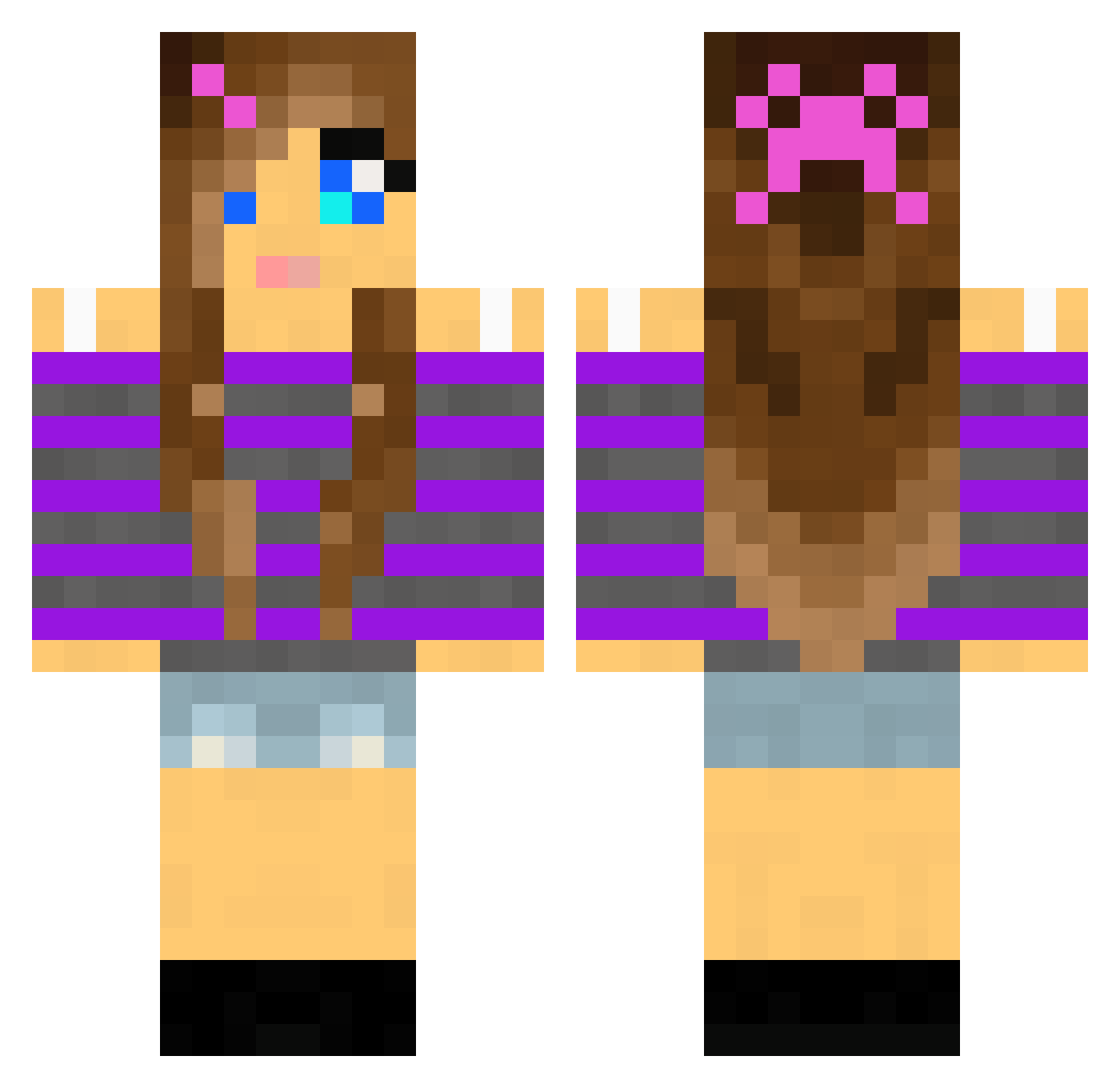
Current Minecraft skin of the player whidbeygirl, loaded from the official Mojang API. Rotate the 3D model with your mouse or finger, then download the skin as a PNG file and use it in Minecraft: Bedrock Edition or Java Edition for free. When whidbeygirl changes their skin, this page updates automatically and the old skin stays in the history below.
Other players with this skin (2169)
whidbeygirl was the 2145th player we have seen with this skin, first spotted on 09.11.2026. The same skin was seen on these players. Open a nickname to see their current skin and skin history.
 Oceaniana Dudetteyy starcather201 M0ckingJay99 marmie123 FoxyFade johald Femkeyx riverhills LilCait4 anna2004 Foxfighter989 Hipster0007 lilljonne kusettaja38 gmingonie Mayumi85 MonsterHighness Shaughna BigT0asty pablopajaro maddyboo452 Conciliating CharlyM03 3oscar123 madheads PinkEmerald hev13 chloetama10 blockhead1029 _Pink_Lava_Girl_ Killerin1986 boomerz999 VolturiGirl koa73 broxgirl77 OscTuVic2 Nipanii Brittanyb1 SadieDane semaj2318 cloui b00kr _ya_buddy_ LarryStooge Avalindra Tahlia969 FairyPenguins Sassy_Sarah Kyliesmiley04 tervueren issycat4310 zQMermaid TheBroJNR sara573e regillon Killtooth rt_03 PrincessCupcake3 talmai
More Girl Minecraft skins
How to install the whidbeygirl skin
- Press the Download button above to save the skin as a PNG file.
- Minecraft: Bedrock Edition (PE): open the Dressing Room from the main menu (or tap your character → Edit Character), go to Classic Skins → Owned, press the + (new skin) button, choose the downloaded PNG and pick the Classic (Steve) model. Works on PC and mobile; consoles cannot import custom skins.
- Minecraft: Java Edition: open the Minecraft Launcher, go to the Skins tab, click New Skin, load the PNG, pick the Classic (Steve) model and press Save & Use. You can also upload it at minecraft.net → Profile → Change Skin.
The skin does not show up after import - what should I do?
Restart Minecraft and open the Dressing Room again - imported skins sometimes appear only after a restart. Also make sure you selected the imported skin and picked the Classic (Steve) model.
Which model should I choose, Classic or Slim?
This skin is designed for the Classic (Steve) model. If you pick the wrong model, the arms of the skin will look stretched or squeezed.
Is the skin of whidbeygirl free to download?
Yes. Press Download, save the PNG file and use it in Minecraft: Bedrock Edition or Java Edition - no payment or registration needed. The skin also works on multiplayer servers and Realms.
More skins
Looking for more? Go back to all Minecraft skins and check the top skins of the week, month and all time, or find any player's skin by nickname.