
w6nted - Minecraft Skins & Skin History
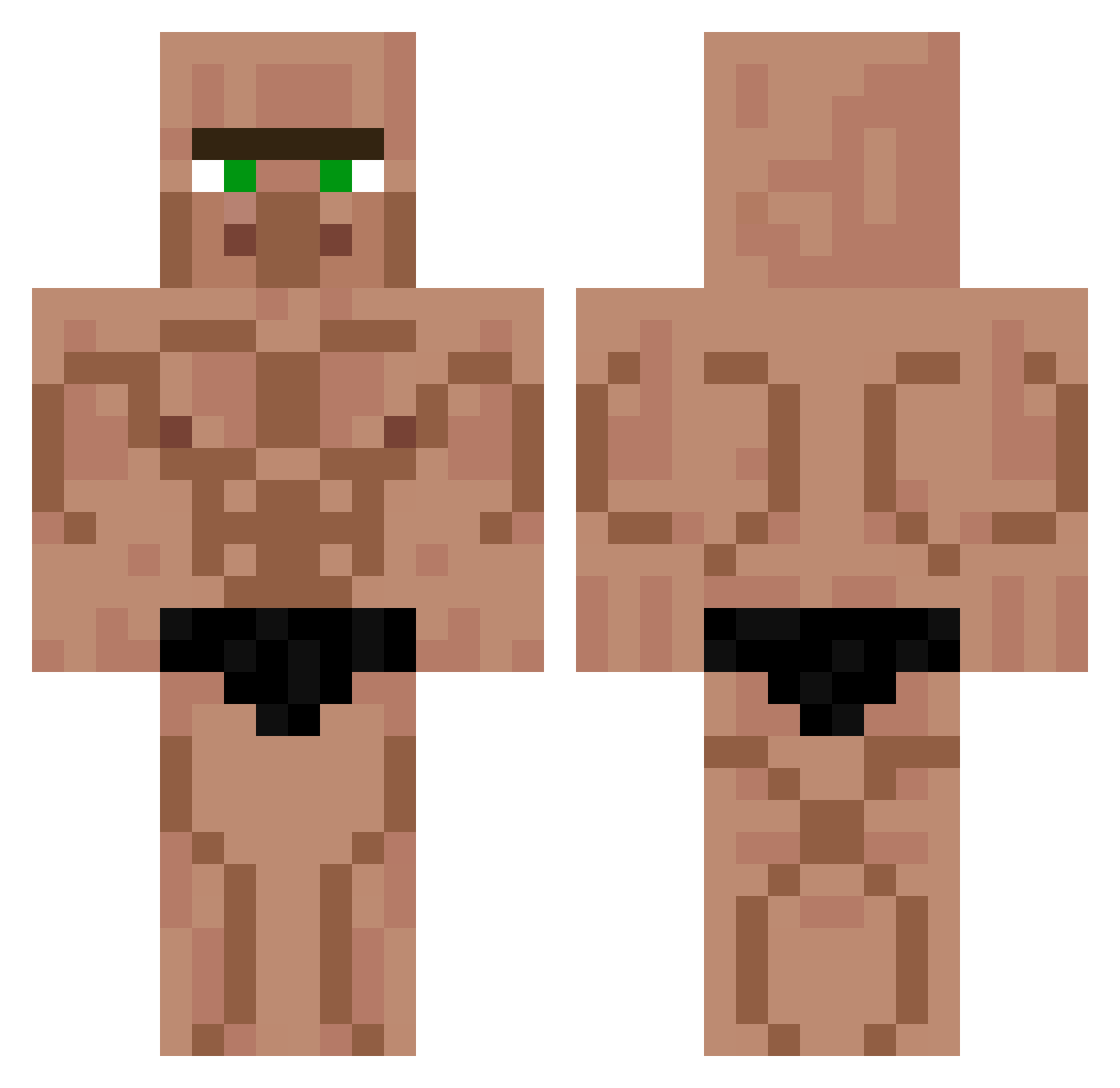
Current Minecraft skin of the player w6nted, loaded from the official Mojang API. Rotate the 3D model with your mouse or finger, then download the skin as a PNG file and use it in Minecraft: Bedrock Edition or Java Edition for free. When w6nted changes their skin, this page updates automatically and the old skin stays in the history below.
Other players with this skin (449)
w6nted was the 106th player we have seen with this skin, first spotted on 18.08.2026. The same skin was seen on these players. Open a nickname to see their current skin and skin history.
 CJW22 L__Dog2050 Marsuriel OllieBigBalls RockTheVillager yuto119 Sambkck Metin3131 le_mec_chelou_ Trix3107 MTrevejo stmkn WildPanther5084 Mutsun MMCDESTROYER unknownuser23 Kalome Cingurs Brunomadrigals Shipwreck729 swba PeixeMcd anton_homo Scarface23 WavyKryptex Eragon1903 Unaiker7 flyingpenguin205 buddinn Kestrxl1 nahueorigins MIKI5119 __wou__ PilierDuFoutre jeanNB BrianRojass al0yrzy UhJayden asp4s Hiroshinho123 AvEArteX Stichyman AllBlockedUp Revilo_0 marimo1265 grivo555 SacoWea1 YUYUTE BlueReed dudi9638 theultraducky1 ralsos NowhereKing26 yo_lvis ethaneus NumbDigger_ yosomono46 Daniel237 Dem8s elbuffon
More Muscle Minecraft skins
How to install the w6nted skin
- Press the Download button above to save the skin as a PNG file.
- Minecraft: Bedrock Edition (PE): open the Dressing Room from the main menu (or tap your character → Edit Character), go to Classic Skins → Owned, press the + (new skin) button, choose the downloaded PNG and pick the Classic (Steve) model. Works on PC and mobile; consoles cannot import custom skins.
- Minecraft: Java Edition: open the Minecraft Launcher, go to the Skins tab, click New Skin, load the PNG, pick the Classic (Steve) model and press Save & Use. You can also upload it at minecraft.net → Profile → Change Skin.
The skin does not show up after import - what should I do?
Restart Minecraft and open the Dressing Room again - imported skins sometimes appear only after a restart. Also make sure you selected the imported skin and picked the Classic (Steve) model.
Which model should I choose, Classic or Slim?
This skin is designed for the Classic (Steve) model. If you pick the wrong model, the arms of the skin will look stretched or squeezed.
Is the skin of w6nted free to download?
Yes. Press Download, save the PNG file and use it in Minecraft: Bedrock Edition or Java Edition - no payment or registration needed. The skin also works on multiplayer servers and Realms.
More skins
Looking for more? Go back to all Minecraft skins and check the top skins of the week, month and all time, or find any player's skin by nickname.