
vsualsss - Minecraft Skins & Skin History
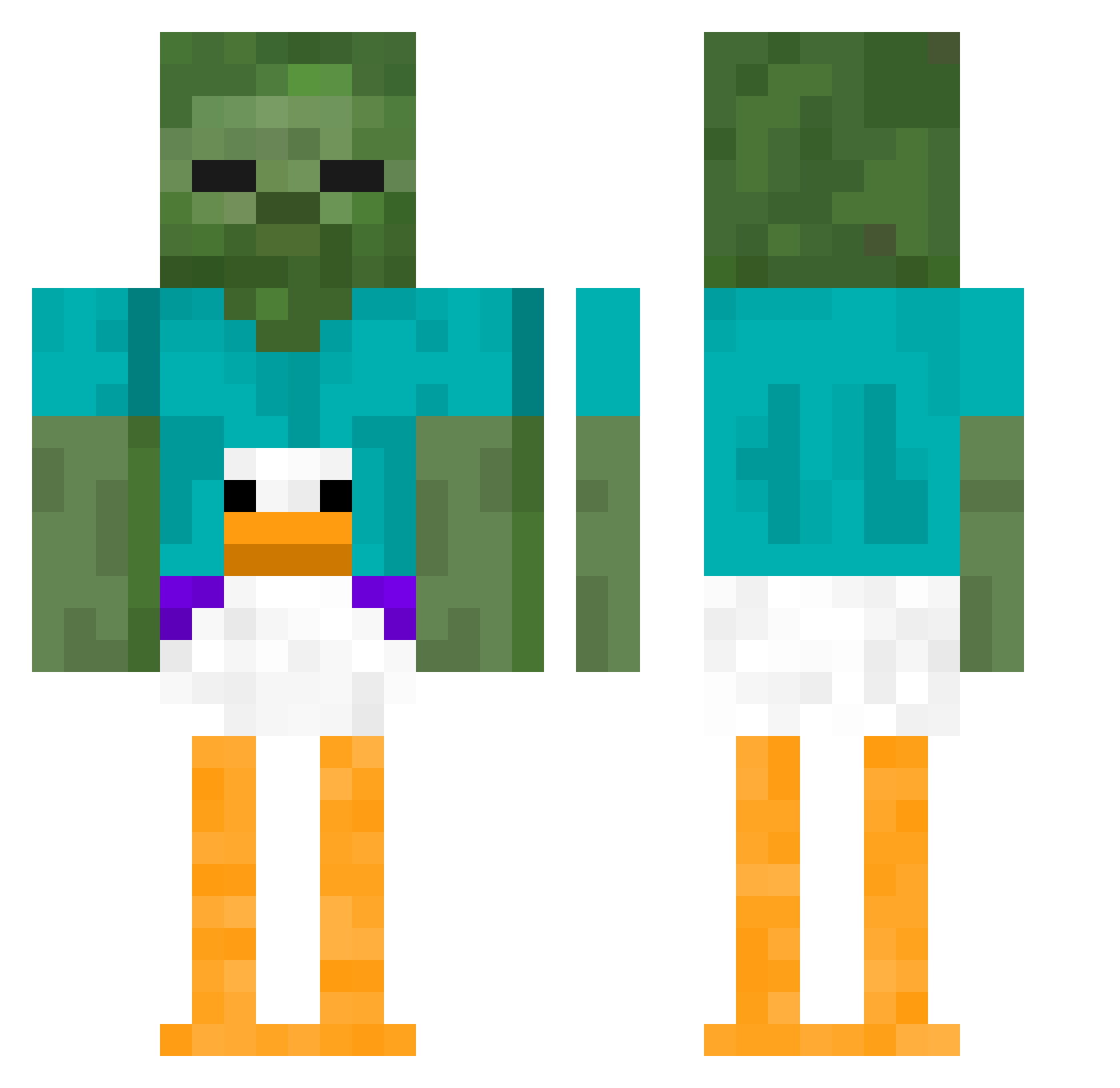
Current Minecraft skin of the player vsualsss, loaded from the official Mojang API. Rotate the 3D model with your mouse or finger, then download the skin as a PNG file and use it in Minecraft: Bedrock Edition or Java Edition for free. When vsualsss changes their skin, this page updates automatically and the old skin stays in the history below.
Other players with this skin (464)
vsualsss was the 437th player we have seen with this skin, first spotted on 13.11.2026. The same skin was seen on these players. Open a nickname to see their current skin and skin history.
 PsicOdin Cxnsensuss Zwettechoco dteoelplayer FatherMezzy AdamC172 xileFelix Tico_1123 whatisagoodnamei PninaHibukim Ebraddy happic8 Achiever1 cmccop monkeymeow2005 MegaAng Sokamat kirito070 gth521 LoganMeyer1964 Austdoggie grindingaxes stefjefstef ayhank I_AM_FATHERLESS1 Miers_ Tangentgore94 KyaniteXD Leonpiorun ProfJacmed ilosealot1 MetalMang0 ChoppaRice enanoelmolon itachishisui Limitz03 NutBustinn69 Climbable BIxke blundan yhyb NoahsDiscostick xucc viggoisjeff e1hxn Lomasm69 matelik4 jiyutang Shn4rdl3 NOT_jogurt 44po Kruger30 sandymonk JerryJerald69 Zacharacka1 hyperhampter seanhaaluf spach97 teaggirl Flunksprite
More Funny Minecraft skins
How to install the vsualsss skin
- Press the Download button above to save the skin as a PNG file.
- Minecraft: Bedrock Edition (PE): open the Dressing Room from the main menu (or tap your character → Edit Character), go to Classic Skins → Owned, press the + (new skin) button, choose the downloaded PNG and pick the Classic (Steve) model. Works on PC and mobile; consoles cannot import custom skins.
- Minecraft: Java Edition: open the Minecraft Launcher, go to the Skins tab, click New Skin, load the PNG, pick the Classic (Steve) model and press Save & Use. You can also upload it at minecraft.net → Profile → Change Skin.
The skin does not show up after import - what should I do?
Restart Minecraft and open the Dressing Room again - imported skins sometimes appear only after a restart. Also make sure you selected the imported skin and picked the Classic (Steve) model.
Which model should I choose, Classic or Slim?
This skin is designed for the Classic (Steve) model. If you pick the wrong model, the arms of the skin will look stretched or squeezed.
Is the skin of vsualsss free to download?
Yes. Press Download, save the PNG file and use it in Minecraft: Bedrock Edition or Java Edition - no payment or registration needed. The skin also works on multiplayer servers and Realms.
More skins
Looking for more? Go back to all Minecraft skins and check the top skins of the week, month and all time, or find any player's skin by nickname.