
vilelix - Minecraft Skins & Skin History
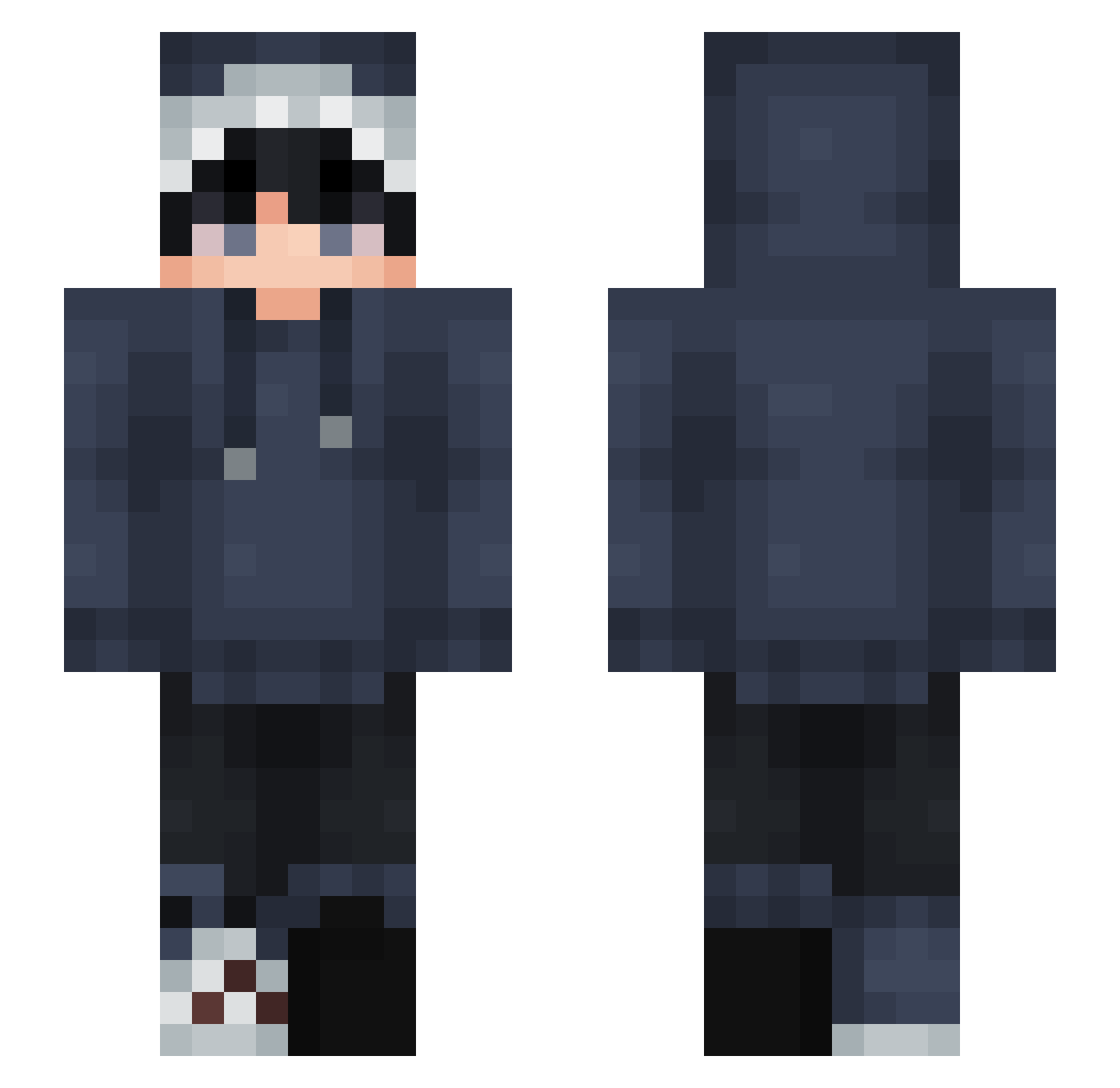
Current Minecraft skin of the player vilelix, loaded from the official Mojang API. Rotate the 3D model with your mouse or finger, then download the skin as a PNG file and use it in Minecraft: Bedrock Edition or Java Edition for free. When vilelix changes their skin, this page updates automatically and the old skin stays in the history below.
Other players with this skin (877)
vilelix was the 591st player we have seen with this skin, first spotted on 10.10.2026. The same skin was seen on these players. Open a nickname to see their current skin and skin history.
 Carbon246 Bass_Trainer NBM_Tv AxtKay ethvyn karamzo3bi99 SharkByte762 ChaoticElite WillumpNNunu ChaaaBraaa Kyorigod white_curse xStormCloudx Josunghyun1234 Ciao777 Sukunaaa_ LinusEkeby Emil989 Bombelownik aruru55 Ice_Obs Nackka CarvedLotus ruo_wei RedMaiden Papa_Drac OskarFN10 qrumbss HydraulicNut Spectru12 Steve_rookie cryptopic hiimnotnoob Stankwart andycui_ HisokaYT Alleylane NaO_To jikoo2731_1026 ZeroTheCat mopson1234 jolodahiti Fern_FM GummyWorm02 ImSorenn Bloody57 Stefan_Seagulll Editx007 chungxsiu GhostOfMir _KIRISHIMA wigle_wogle_187 LonelyWolfff Noah2112 ImaDreamerrr honeyrolex xiuxiu000 Sharktooth57 miss_americana_ darioGAMER1
How to install the vilelix skin
- Press the Download button above to save the skin as a PNG file.
- Minecraft: Bedrock Edition (PE): open the Dressing Room from the main menu (or tap your character → Edit Character), go to Classic Skins → Owned, press the + (new skin) button, choose the downloaded PNG and pick the Slim (Alex) model. Works on PC and mobile; consoles cannot import custom skins.
- Minecraft: Java Edition: open the Minecraft Launcher, go to the Skins tab, click New Skin, load the PNG, pick the Slim (Alex) model and press Save & Use. You can also upload it at minecraft.net → Profile → Change Skin.
The skin does not show up after import - what should I do?
Restart Minecraft and open the Dressing Room again - imported skins sometimes appear only after a restart. Also make sure you selected the imported skin and picked the Slim (Alex) model.
Which model should I choose, Classic or Slim?
This skin is designed for the Slim (Alex) model. If you pick the wrong model, the arms of the skin will look stretched or squeezed.
Is the skin of vilelix free to download?
Yes. Press Download, save the PNG file and use it in Minecraft: Bedrock Edition or Java Edition - no payment or registration needed. The skin also works on multiplayer servers and Realms.
More skins
Looking for more? Go back to all Minecraft skins and check the top skins of the week, month and all time, or find any player's skin by nickname.