
 Alyxrrnn Peterlicious_ COFCAT XulS1337 LamiRobloxX Beoclaw RxvengePlayz KasiiKun JustMeTokyo assbox10 Ryvenn JBM_Kira NichSol maciejqqk htb80 CUFT4u _Shqrky ChenTing AltefD Kobajashi shmiddyy BlueSharky3 PandaCutie3552 Yakobu0101 UWU_Dominiczek Kasoriel Toe1ng Riki088 frosty2716 SplenterOne 120968 Puupi_ xHazelnutx zhendon puppydoggy55 Ka1vn SUPER950 ItzChip_99 X_jin_Yu MaschoXD Niverr Xiao_Ming131 Fablss Sv2_Forge_808 Shawn6526 zhsummer mrsupamit takkun0203 VnEvil ThisGuysToes Curplunk iFaZex zikiwiki 23Luca02 Pressure0420 __Reaper_ aaravlutchman DevilishDawg zhangpw ff4e095a
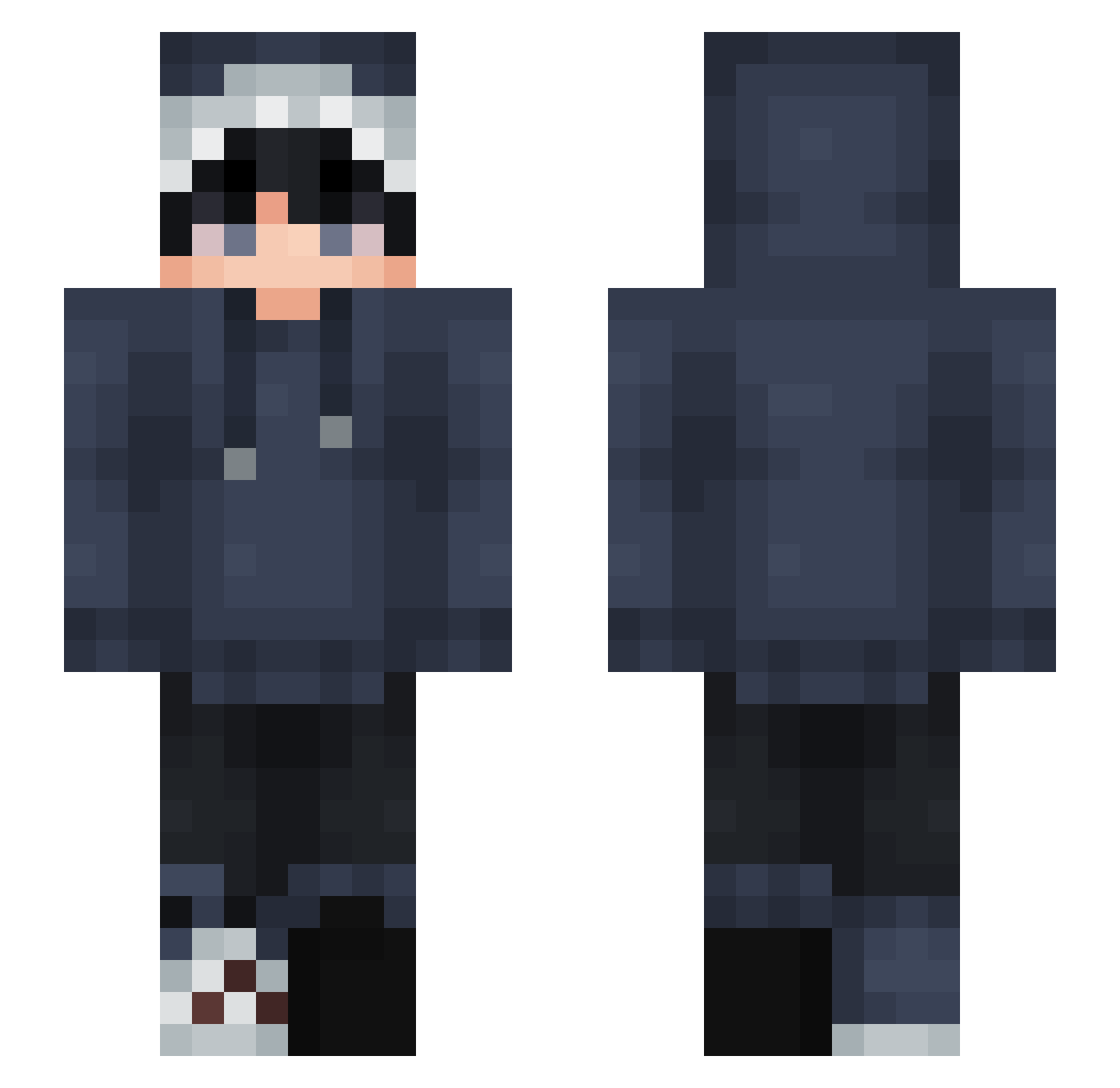
Minecraft skin of Tsubakinoa. Rotate the 3D model with your mouse or finger to view the skin from every angle, then download it as a PNG file and use it in Minecraft: Bedrock Edition or Java Edition for free. Rate the skin with stars to help other players find the best skins in our collection.
How to install the Tsubakinoa skin
- Press the Download button above to save the skin as a PNG file.
- Minecraft: Bedrock Edition (PE): open the Dressing Room from the main menu (or tap your character → Edit Character), go to Classic Skins → Owned, press the + (new skin) button, choose the downloaded PNG and pick the Slim (Alex) model. Works on PC and mobile; consoles cannot import custom skins.
- Minecraft: Java Edition: open the Minecraft Launcher, go to the Skins tab, click New Skin, load the PNG, pick the Slim (Alex) model and press Save & Use. You can also upload it at minecraft.net → Profile → Change Skin.
The skin does not show up after import - what should I do?
Restart Minecraft and open the Dressing Room again - imported skins sometimes appear only after a restart. Also make sure you selected the imported skin and picked the Slim (Alex) model.
Which model should I choose, Classic or Slim?
This skin is designed for the Slim (Alex) model. If you pick the wrong model, the arms of the skin will look stretched or squeezed.
Is this skin free to use?
Yes. Press Download, save the PNG file and use it in Minecraft: Bedrock Edition or Java Edition - no payment or registration needed. The skin also works on multiplayer servers and Realms.
More skins
Looking for more? Go back to all Minecraft skins and check the top skins of the week, month and all time, or find any player's skin by nickname.