
vebjorn_hennig - Minecraft Skins & Skin History
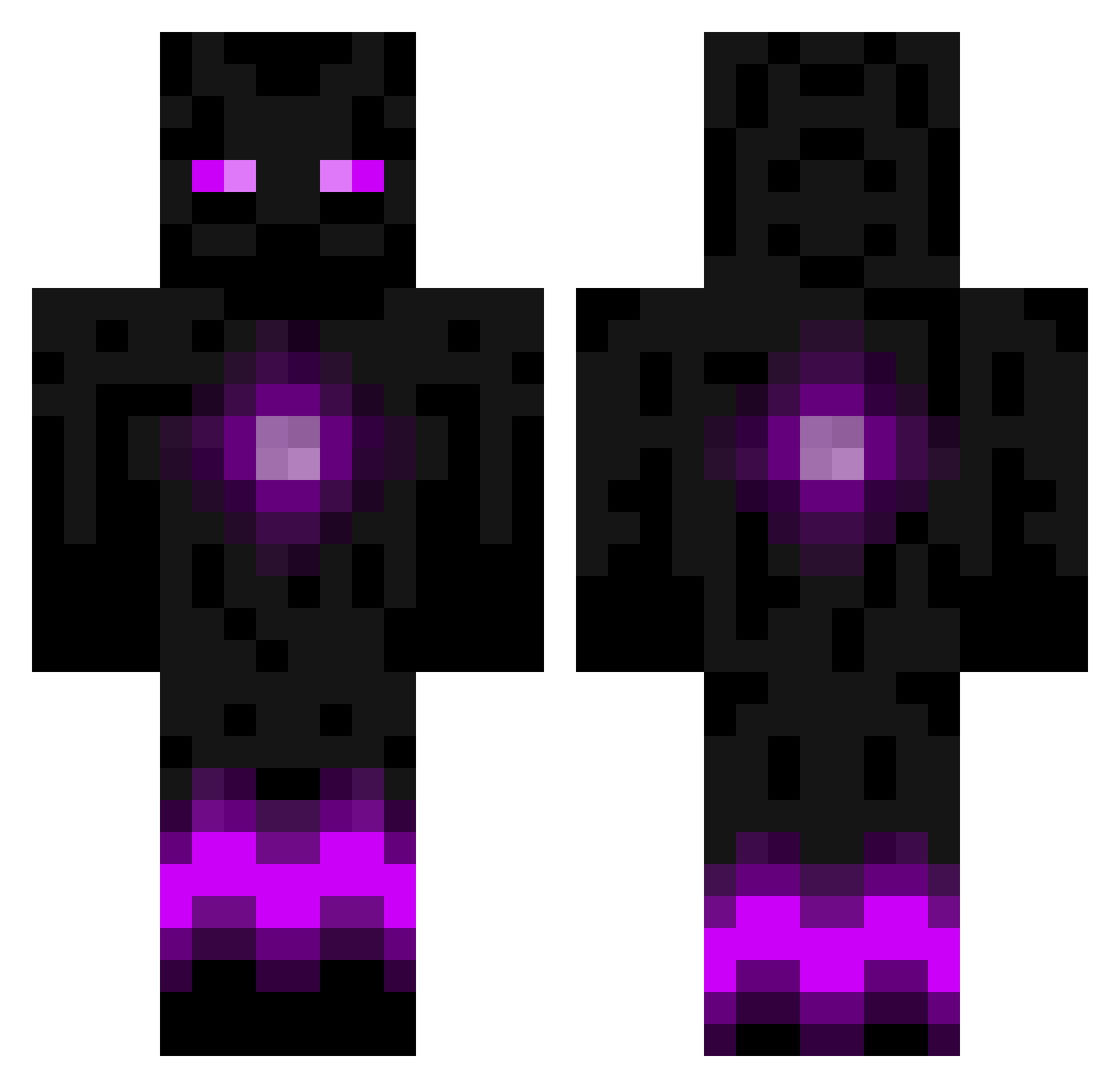
Current Minecraft skin of the player vebjorn_hennig, loaded from the official Mojang API. Rotate the 3D model with your mouse or finger, then download the skin as a PNG file and use it in Minecraft: Bedrock Edition or Java Edition for free. When vebjorn_hennig changes their skin, this page updates automatically and the old skin stays in the history below.
Other players with this skin (786)
vebjorn_hennig was the 63rd player we have seen with this skin, first spotted on 03.08.2026. The same skin was seen on these players. Open a nickname to see their current skin and skin history.
 JustaNOFXhobo flyingpanda12 TrickeryYT camigeorge bob444v GoneOffCheese RedTalonKiller segapro101 Leonzio1 Sandharrow2008 OsamaFaded moneybags2 EndermanKing21 savage_4Life master_miner456 Soonhun hippiepadda Hammerhead_12 kool_kid_no2_ben enderofendermen averyaaron etnan1234567890 CubixBlaZe FuzzyTitan jackdmufc 4ngeloEnderMan gold_rathian dominicf Gyros_Muncher OrionHope Ender_Player_500 Turnballlewis Jakobs1010 SirEndermann enderswift27 Frackalope KeksKing11 Breanna_Baker23 tanc_re Niforean the1strunner XDARKWOLFX xElectric lynch4243 Dojy2002 _Vezio_ Vayaha JTM05 bertaugh Tj5ash Cassidy7810 Xpendable94 ethan_cheese FlowRuh elementalsuper Isteeze 1wadih1999 mineguy4110 7h44h Marvin199610
More Enderman Minecraft skins
How to install the vebjorn_hennig skin
- Press the Download button above to save the skin as a PNG file.
- Minecraft: Bedrock Edition (PE): open the Dressing Room from the main menu (or tap your character → Edit Character), go to Classic Skins → Owned, press the + (new skin) button, choose the downloaded PNG and pick the Classic (Steve) model. Works on PC and mobile; consoles cannot import custom skins.
- Minecraft: Java Edition: open the Minecraft Launcher, go to the Skins tab, click New Skin, load the PNG, pick the Classic (Steve) model and press Save & Use. You can also upload it at minecraft.net → Profile → Change Skin.
The skin does not show up after import - what should I do?
Restart Minecraft and open the Dressing Room again - imported skins sometimes appear only after a restart. Also make sure you selected the imported skin and picked the Classic (Steve) model.
Which model should I choose, Classic or Slim?
This skin is designed for the Classic (Steve) model. If you pick the wrong model, the arms of the skin will look stretched or squeezed.
Is the skin of vebjorn_hennig free to download?
Yes. Press Download, save the PNG file and use it in Minecraft: Bedrock Edition or Java Edition - no payment or registration needed. The skin also works on multiplayer servers and Realms.
More skins
Looking for more? Go back to all Minecraft skins and check the top skins of the week, month and all time, or find any player's skin by nickname.