
vanro_ - Minecraft Skins & Skin History
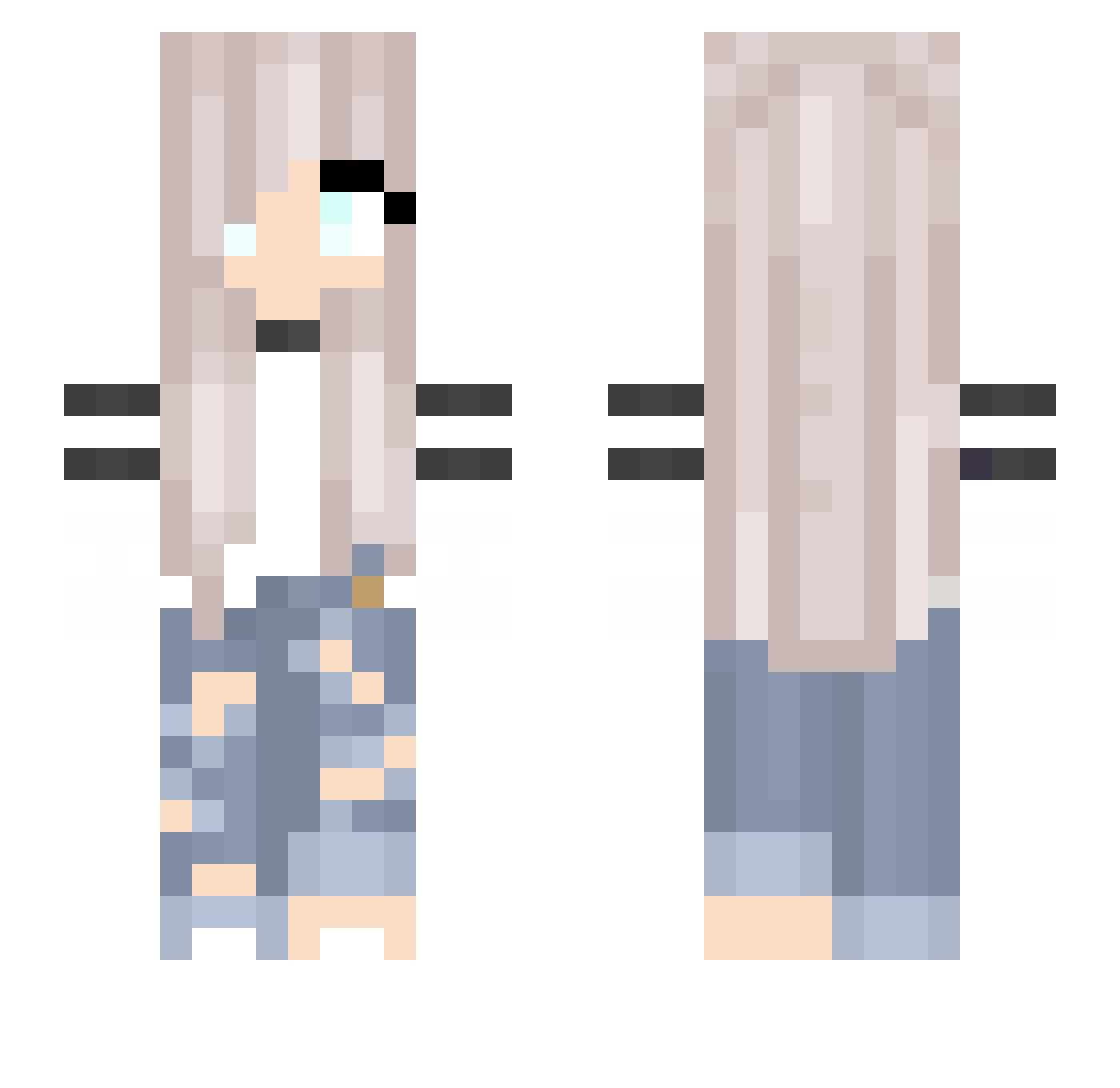
Current Minecraft skin of the player vanro_, loaded from the official Mojang API. Rotate the 3D model with your mouse or finger, then download the skin as a PNG file and use it in Minecraft: Bedrock Edition or Java Edition for free. When vanro_ changes their skin, this page updates automatically and the old skin stays in the history below.
Other players with this skin (194)
vanro_ was the 129th player we have seen with this skin, first spotted on 23.09.2026. The same skin was seen on these players. Open a nickname to see their current skin and skin history.
 kokka11 Lila_Kanin ASLI82 FenWaX Queen_Tiger mmondrop Bellebear3 chika07yy Versetzung aleksaaaandra GUILTYRAY Elojava xMaciusiekx Serene_s jlu2435 Kittycutie1689 BolleatnoAccount EllieEms Rainbow_Dash07 TheGrimmCreeper5 SibaThought zaika666 nutoyu Nasty_Baydalo leyra95 xlienchenx IHaveAnxietyForu MelGaming33 mittermueller cl_boosted ErkanKaya Naxela1996 diamichi26 Many21 Alara_2 Fohaa Outwardly tbry20 Flus1k IIAhmed_Hero TheRealOtti Lilu000111 Repanyuszi CassNovak JayaCat halo8100 vvvx1113 gaeun8659 FireMoon_516 ItsMeLius DQueen GemmaJJ AbbyJBrad MMGamerGirlMM FaithDreamer Atsumiyu Einsberg Imperatriiice Ela_2006 PandiStern
More Girl Minecraft skins
How to install the vanro_ skin
- Press the Download button above to save the skin as a PNG file.
- Minecraft: Bedrock Edition (PE): open the Dressing Room from the main menu (or tap your character → Edit Character), go to Classic Skins → Owned, press the + (new skin) button, choose the downloaded PNG and pick the Slim (Alex) model. Works on PC and mobile; consoles cannot import custom skins.
- Minecraft: Java Edition: open the Minecraft Launcher, go to the Skins tab, click New Skin, load the PNG, pick the Slim (Alex) model and press Save & Use. You can also upload it at minecraft.net → Profile → Change Skin.
The skin does not show up after import - what should I do?
Restart Minecraft and open the Dressing Room again - imported skins sometimes appear only after a restart. Also make sure you selected the imported skin and picked the Slim (Alex) model.
Which model should I choose, Classic or Slim?
This skin is designed for the Slim (Alex) model. If you pick the wrong model, the arms of the skin will look stretched or squeezed.
Is the skin of vanro_ free to download?
Yes. Press Download, save the PNG file and use it in Minecraft: Bedrock Edition or Java Edition - no payment or registration needed. The skin also works on multiplayer servers and Realms.
More skins
Looking for more? Go back to all Minecraft skins and check the top skins of the week, month and all time, or find any player's skin by nickname.