
vannimeow - Minecraft Skins & Skin History
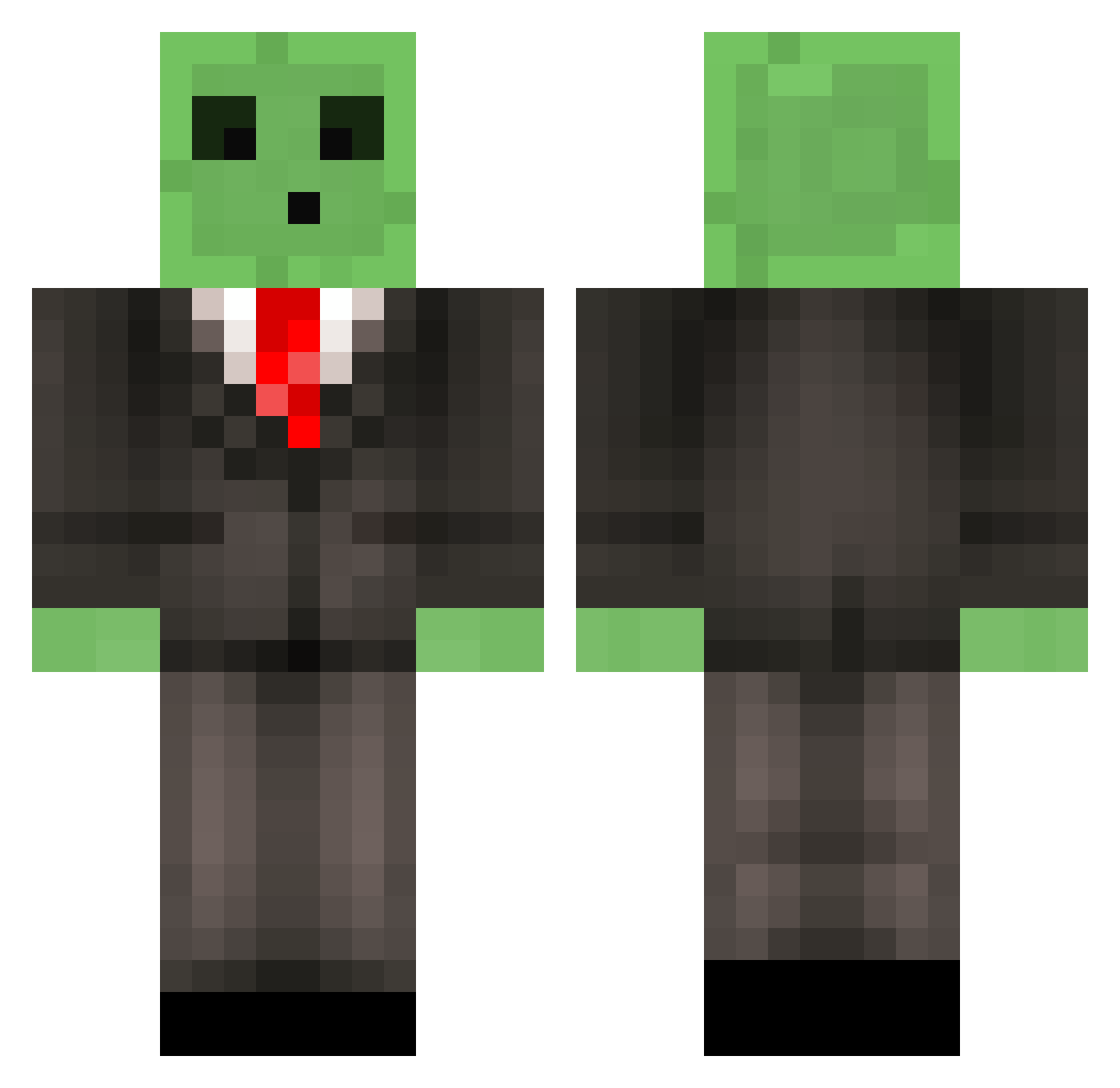
Current Minecraft skin of the player vannimeow, loaded from the official Mojang API. Rotate the 3D model with your mouse or finger, then download the skin as a PNG file and use it in Minecraft: Bedrock Edition or Java Edition for free. When vannimeow changes their skin, this page updates automatically and the old skin stays in the history below.
Other players with this skin (518)
vannimeow was the 133rd player we have seen with this skin, first spotted on 24.08.2026. The same skin was seen on these players. Open a nickname to see their current skin and skin history.
 IgloolessPenguin StrongDiesel monotheghost GuiP03 NormsBoots Deadladyt Zorastrian KingBluey Slagathor1337 slimelord33 Snakyy1 JortSchaap Xotiic_101 SirDurum sweetcider_ OscarDing NoMgc Phoniex04 C_OSullivan Nekryone Freebi85 Dhengis xiaoyu7891 GarfieldFan90 LouDuevel GemstoneTax Ogeidum 777_xxxph xDomi65 Vk70 Last_Mehican GokuMode9250 Captain_Koch JacksonMarcum WHALE_8 AktivAmSchlafen Timmynator2008 Thecido one_ton_soup hawkin1998 Txera96 eliriaa czj12324 Happy_Wang Random_Man2 Preacher8865 Niox011 JavierF115 pizzabuddy2000 ollomol Arhejar Spooky_92 real_mike_ leixun123 dastheengineer Zenvire WOWYami JaimeHdz eaclubb kokkuru334
More Slime Minecraft skins
How to install the vannimeow skin
- Press the Download button above to save the skin as a PNG file.
- Minecraft: Bedrock Edition (PE): open the Dressing Room from the main menu (or tap your character → Edit Character), go to Classic Skins → Owned, press the + (new skin) button, choose the downloaded PNG and pick the Classic (Steve) model. Works on PC and mobile; consoles cannot import custom skins.
- Minecraft: Java Edition: open the Minecraft Launcher, go to the Skins tab, click New Skin, load the PNG, pick the Classic (Steve) model and press Save & Use. You can also upload it at minecraft.net → Profile → Change Skin.
The skin does not show up after import - what should I do?
Restart Minecraft and open the Dressing Room again - imported skins sometimes appear only after a restart. Also make sure you selected the imported skin and picked the Classic (Steve) model.
Which model should I choose, Classic or Slim?
This skin is designed for the Classic (Steve) model. If you pick the wrong model, the arms of the skin will look stretched or squeezed.
Is the skin of vannimeow free to download?
Yes. Press Download, save the PNG file and use it in Minecraft: Bedrock Edition or Java Edition - no payment or registration needed. The skin also works on multiplayer servers and Realms.
More skins
Looking for more? Go back to all Minecraft skins and check the top skins of the week, month and all time, or find any player's skin by nickname.