
valorantbetterr - Minecraft Skins & Skin History
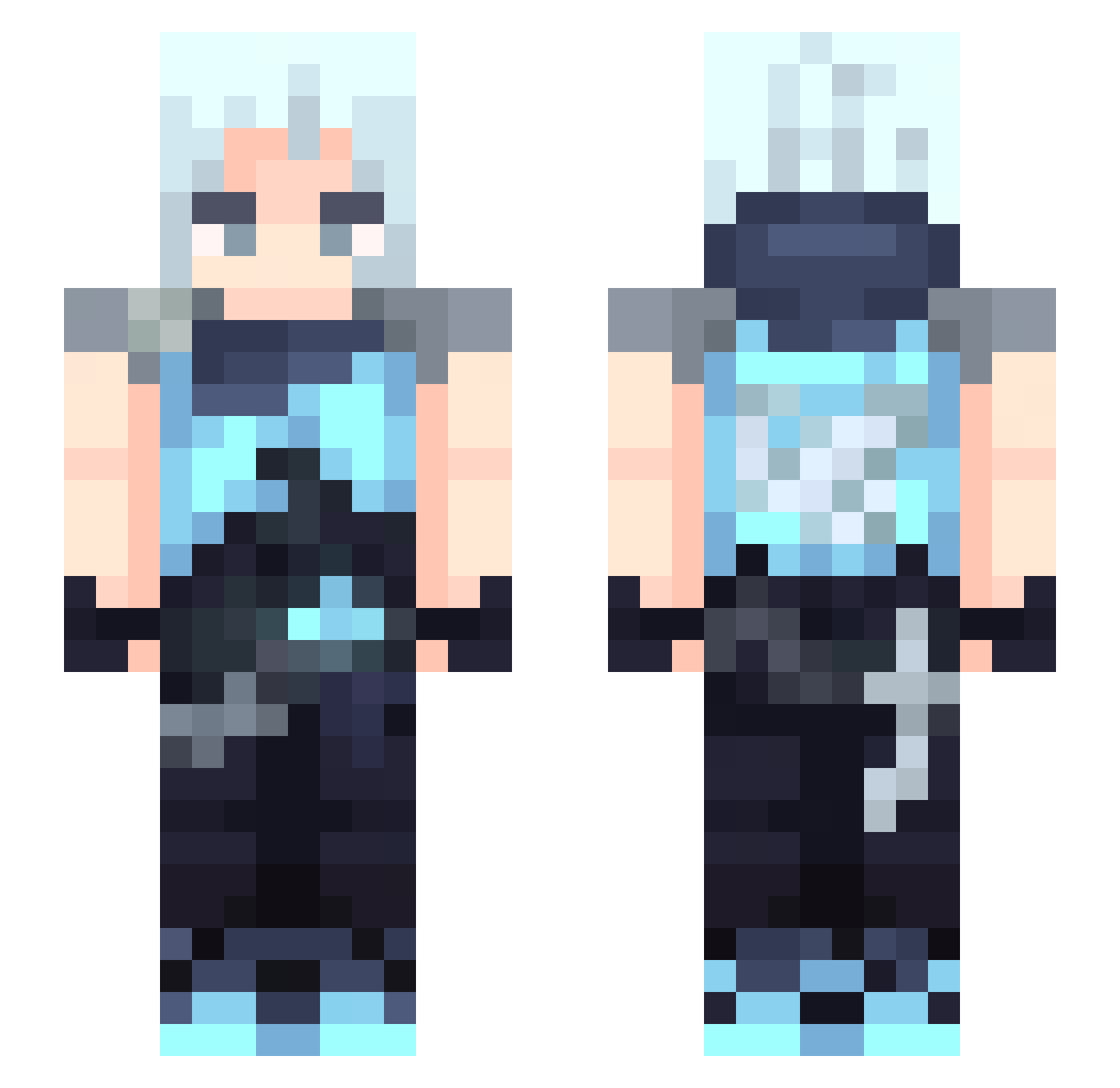
Current Minecraft skin of the player valorantbetterr, loaded from the official Mojang API. Rotate the 3D model with your mouse or finger, then download the skin as a PNG file and use it in Minecraft: Bedrock Edition or Java Edition for free. When valorantbetterr changes their skin, this page updates automatically and the old skin stays in the history below.
Other players with this skin (391)
valorantbetterr was the 178th player we have seen with this skin, first spotted on 14.09.2026. The same skin was seen on these players. Open a nickname to see their current skin and skin history.
 SENenjoyer Tenzl_ IkHeetRoan LuisRp28 dc24m MEWSOFIA JettMains Axaleas Frangaaa JuninhoAldi yyjimy Riv4343 Patrickzzzzz kanghake Pokiman8646 TAFGAMEE ylv197 orange0430 mAniCDotE Yotoo06 JackyLam123 yolyiprr konoha0318 furryfeetlover Jaycvo CentricShip8327 Kid_Noja Amqmi New3Au kadaj3 DeadlyBee cuanaloricardo kit_1 Joac_YF TenHerp SteppyBro W1nkyPinky Aqualange Arumita Palaciossss JxstShinn zaknadee dadadada322 tudoujun dhzzz1 mimisj Luna_aqua wydxens 25253 geonhui0915 SilverAkai AxifAdrix matsu0413 NeonIsPog
 hikkii0 Fabrio22 nickeroni2k Maaxxoo_ LeS3ood_ yamahar7
More Jett Minecraft skins
How to install the valorantbetterr skin
- Press the Download button above to save the skin as a PNG file.
- Minecraft: Bedrock Edition (PE): open the Dressing Room from the main menu (or tap your character → Edit Character), go to Classic Skins → Owned, press the + (new skin) button, choose the downloaded PNG and pick the Slim (Alex) model. Works on PC and mobile; consoles cannot import custom skins.
- Minecraft: Java Edition: open the Minecraft Launcher, go to the Skins tab, click New Skin, load the PNG, pick the Slim (Alex) model and press Save & Use. You can also upload it at minecraft.net → Profile → Change Skin.
The skin does not show up after import - what should I do?
Restart Minecraft and open the Dressing Room again - imported skins sometimes appear only after a restart. Also make sure you selected the imported skin and picked the Slim (Alex) model.
Which model should I choose, Classic or Slim?
This skin is designed for the Slim (Alex) model. If you pick the wrong model, the arms of the skin will look stretched or squeezed.
Is the skin of valorantbetterr free to download?
Yes. Press Download, save the PNG file and use it in Minecraft: Bedrock Edition or Java Edition - no payment or registration needed. The skin also works on multiplayer servers and Realms.
More skins
Looking for more? Go back to all Minecraft skins and check the top skins of the week, month and all time, or find any player's skin by nickname.