
valix49 - Minecraft Skins & Skin History
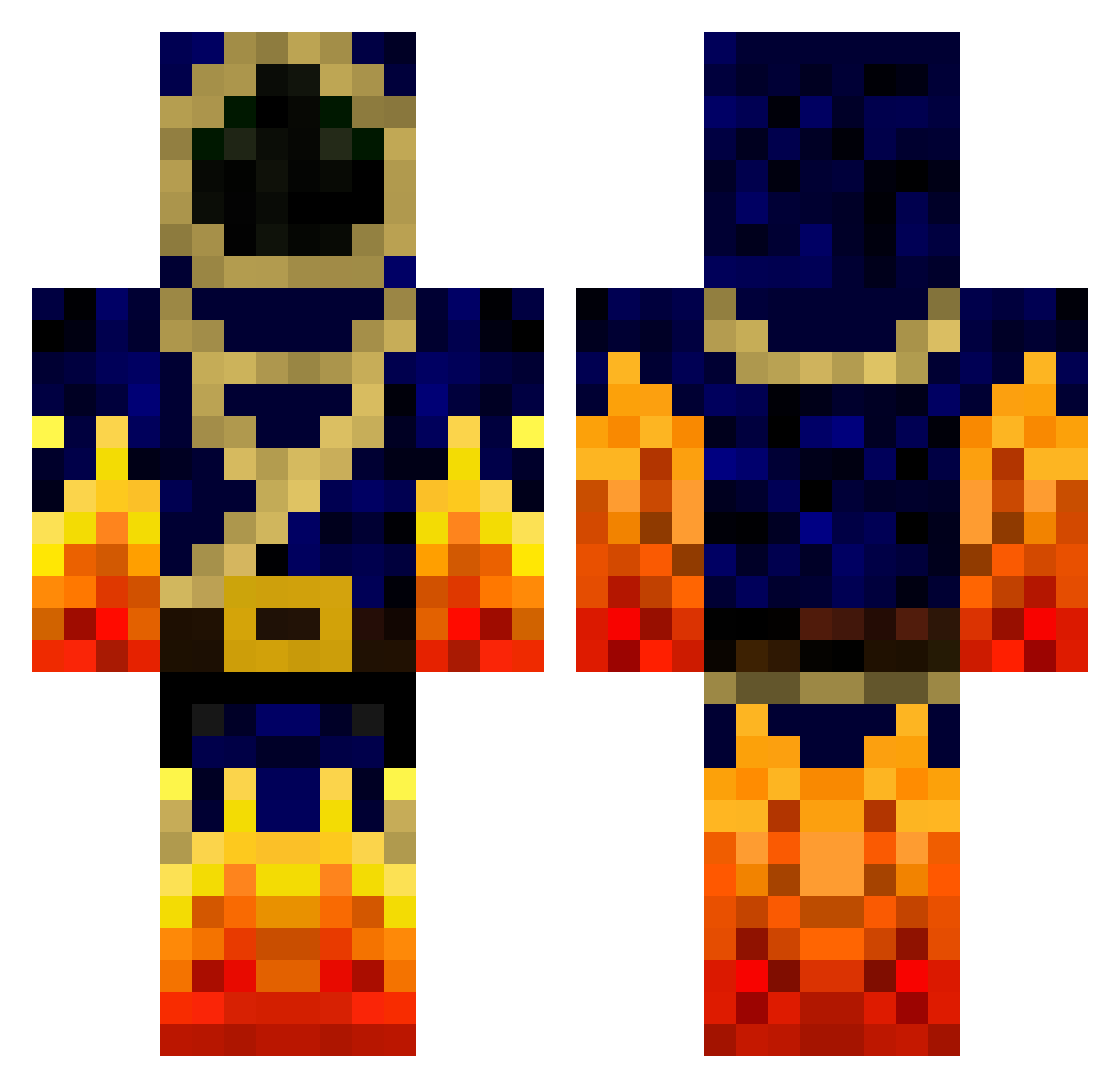
Current Minecraft skin of the player valix49, loaded from the official Mojang API. Rotate the 3D model with your mouse or finger, then download the skin as a PNG file and use it in Minecraft: Bedrock Edition or Java Edition for free. When valix49 changes their skin, this page updates automatically and the old skin stays in the history below.
Other players with this skin (777)
valix49 was the 210th player we have seen with this skin, first spotted on 24.08.2026. The same skin was seen on these players. Open a nickname to see their current skin and skin history.
 leo_the_beast Warlord367 Maktoff mattcmck bazleboss TomasDanny7 Lele409 Nikolaj_Pedersen Rynkiya E16403 Mr_Bacon2001 msanz10 Oath Anomix ewerchuk Quizz3r SirNastyJ CoolGamer2803 msbaker727 sebol1018 TheChavo HELLBOY0151 vxlken beazleybeast WinterGrave1 Caleb_plays_MC __Rebecca_ yas100 shadow_ignite XxItz_Bacon_xX zombie_slayer6 Reprimand jonas12347 xX_LyPix63_Xx InsomnyHack SpoiledPotato Twilson9299 Marlen0410 Christopher597 FireWolf3000 mrmagic8 Venomous_Vipers hunterrox2000 kaptinkyle1 franktopia xXgotyaxX YenRkillers EndymionDrake xTraZik jackskon19 Yaz713 n1ch0g3n1us Bachi3 BinaryWater Will_Aldrich outerflame Aucim hunterhearst Dorndar Firemaker18
More Mage Minecraft skins
How to install the valix49 skin
- Press the Download button above to save the skin as a PNG file.
- Minecraft: Bedrock Edition (PE): open the Dressing Room from the main menu (or tap your character → Edit Character), go to Classic Skins → Owned, press the + (new skin) button, choose the downloaded PNG and pick the Classic (Steve) model. Works on PC and mobile; consoles cannot import custom skins.
- Minecraft: Java Edition: open the Minecraft Launcher, go to the Skins tab, click New Skin, load the PNG, pick the Classic (Steve) model and press Save & Use. You can also upload it at minecraft.net → Profile → Change Skin.
The skin does not show up after import - what should I do?
Restart Minecraft and open the Dressing Room again - imported skins sometimes appear only after a restart. Also make sure you selected the imported skin and picked the Classic (Steve) model.
Which model should I choose, Classic or Slim?
This skin is designed for the Classic (Steve) model. If you pick the wrong model, the arms of the skin will look stretched or squeezed.
Is the skin of valix49 free to download?
Yes. Press Download, save the PNG file and use it in Minecraft: Bedrock Edition or Java Edition - no payment or registration needed. The skin also works on multiplayer servers and Realms.
More skins
Looking for more? Go back to all Minecraft skins and check the top skins of the week, month and all time, or find any player's skin by nickname.