
vSlapzz - Minecraft Skins & Skin History
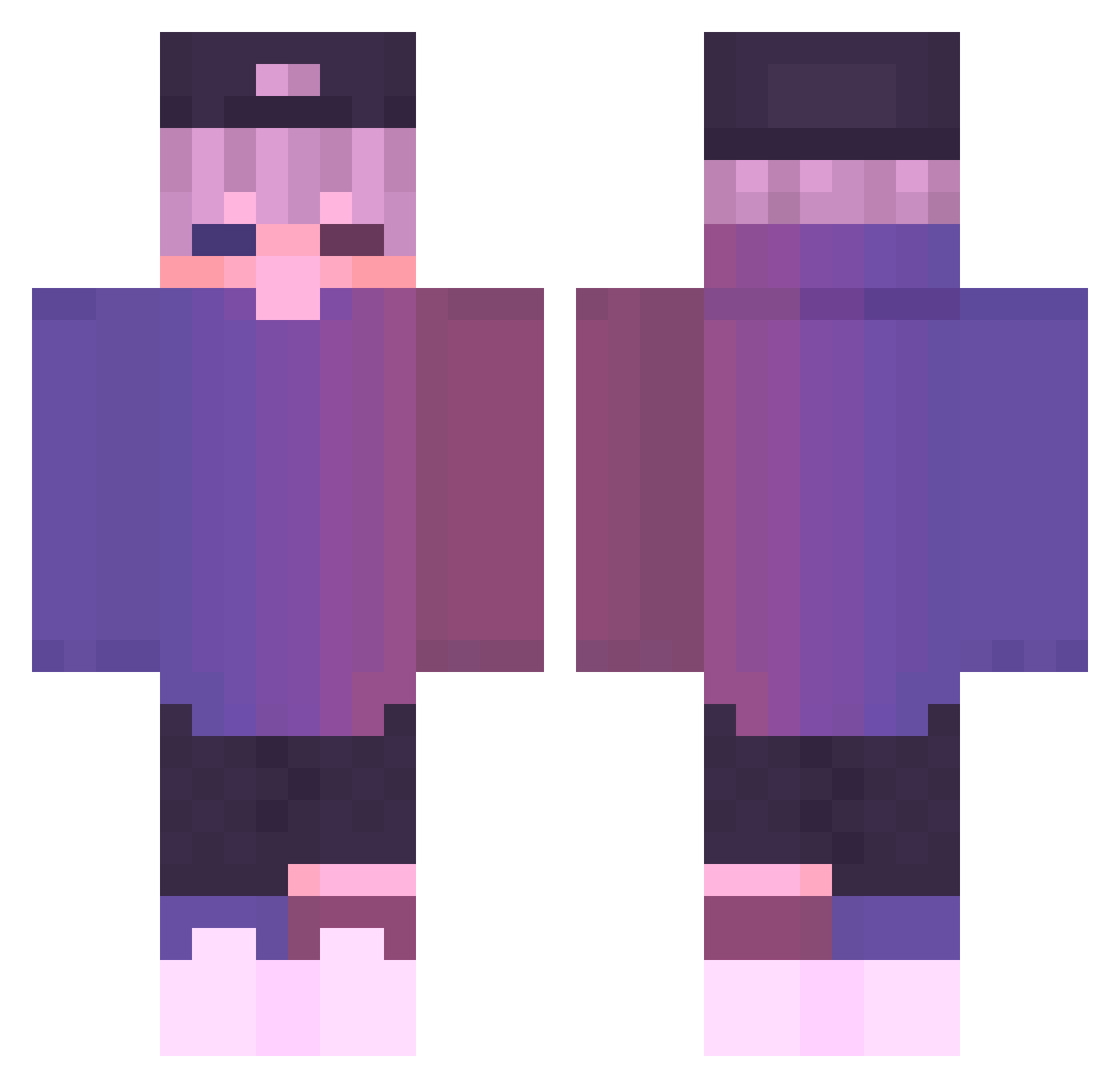
Current Minecraft skin of the player vSlapzz, loaded from the official Mojang API. Rotate the 3D model with your mouse or finger, then download the skin as a PNG file and use it in Minecraft: Bedrock Edition or Java Edition for free. When vSlapzz changes their skin, this page updates automatically and the old skin stays in the history below.
Other players with this skin (848)
vSlapzz was the 755th player we have seen with this skin, first spotted on 08.11.2026. The same skin was seen on these players. Open a nickname to see their current skin and skin history.
 R0siu_27 KingieXD gaming55122 slin6000 SicklesI GREMLIN_610 Flyingdragon16 Kz164 WablSabl PabloCastellano Kadir07 FFilmM Deep_sea21 Lollo34567 Arabic_Club evon_q Aizakkuxd TrinayKing QAQLEO r3u5u Rodnex zengjile_ YOLK0709 262efe MarinV tarakan4iktop1gg Valoric_ SKYLUMMY youngerboiii EnchantedEcho1 GummyGT BrowneyOsprey371 TheSavegeone21 P0lard Dominikos07 dualwinter087678 Leennyy1 teus2122 Eeppinen_ppi FaJacos atknena ByreWu Skayars Psyo_ dding97 Agility_Equinox elunarzlunar Hottlitz MohamedReyad Anatomy___ AwarePegasus612 FkLeo XiaoGi777 Galax0605 AFRODISIACO NewFadedFate ChichaMagique C5monkey MiTriicks coke696
More Cap Minecraft skins
How to install the vSlapzz skin
- Press the Download button above to save the skin as a PNG file.
- Minecraft: Bedrock Edition (PE): open the Dressing Room from the main menu (or tap your character → Edit Character), go to Classic Skins → Owned, press the + (new skin) button, choose the downloaded PNG and pick the Classic (Steve) model. Works on PC and mobile; consoles cannot import custom skins.
- Minecraft: Java Edition: open the Minecraft Launcher, go to the Skins tab, click New Skin, load the PNG, pick the Classic (Steve) model and press Save & Use. You can also upload it at minecraft.net → Profile → Change Skin.
The skin does not show up after import - what should I do?
Restart Minecraft and open the Dressing Room again - imported skins sometimes appear only after a restart. Also make sure you selected the imported skin and picked the Classic (Steve) model.
Which model should I choose, Classic or Slim?
This skin is designed for the Classic (Steve) model. If you pick the wrong model, the arms of the skin will look stretched or squeezed.
Is the skin of vSlapzz free to download?
Yes. Press Download, save the PNG file and use it in Minecraft: Bedrock Edition or Java Edition - no payment or registration needed. The skin also works on multiplayer servers and Realms.
More skins
Looking for more? Go back to all Minecraft skins and check the top skins of the week, month and all time, or find any player's skin by nickname.