
unknown1990 - Minecraft Skins & Skin History
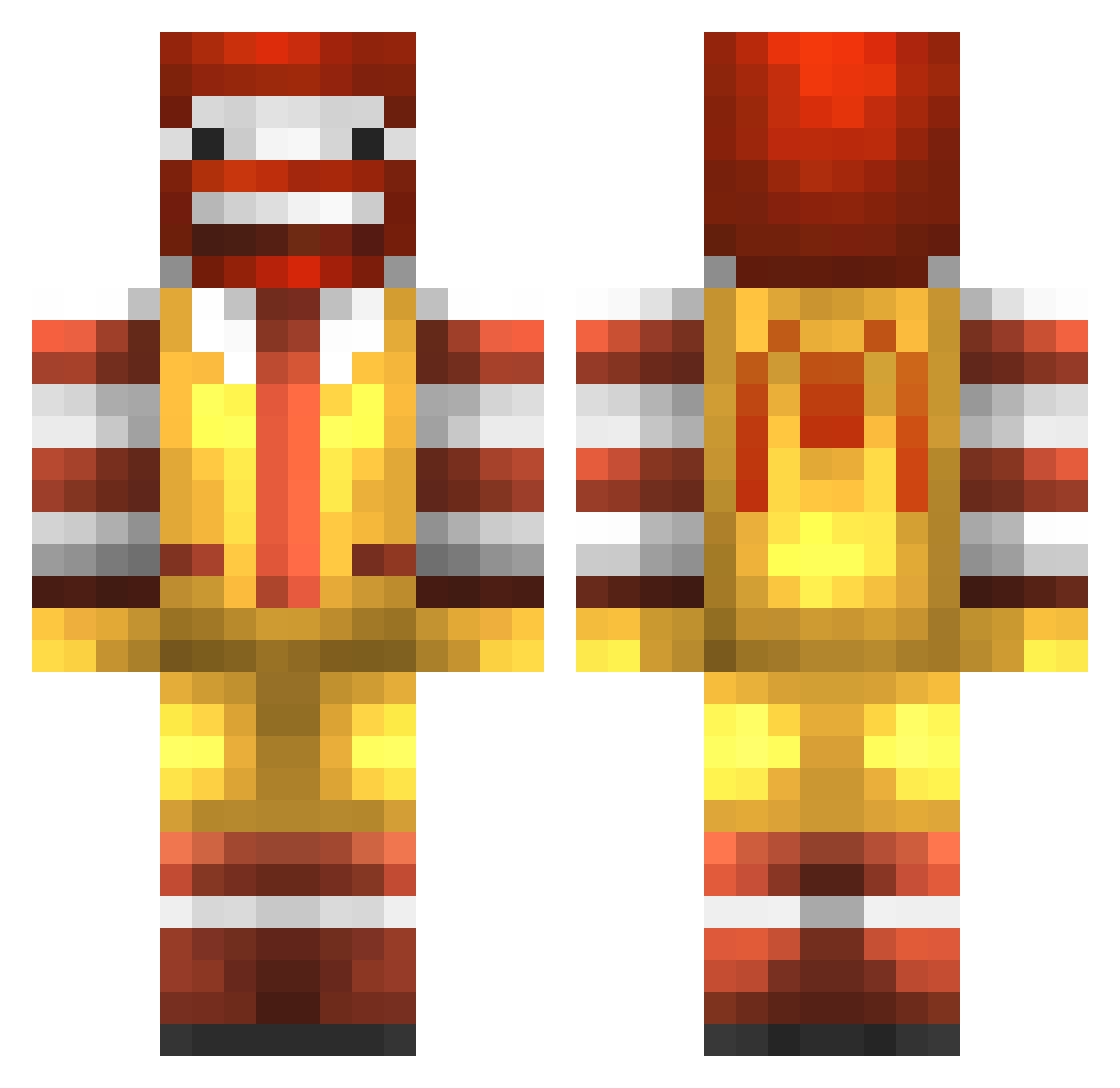
Current Minecraft skin of the player unknown1990, loaded from the official Mojang API. Rotate the 3D model with your mouse or finger, then download the skin as a PNG file and use it in Minecraft: Bedrock Edition or Java Edition for free. When unknown1990 changes their skin, this page updates automatically and the old skin stays in the history below.
Other players with this skin (777)
unknown1990 was the 600th player we have seen with this skin, first spotted on 04.10.2026. The same skin was seen on these players. Open a nickname to see their current skin and skin history.
 supraboy666 Qwarri AMP_LEAN Jesperrasch DanielWink mccool44 uncfan720 simpson_boss lump4ever skidooch xtyrant_ HAC73 Waldo7 trentplum Epbrick otterknot iplay2muchxbox Pmauwie BobTheBulider Rushplaying googlypantz niicckkyyboii madsen201210 JackNUMBER MAKESairsoft apooh p963963 cody589 newbcookie patrice1224 Paablomoreno jonasgaming19 samk_11 Superfly_3521 Whiteshadow0514 TUMSTOCKSMANNEN Vioxy_oG Thunder2k2 RANDOMMAGMA nanan22 PtchBlck GoatSheeze Ghettosarus_Rekz HappyMeal1001 Zlataneuh NiceGuyWille Tamaaz ManriqueZz iiMineMineCraft_ LunchKit Yanab PitiNici2001 Conor__Dollarton LimonRlz Labiss Zacharie25 kozykilled Guerem aliens_wen ncharles_12
More Ronald Mcdonald Minecraft skins
See all 126 Ronald Mcdonald skins
How to install the unknown1990 skin
- Press the Download button above to save the skin as a PNG file.
- Minecraft: Bedrock Edition (PE): open the Dressing Room from the main menu (or tap your character → Edit Character), go to Classic Skins → Owned, press the + (new skin) button, choose the downloaded PNG and pick the Classic (Steve) model. Works on PC and mobile; consoles cannot import custom skins.
- Minecraft: Java Edition: open the Minecraft Launcher, go to the Skins tab, click New Skin, load the PNG, pick the Classic (Steve) model and press Save & Use. You can also upload it at minecraft.net → Profile → Change Skin.
The skin does not show up after import - what should I do?
Restart Minecraft and open the Dressing Room again - imported skins sometimes appear only after a restart. Also make sure you selected the imported skin and picked the Classic (Steve) model.
Which model should I choose, Classic or Slim?
This skin is designed for the Classic (Steve) model. If you pick the wrong model, the arms of the skin will look stretched or squeezed.
Is the skin of unknown1990 free to download?
Yes. Press Download, save the PNG file and use it in Minecraft: Bedrock Edition or Java Edition - no payment or registration needed. The skin also works on multiplayer servers and Realms.
More skins
Looking for more? Go back to all Minecraft skins and check the top skins of the week, month and all time, or find any player's skin by nickname.